


Pet Robots as a Hypoallergenic Pet Alternative: The Best Allergy-Friendly Companions (2026 Guide)
March 03, 2026
If you love the idea of a dog napping at your feet or a cat purring on your lap—but your sinuses, skin, or asthma absolutely do not—there’s a new middle ground that’s getting genuinely good in 2026: pet robots built for companionship, not chores.
This guide is for people who want the cozy, calming rituals of pet life without the biological allergens that typically come with it.
Why allergies make pet ownership hard
Most “pet allergies” aren’t really about fur itself. The usual culprits are proteins from dander/skin flakes, saliva, and urine, and those proteins hitch rides on fur, furniture, carpet, clothing—basically your whole life.
That’s why someone can say, “I’m allergic to cats,” even if they didn’t touch a cat today. The allergen can stick around indoors and travel on fabric.
The “hypoallergenic pet” myth
Here’s the part most people learn the hard way: there’s no consistently “hypoallergenic” dog breed that reliably produces fewer allergens. The American Academy of Allergy, Asthma & Immunology (AAAAI) specifically notes research hasn’t found consistent evidence that so-called hypoallergenic breeds produce lower allergen levels.
So when someone searches for “hypoallergenic pet alternative,” what they often want is simpler:something that feels like a pet, but doesn’t produce pet allergens.
That’s where pet robots come in.
What makes a pet robot “hypoallergenic”
Robot pets don’t produce the same allergens as living animals, but “allergy-friendly” isn’t automatic. To choose well, we need to look at what robot pets eliminate—and the non-obvious things (like dust and materials) that can still bother sensitive households.
The big win: no biological allergens
A robot pet doesn’t produce dander, saliva, or urine proteins—so it sidesteps the most common allergy triggers described by allergy organizations.
Definition:A pet robot is an allergy-friendly companion because it doesn’t generate pet dander or saliva proteins, which are common triggers for pet allergies and asthma.
The realistic “allergy gotchas”
Robot pets can still bother sensitive people—but usually for different reasons:
Dust collecting in faux fur, seams, vents, and joints
Materials (some people react to certain plastics, fabrics, dyes)
Cleaning products (fragrances, sprays, harsh disinfectants)
This isn’t to scare you off—just to help you pick and maintain the right model.
Best allergy-friendly pet robots in 2026 (pick by persona)
Not every robot pet is built for the same kind of companionship. Pick the model that matches your lifestyle—family play, senior comfort, apartment calm, or premium realism.
Here are the easiest “choose-your-path” recommendations:
Best interactive “robot pet” for families (wipeable body + rich behaviors): Loona — playful, voice interaction, games, and smart AI behaviors; includes a 720p camera and a 4-microphone array (privacy note below).
Best premium lifelike robot dog experience: Sony aibo (ERS-1000) — learns and evolves; cloud plan is central to the full experience.
Best comfort companion for seniors: Joy for All Companion Pets — designed for ease-of-care companionship and widely used in senior contexts.
Most realistic “therapy-style puppy” to watch: Tombot Jennie — touch sensors and voice commands; designed for people facing health adversities.
Best small cuddly desk companion: Casio Moflin — emotional-AI style bonding, portable, with ~5 hours battery (typical use guidance).
Comparison table (fast way to narrow your shortlist)
If you’re deciding between a few finalists, specs and “vibes” aren’t enough—especially when allergies are part of the equation. This table highlights the practical differences that matter most: cleaning effort, dust risk, and the kind of companionship you’ll actually get day to day.
Robot pet
“Pet feel”
Allergy-friendly practical notes
Best for
Watch-outs
Loona
Expressive, playful “pet energy” with games
Mostly hard surfaces = easier wipe-downs vs plush; specs list 720p camera + 4-mic array
Families, kids, interactive companionship
Privacy: camera/mics; dust in joints like any device
Sony aibo (ERS-1000)
Premium roaming robot dog
Wipeable body; more joints/crevices
Tech lovers, “I want a dog vibe”
Cloud plan is core
Joy for All
Plush lap companion
Faux fur can collect dust → needs gentle cleaning
Seniors, comfort-first homes
Not “smart” like roaming robots
Tombot Jennie
Realistic puppy behavior
Plush/realism likely means more dust management
Therapy-style comfort
Availability timing varies
Casio Moflin
Small cuddly creature
Plush exterior; battery ~5 hours (typical use guidance)
Apartments, desks, calm routines
Plush dust upkeep; recharge routine
In-depth picks (2026)
Here’s what each robot pet feels like day to day, how much cleaning it really takes, and the kind of person who’ll love it (or get bored of it fast)
Loona — best for “I want real interaction, but I can’t do dander”
Loona is built for the part of pet ownership many people actually crave: play, attention, little surprises, and companionship—without shedding, litter, or the daily pet-care workload.
What it feels likeLoona’s product positioning leans strongly into “family companion”: lively personality, smart AI interactions, and lots of games/activities.
Allergy-friendly score: strong for most allergy householdsThe practical advantage is simple: Loona is primarily a wipeable device rather than a faux-fur plush—so you can keep it cleaner with basic dust control. (Dust still accumulates in joints; think “phone/keyboard cleaning,” not “laundry.”)
Standout features (why it earns a spot in this guide)
Key specs include a 720p RGB camera and a 4-microphone array.
Marketed as “all the happiness of having a pet—without all the mess.”
Auto-recharging behavior is part of the Loona experience (returns to dock when battery is low).
Downsides
If you’re privacy-sensitive, you should treat it like a smart device: camera + microphones are part of the product’s capabilities.
If your main allergy trigger is dust, you still need a light routine.
Who should buy / skipBuy if you want an interactive, playful companion and prefer something easier to wipe down than plush. Skip if you want a purely cuddly “lap pet” experience (Joy for All or Moflin may fit better).
Allergy-friendly care tipA quick weekly wipe + a soft brush for seams/joints keeps Loona “clean-feeling” in the same way you’d maintain a controller or smart speaker.
Sony aibo (ERS-1000) — best premium “robot dog” experience
aibo is for people who want the closest mainstream thing to a “dog in the house,” including movement and personality growth over time.
Allergy-friendly score: strongPrimarily wipeable surfaces. The main maintenance is dust in seams and around moving parts.
A practical note on ongoing costsSony describes the aibo AI Cloud Plan as essential to the full experience (naming, growth, communication via app).
Joy for All Companion Pets — best comfort-first option for seniors
Joy for All is widely positioned as a comfort companion for older adults, including those with dementia/Alzheimer’s. Wired also reported on their use with seniors and cited pricing around $130 (varies by retailer and time).
Allergy-friendly score: good (with plush upkeep)Because it’s furry/plush, it can collect dust—so it’s allergy-friendly in the “no dander/saliva” sense, but still needs gentle cleaning.
Tombot Jennie — best for “realistic puppy comfort” (watch closely)
Tombot emphasizes touch sensors and voice activation, positioning the puppy as a supportive companion for people facing health adversities. If realism is your top priority, this is one to follow.
Casio Moflin — best small cuddly companion for apartments and desks
Casio frames Moflin as a portable AI companion for people who love animals but can’t keep pets. Casio’s FAQ guidance lists about 5 hours battery life under typical daily-use conditions.
Plush means dust upkeep—but it’s a uniquely calming “little creature” experience.
How to keep a robot pet allergy-friendly (simple routines)
Even the best robot pet won’t feel “allergy-friendly” if it quietly becomes a dust collector. The good news is that upkeep is usually simple—if you match the routine to the robot’s surface type: wipeable shells vs plush/faux fur.
If it’s wipeable (Loona, aibo)
Weekly microfiber wipe
Soft brush/cotton swab for seams and joints
Quick vacuum in its main play area (dust follows movement)
If it’s plush (Joy for All, Moflin, likely Tombot/LilMilo)
Lint roll first
Gentle vacuum with soft brush attachment
Store off the floor when not in use
Conclusion
Ultimately, the “best” allergy-friendly companion is the one you’ll actually use: the one that fits your routine, your space, and your comfort level with tech. Pick your style of companionship first (cuddly vs interactive vs roaming), choose the easiest-to-maintain design you can, and you’ll get the best part of pet life—connection—without the allergy tradeoff.
FAQ
Are robot pets truly hypoallergenic?
They don’t produce pet dander/saliva/urine proteins—common triggers—so they’re often allergy-friendly. But dust/material sensitivities can still matter.
Is Loona a good choice for allergy households?
Often yes—because it’s a robot companion with published specs and mostly wipeable surfaces, making routine cleaning easier than faux-fur models. Specs list a 720p camera and 4-mic array.
Do robot pets require subscriptions?
Some ecosystems do. For aibo, Sony positions the AI Cloud Plan as essential to the whole experience.
Pink Robot Dog Toy: The Ultimate Buyer’s Guide for Parents in 2026
February 25, 2026
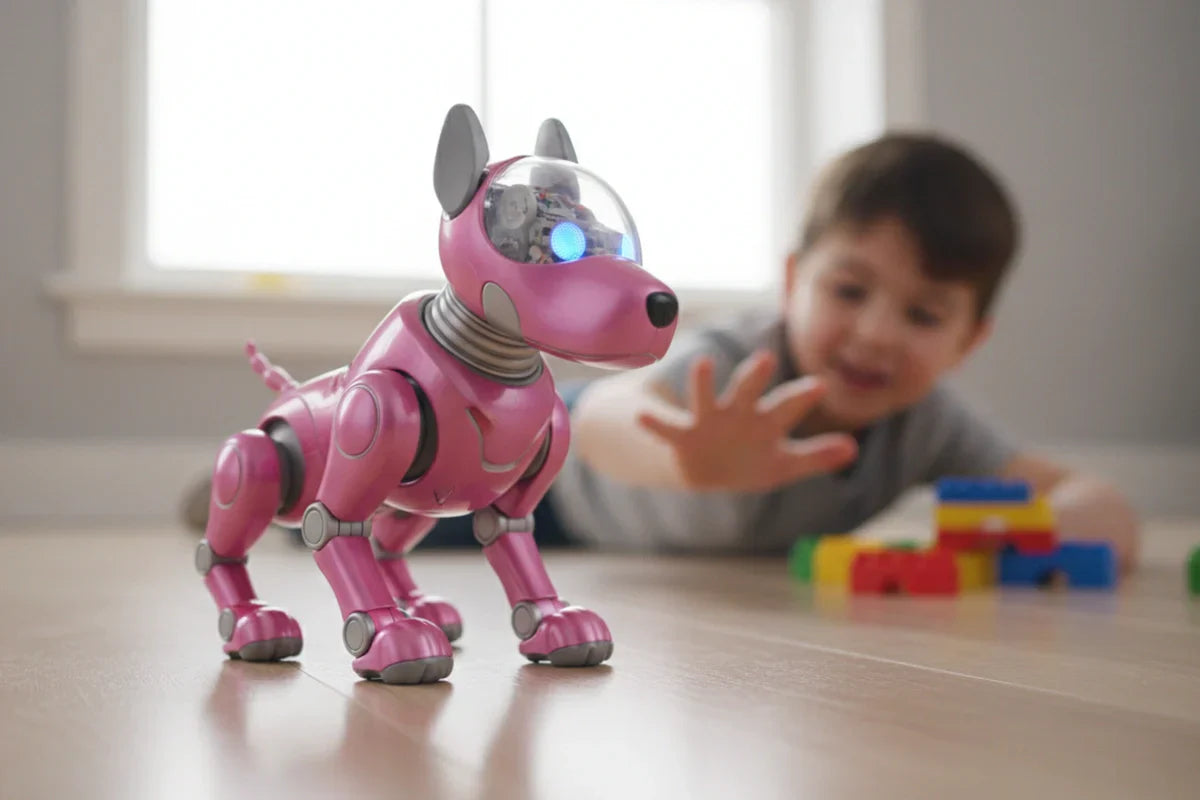
Pink robot dog toys sit in a sweet spot: they feel like a pet (without the shedding), they’re giftable, and the good ones can hold a kid’s attention longer than a typical “press-a-button” toy. But in 2026, the category is also messy—some are simple RC puppies, some are app-connected “smart toys,” and some lean into beginner STEM.
This guide helps you choose the right level of “robot” for your child—without overpaying for gimmicks, getting stuck with a toy that’s too loud, or accidentally bringing a privacy headache into your home.
2026 Quick Picks (Best Pink Robot Dog Toys at a Glance)
Instead of dropping a random top-10 list, here’s the shopping logic most parents actually use. Think of these as “best type of pink robot dog toy,” with real examples you can look up.
Best Overall (Most Families)
Look for: touch sensors + simple remote + volume control + rechargeable battery
Why it wins: it works for most kids 3–8 without needing your phone.
Best for Toddlers (Ages 1–3)
Look for: big buttons, slow movement, soft edges, no app required, lower volume
Avoid: tiny accessories, fast “stunt” movement, complicated voice-control
(Many products labeled “3+” are still a better fit than true toddler toys—always check parts size and battery access.)
Best for Ages 4–6 (Preschool/Kindergarten)
Look for: easy “tricks,” a remote that’s simple, and “repeatable fun” (dance modes, follow mode, basic training)
Example categories you’ll see: gesture-control + touch-sensor pink robotic puppies (often sold via major retailers).
Best for Ages 7–9 (More Interaction, Less Frustration)
Look for: better obstacle handling, smoother movement, stronger joints/gearsTip: this is the age where “programmable tricks” can be fun—if it’s still easy to use.
Example category: programmable RC pink robot dogs marketed for ages ~3–8+ with “stunts” and routines.
Best for Ages 10–12+ / STEM & Coding
Look for: block coding or step-by-step “program a routine” features that don’t require a fragile app setup every timeParent win: it feels like a toy and a project.
You’ll often see “programming function” robot puppies in big-box marketplaces.
Best Budget Pick
Look for: fewer features but reliable basics (walk, bark, simple tricks), and a return policy you trust.Reality check: budget models are where noise and durability vary the most.
Best Premium Pick
Premium in 2026 usually means one of two things:
better build + smoother interaction, or
“smart companion” vibes (more sensors, possibly camera/mic).
The broader “companion robot” trend is showing up at major tech events, including puppy-like emotional companion robots that use cameras/microphones for interaction. That’s exciting—but it raises the privacy bar for parents.
Best Quiet / Apartment-Friendly Pick
Look for: volume steps, a true mute mode, calmer movement options, and fewer sudden sound effects.Pro tip: “cute” sound effects are the #1 reason parents return robot pets.
Quick comparison table
If you’re comparing multiple listings and they all start to look the same, use this quick table as your “parent filter.” It highlights the few details that actually change day-to-day experience—like noise control, ease of use, floor compatibility, and privacy—so you can spot the best match in seconds.
What you care about
What to look for in the listing
Quiet play
volume control / mute / “quiet mode”
Easy for young kids
physical buttons, simple remote, no app needed
Works on carpet
wheels with traction or stronger motors; “carpet” mentioned in reviews
Long-term durability
fewer flimsy legs/gears; sturdier body; good warranty/returns
Privacy-safe
offline play, minimal permissions, clear kid-privacy policy
What Is a Pink Robot Dog Toy (And Who It’s Best For)?
A “pink robot dog toy” can mean very different products. Before you shop, decide which bucket you’re actually in.
Common types you’ll see in 2026
RC robot puppy: remote-controlled walking, turning, tricks
Touch-interactive robot dog: responds to head/back/belly touches
Voice-interactive robot dog: responds to simple commands (quality varies)
App-connected robot dog: your phone/tablet becomes the controller
STEM/coding robot dog: program sequences or routines
Plush-robot hybrid: softer body, simpler movement + comfort factor
Who these toys are best for
Kids who want a pet but your family can’t take on real pet care
Families who want low-mess pretend play
Gift buyers who want something that feels “special” and interactive
Kids who love routines and roleplay (feeding, training, walks—robot-style)
Who should skip certain types
Toddlers: skip app-heavy, complex voice, or fast stunt movement
Sensory-sensitive kids: skip toys without volume control or with unpredictable flashing/constant sounds
Parents who don’t want extra tech: avoid Wi-Fi/app-connected toys unless you’re comfortable managing permissions and updates
Safety & Privacy (Especially for App-Connected Robot Dogs)
Before we talk features and fun, it’s worth pausing on two things that actually decide whether a robot dog stays in your home—or ends up in a closet: safety and privacy. A pink robot puppy might look like a simple toy, but once an app, microphone, or Bluetooth connection is involved, you’re effectively bringing a small smart device into your child’s playtime. The good news: a quick checklist can help you avoid the most common red flags without turning this purchase into a research project.
Physical safety: what to check fast
Even when a toy looks cute, check the fundamentals:
Battery compartment security (especially for button batteries if present)
Pinch points around legs, hinges, and moving panels
Charging safety (heat, port quality, cable quality)
For U.S. shoppers, toy safety compliance often references standards like ASTM F963 and CPSIA-related requirements (lead/phthalates rules). The CPSC provides guidance and requirements mapping for ASTM F963 and broader children’s product safety rules. For EU shoppers, toy safety is governed under the EU Toy Safety framework (e.g., Toy Safety Directive) and commonly demonstrated using EN 71 standards; the European Commission summarizes the toy safety framework.
(Practical parent takeaway: you’re not auditing a factory—just look for clear compliance labeling, reputable retailers, and strong return policies.)
Privacy: treat app-connected robot dogs like smart devices
If a robot dog uses an app, a microphone, a camera, or cloud features, it’s no longer “just a toy.”
Questions to ask before you buy:
Does it have a microphone? When is it active?
Is there a camera (even for “recognition”)?
Does it require an account/login?
Can it work offline?
What permissions does the app request (mic, location, contacts)?
How long does the company promise updates/support?
In the U.S., children’s privacy rules like COPPA are relevant to online services that collect personal information from kids, and the FTC provides plain-language guidance on when COPPA applies.
Parent-friendly rule:If it needs an app, keep permissions tight, prefer offline play, and don’t assume “toy” means “privacy-safe.”
Price, Value & Long-Term Ownership (Care, Troubleshooting)
Now that you know what to look for (and what to avoid), the next question is the one every parent cares about: what’s actually worth paying for. Robot dog toys can jump in price fast, and the difference isn’t always “more fun”—sometimes it’s simply better durability, quieter operation, or fewer headaches with charging and setup. In this section, we’ll break down what you typically get at each price tier, plus the care and troubleshooting tips that help a robot dog last beyond the first week.
What you get at each price tier (2026 reality check)
Under $30:
basic movement + sounds
less consistent durability/noise control
$30–$80 (the sweet spot for most families):
better balance of interactivity + durability
often includes remote + touch sensors
$80–$150:
smoother motion, stronger build, better sensors
sometimes “smarter” routines without going fully app-dependent
$150+:
premium build or smart-companion features
can be worth it for older kids, but only if privacy + updates are solid (and the kid truly wants it)
Setup & care tips (make it last longer than a weekend)
Fully charge before first play; keep a dedicated charging spot
Clean wheels/feet regularly (hair and fuzz are the enemy)
Store accessories in a small pouch/bin immediately
Make “robot dog rules”: no stairs, no water, no outdoor dirt unless explicitly rated for it
Quick troubleshooting checklist
Not charging: try a different cable/adapter; check port wobble; confirm battery switch/door closure
Doesn’t respond: reduce background noise; re-pair remote/app; reset sequence (check manual)
Movement issues: clear wheel/leg jams; test on hard floor; replace batteries if remote-powered
App pairing problems: update OS/app, re-enable Bluetooth, and verify permissions (avoid granting more than needed)
Conclusion
Buying a pink robot dog toy in 2026 is really about choosing the right level of interaction for your child—not the longest feature list. If your kid is younger, a simple remote or button-based robot puppy with volume control and solid durability is usually the happiest (and quietest) win. For older kids, extra sensors, routines, and light STEM features can add real replay value—especially when the toy still works well without constant app setup.
Before you check out, do one last quick scan: age fit, noise settings, battery/charging details, and return policy. And if the toy is app-connected, treat it like a smart device—look for offline play, limited permissions, and clear privacy practices. Get those basics right, and a robot pup can be more than a one-week novelty—it can become the “pet” your child actually plays with.
FAQ
Are pink robot dog toys safe for toddlers?They can be, but many are better for 3+. For toddlers, prioritize big parts, secure battery compartments, slow movement, and low volume.
Do robot dog toys work on carpet?Some do, some struggle. Wheels and stronger motors usually handle carpet better than fragile walking legs—check reviews for your floor type.
Can robot dog toys record kids?If the toy or its app uses a mic/camera, it may collect data depending on design. Treat app-connected toys like smart devices, review the privacy policy, and consider COPPA-related guidance for kid-directed services.
10 Best Pet Robot Friend Options in 2026: Features, Prices, and What to Buy
February 25, 2026
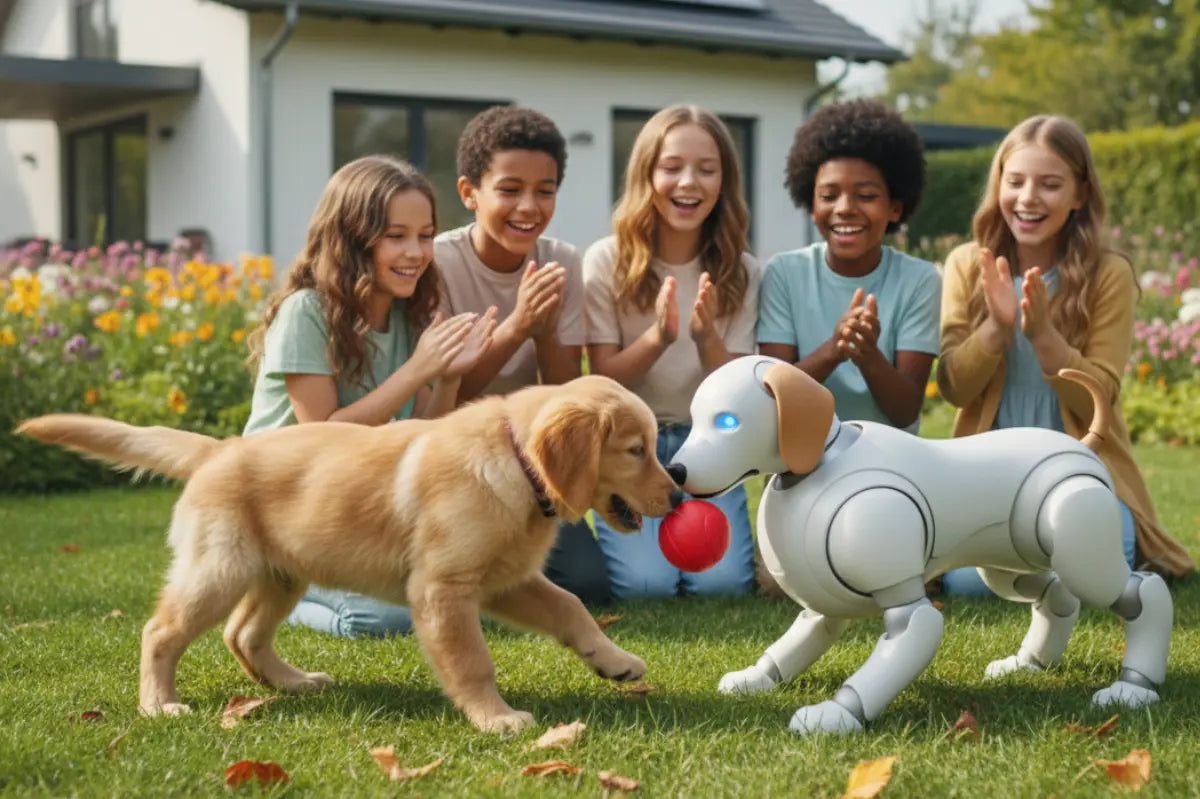
Robot pets have quietly shifted from “cute gadget” to “actual companion” over the past couple of years. The best ones in 2026 don’t just move—they notice you, react to your voice and touch, learn routines, and (sometimes) develop a weirdly lovable personality.
This guide is for people who want companionship without the shedding, litter boxes, landlord drama, or daily walks. You’ll get: 10 strong picks, what they’re like to live with, realistic 2026 pricing, and a simple “what to buy” framework.
The Best Robot Pets at a Glance (2026)
Best premium, pet-like experience: Sony aibo
Best value “robot dog” for most homes: KEYi Loona
Best pocket / travel companion: LivingAI AIBI Pocket
Best cuddle-style emotional companion: Casio Moflin
Best realistic support puppy (shipping/availability evolving): Tombot Jennie
Best for seniors (simple comfort, low learning curve): Joy for All Companion Pets
Best robot cat “pet energy”: MarsCat
Best “serious robot dog” you can also bond with: Unitree Go2
Best desk buddy under $150: Eilik
Best desk companion that uses your phone: LOOI
How We Rank Robot Pets (So You Can Trust the Picks)
Robot-pet hype is loud, but real life is picky. I used buyer-first criteria:
Interaction quality: touch response, voice, expressive reactions
Autonomy: does it do anything interesting unprompted?
Personality & learning: habit-building, preferences, “bonding” feel
App & updates: does it get better over time, or get abandoned?
Privacy basics: camera/mic controls, local vs cloud processing
Total cost: accessories, repairs, subscriptions, shipping
Prices below reflect what brands and major retailers are showing in/around early 2026, and they can move with sales, regions, and inventory.
Features & Price Comparison Table (2026)
Before we dive into the full reviews, here’s the fast way to narrow your choices. This comparison table puts the most important buying factors—type, price range, standout features, and ongoing costs—side by side, so you can quickly spot the best robot pet for your needs in 2026.
Robot pet
Type
Typical 2026 price
Best for
Subscription?
Quick notes
Sony aibo
Robot dog
~$3,199+ (plus required plan options) (aibo)
“Most like a pet” premium
Yes/plan-based (aibo)
High-end ecosystem; region pricing varies
KEYi Loona
Robot dog
~$499.90 (sale shown) (KEYi Robot)
Value + personality
Optional/varies
Sweet spot for home companion vibe
LivingAI AIBI Pocket
Pocket pet
$249 (LivingAI)
Travel + tiny companion
No (typical)
Small, expressive, giftable
Casio Moflin
Cuddle companion
$429 (PC Gamer)
Emotional comfort
Optional club
Soft + reactive; temperature/humidity limits
Tombot Jennie
Realistic puppy
$1,500 (reported)
Therapy-like realism
Likely service options
Availability can be region/queue dependent
Joy for All
Therapy pet
~$159.99 (retailer) (Walmart.com)
Seniors, dementia-friendly
No
Simple, soothing, low-tech by design (Ageless Innovation LLC)
MarsCat
Robot cat
$1,199 (Elephant Robotics)
Cat lovers + autonomy
Extended warranty optional (Elephant Robotics)
Fully autonomous “cat moods”
Unitree Go2
Robot dog platform
$2,800 (UnitreeRobotics)
Tech enthusiasts, robotics
No (typical)
Shipping/customs can be significant (UnitreeRobotics)
Eilik
Desk buddy
$139.99 (Energize Lab)
Desk companion under $150
No
Expressive, easy starter robot
LOOI
Desk companion
$189 (reported)
Phone-powered AI desk pal
App-based
Uses your phone as “head/brain”
The 10 Best Pet Robot Friend Options in 2026
Now that you’ve seen the big-picture differences, let’s get into the details. Below are the 10 best pet robot friend options in 2026, each picked for a specific “best for” use case—so you’re not just shopping for specs, but for the kind of companion that fits your daily life.
1) Sony aibo — Best Premium Lifelike Robot Dog
Typical price in 2026: Sony’s store shows pricing bundles and a “customize” option starting around ¥272,800 and also notes required service plan(s) to “welcome” aibo.
Standout features
One of the most “alive” movement + expression combos in consumer robot pets
Ecosystem + ongoing services (where available)
Designed for long-term companionship, not just tricks
What it feels like to live withIf you want the closest thing to a robot that genuinely feels like it has a daily rhythm—wandering, checking in, reacting to attention—this is the benchmark.
Pros
Deep “pet-like” vibe
Strong brand ecosystem
Cons
Premium price + plan costs
Region availability and costs vary a lot
Who should buy it: collectors, serious companion-robot fans, families who want “the real thing.”Who should skip it: value shoppers or anyone allergic to subscriptions.
Before you buy: confirm your region’s service availability and ongoing plan cost structure.
2) KEYi Loona — Best Value Robot Dog for Most Homes
Typical price in 2026: $499.90 shown on the brand’s official pricing guide (sale vs listed price).
Standout features
Big personality per dollar (expressions + reactions)
Designed as a “hang out in the room with you” companion
Strong “gift wow” factor without premium pricing
What it feels like to live withLoona is the robot pet that tends to become part of the household routine. You’ll catch yourself doing the dumb thing—saying hi when you walk past.
Pros
One of the best value points in the category
Balances fun, emotion, and approachability
Cons
Like most smart companions, experience depends on app + updates
Not a “realistic dog” (it’s cute-robot-dog, not animatronic-lab-puppy)
Who should buy it: first-time robot pet buyers, families, apartment dwellers.Who should skip it: people who want realistic fur/therapy-grade realism.
Before you buy: check shipping/returns for your region and whether you’re buying from official store vs reseller.
3) LivingAI AIBI Pocket — Best Pocket/Wearable AI Pet
Typical price in 2026: $249 on the official product page.
Standout features
Small companion you can actually carry
Great for desk, bag, travel—low commitment, high charm
Strong “mini buddy” category fit
What it feels like to live withThis is the kind of robot that turns boring moments (commute, coffee line, desk breaks) into tiny interactions. Less “pet replacement,” more “mood accessory.”
Pros
Affordable compared to full-size robot pets
Portable + giftable
Cons
If you want a roaming pet, it’s not that
Small form factor = smaller presence
Who should buy it: commuters, students, desk workers, gift buyers.Who should skip it: anyone wanting a full “pet in the house” vibe.
4) Casio Moflin — Best Cuddle-Style Emotional Companion
Typical price in 2026: $429 (US/UK availability reported).
Standout features
Soft, cuddly “comfort creature” with responsive behavior
Designed around emotional soothing, not tricks
Optional club-style subscription has been reported (Japan pricing).
What it feels like to live withYou don’t “play” with Moflin the way you play with a robot dog. You keep it nearby. It’s more like a living stress ball that reacts back.
Pros
Very different category: comfort-first
Great for people who want calm companionship
Cons
Not built for mobility or “house exploration”
Environmental limits (heat/cold/wet warnings reported).
Who should buy it: people dealing with stress/loneliness, anyone who wants a gentle presence.Who should skip it: buyers who want roaming, mapping, or “robot tricks.”
5) Tombot Jennie — Best Realistic Support Puppy (Therapy-Style)
Typical price in 2026: reported as $1,500
Standout features
Designed to look/feel like a young puppy
Touch sensors + realistic puppy sounds (reported)
Built with emotional support use cases in mind
What it feels like to live withThis is the “I can’t have a real dog, but I miss the feeling of a dog” pick. It’s less about AI banter and more about comforting, familiar pet cues.
Pros
Strong realism focus
Therapy/companionship positioning is clear
Cons
Availability/shipping can be uneven (watch for waitlists)
Not a budget purchase
Who should buy it: seniors, caregivers, therapy settings, people craving realistic pet comfort.Who should skip it: anyone wanting a smart, roaming, app-powered robot pet experience.
6) Joy for All Companion Pets — Best for Seniors (Simple, Comfort-Focused)
Typical price in 2026: seen at $159.99 via major retail listing.
Standout features
Designed to be easy: pet it, it responds (purring, movement)
Puppy version emphasizes heartbeat + cuddling cues
No “learning curve” required
What it feels like to live withIt’s intentionally uncomplicated. For the right person, that’s the feature—not a limitation.
Pros
One of the most accessible comfort companions
Lower price than most “smart” robots
Cons
Not an AI pet; interaction is limited by design
Not meant for tech hobbyists
Who should buy it: seniors, caregivers, memory care contexts.Who should skip it: buyers who want personality learning, roaming, or app-driven features.
7) MarsCat — Best Robot Cat with Real “Cat Energy”
Typical price in 2026: $1,199 shown on the official product listing (often sold out).
Standout features
Fully autonomous behavior (it does “cat stuff” on its own)
Touch + voice + vision interactions described by the brand
Programmable angle for makers (Raspberry Pi mentioned)
What it feels like to live withMarsCat is for people who love cats because cats are… not always obedient. The autonomy is part of the charm.
Pros
Strong “independent pet” feel
Unique niche: not just a robot shaped like a cat
Cons
Premium price
Stock availability can be frustrating
Who should buy it: cat lovers, collectors, makers who want a cat-like autonomous companion.Who should skip it: anyone wanting cheap/easy or guaranteed in-stock shipping.
8) Unitree Go2 — Best “Serious Robot Dog” You Can Also Bond With
Typical price in 2026: $2,800 on the official shop page; shipping costs and customs responsibility are explicitly noted.
Standout features
More “robotics platform” DNA than most consumer robot pets
LiDAR mapping and advanced movement modes highlighted
Multiple versions (Air/Pro/X) listed
What it feels like to live withThis is the pick for people who watch robot videos for fun. It can be a companion, but it’s also a machine you’ll want to tinker with and show off.
Pros
Capable mobility + sensing
Strong “wow” factor
Cons
Total cost can jump with shipping/customs
Less “cozy pet,” more “robot dog”
Who should buy it: tech enthusiasts, robotics learners, creators.Who should skip it: anyone who wants soft, emotional companionship first.
9) Eilik — Best Desktop Pet Friend Under $150
Typical price in 2026: $139.99 on the official store listing.
Standout features
Expressive reactions and “mood” behavior
Small, sturdy desk companion vibe
Great entry point for robot-pet curiosity
What it feels like to live withEilik is the coworker who doesn’t talk over you. It just… reacts. It’s oddly satisfying on a desk, especially during breaks.
Pros
Affordable and approachable
Easy setup
Cons
Not a roaming pet
Less “deep companion,” more “desk buddy”
Who should buy it: students, office workers, gift buyers.Who should skip it: people who want a house-roaming pet robot.
10) LOOI — Best AI Desktop Companion That Uses Your Phone
Typical price in 2026: $189 reported in coverage describing the product and pricing.
Standout features
Clever concept: your phone becomes the “brain/face,” base becomes the moving body
Desk navigation features (edge/obstacle sensing described on product materials)
Positioned as a chatty companion that can follow and react
What it feels like to live withIt’s a fun “my desk is alive” device—especially if you already live on your phone and like the idea of your AI becoming more embodied.
Pros
More capability without a full robot bill of materials
Desk-friendly and novel
Cons
You’re committing your phone to the experience
Experience depends heavily on the app and phone compatibility
Who should buy it: early adopters, AI-chat fans, desk setup enthusiasts.Who should skip it: minimalists or anyone who doesn’t want their phone “occupied.”
What to Buy: A Simple Decision Framework
Robot pets can look similar on a product page, but they feel very different at home. This quick framework will help you choose based on how you want to interact (cuddly vs. playful vs. mobile), how much setup you’re comfortable with, and what you’ll actually enjoy long-term—so you can buy with confidence.
Step 1: Pick the form factor
Roaming “pet” (dog/cat): aibo, Loona, MarsCat
Comfort plush: Moflin, Joy for All, Tombot Jennie
Desk/pocket: Eilik, LOOI, AIBI Pocket
Step 2: Decide what “companionship” means to you
Emotional comfort: Moflin, Joy for All, Tombot Jennie
Personality + play: Loona, aibo
Robotics capability: Unitree Go2
Step 3: Be honest about your budget and total cost
Premium bots can come with plans (aibo)
Some robots have meaningful shipping/customs (Unitree Go2)
Step 4: Privacy checklist (quick)
Does it have a camera/mic? Can you disable them?
Is processing local or cloud?
Can you delete data / delete account easily?
Robot Pet Pricing Tiers (2026)
Prices for robot pets vary wildly in 2026, and the sticker price doesn’t always tell the full story. This section breaks the market into clear tiers—so you can see what you realistically get at each budget level, and avoid paying premium money for “toy-level” interaction.
Under $150: fun desk personalities (Eilik)
$150–$400: pocket/desktop sweet spot (AIBI Pocket at $249)
$400–$800: “real companion robot” value tier (Loona around $499.90)
$800–$1,500: advanced/realistic pet experiences (MarsCat $1,199; Jennie reported $1,500)
$1,500+: premium ecosystems and serious robotics (aibo ecosystem costs; Unitree Go2 $2,800)
9 Mistakes People Make When Buying a Robot Pet
Even the best robot pet can disappoint if expectations don’t match reality. Here are the most common mistakes buyers make—based on real-world usage patterns—so you can avoid returns, save money, and end up with a robot companion you actually keep using.
Buying a cheap “robot dog toy” expecting aibo/Loona-level companionship
Ignoring ongoing costs (plans, shipping, customs)
Not checking whether it’s comfort-first vs AI-first
Forgetting where it “lives” (charging, desk space, floors)
Assuming it’s kid-proof (many aren’t)
Not checking return policy/warranty
Overestimating offline capability (many features need an app)
Not thinking through privacy (camera/mic)
Buying “for seniors” when the senior actually wants a real pet (a different problem)
Conclusion
In 2026, the best robot pets feel less like toys and more like companions. Whether you want a premium pet-like experience, a playful AI robot friend, or a simple comfort pet for seniors, there’s a strong option for every home and budget. Before buying, double-check total cost (including subscriptions and shipping), privacy controls, and warranty support. Pick the form factor that fits your daily life, and you’ll end up with a robot pet you actually enjoy—every day.
Pet Robot Friend vs. Real Pet: Which Companion Is Right for You?
February 25, 2026
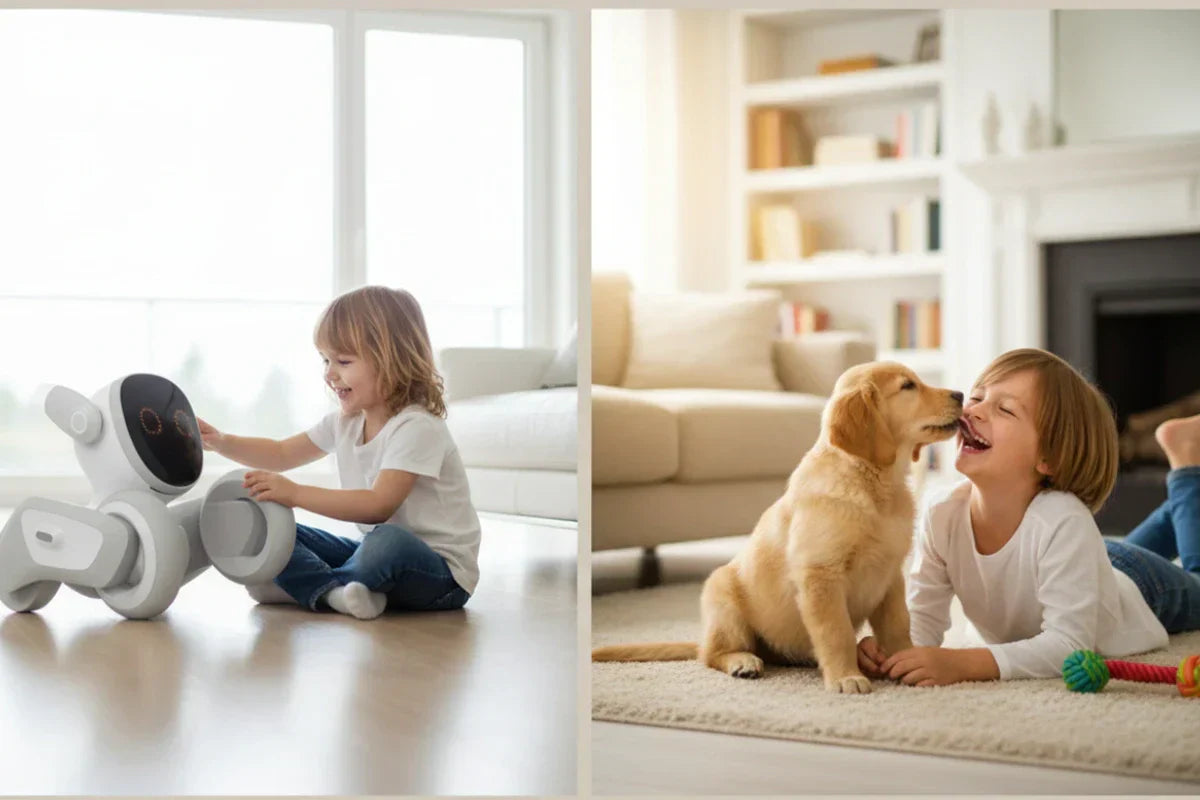
A Pet Robot Friend is an interactive robot designed to feel “pet-like”—it reacts to touch, sound, routines, and attention—without the full-time caretaking that a real pet requires. And for some households, that tradeoff is exactly the point.
This guide will help you choose between a Pet Robot Friend and a real pet using practical criteria (cost, time, allergies, lifestyle), plus a decision framework you can use in five minutes.
What Is a “Pet Robot Friend”?
A Pet Robot Friend is an interactive robotic companion that mimics some pet behaviors—responding to touch/voice, expressing “moods” through motion/sounds/lights, and building simple routines over time.
What a Pet Robot Friend can do today
Respond to attention: pets-like reactions to petting, talking, or being near you
Create routine: “wake up,” “play,” “rest,” and repeat patterns that feel familiar
Offer low-stakes companionship: something to greet you, entertain kids, or keep a senior company
Reduce logistical friction: no walking, litter, shedding, or boarding
What it can’t fully replace
The depth of bonding that comes with a living being who has needs, preferences, and unpredictable moments
Real warmth, smell, and natural behaviors (unless your device includes special features)
The sense of “we’re taking care of each other” that many pet owners love
Think of it like this: a robot companion can be comforting and engaging, but it doesn’t carry the same responsibilities—or the same kind of relationship—as a living pet.
Pet Robot Friend vs. Real Pet at a Glance
Here’s the quick comparison most people actually need:
Category
Pet Robot Friend
Real Pet (Dog/Cat)
Daily time
Minutes to occasional play/charging
Daily feeding + play; dogs often need walks
Ongoing costs
Low to moderate (repairs/accessories/subscription)
Ongoing food + vet + supplies; emergencies happen
Allergies/asthma
No dander/saliva allergens
Pet allergens commonly come from proteins in dander/saliva/other sources
Mess/odor
Usually wipe-clean
Shedding, litter/accidents, odor management
Housing rules
Often allowed where pets aren’t
Many rentals/HOAs restrict pets
Travel flexibility
Easy (turn off/bring along)
Boarding, pet-sitting, or travel planning
Emotional connection
Comfort + routine, “pet-like” interaction
Deep bonding, responsive life, shared caretaking
Safety & unpredictability
No biting/scratching
Temperament varies; training matters
Longevity
Device lifespan + upgrades
Years of life (and responsibility)
The Real Costs: Upfront Price vs. Lifetime Ownership
Money isn’t everything—but it’s also not nothing. Pets are wonderful…and they are a real financial commitment.
Typical cost categories for a real pet
Upfront: adoption fee or breeder cost, initial supplies, initial vet visits
Recurring: food, treats, litter, grooming, parasite prevention
Veterinary: routine care plus the unexpected (injuries, illness, dental, emergencies)
The American Veterinary Medical Association (AVMA) encourages owners to plan for both routine and unexpected veterinary costs—because high-quality care requires trained staff, equipment, and facilities, and those costs don’t disappear just because you’re having a tight month.
Also, “surprise bills” are common. A U.S. News & World Report survey (as reported by media) noted many owners encountered unexpected vet bills in the $500–$3,000 range in 2025.
For broad budgeting benchmarks, one recent personal-finance explainer put average annual spending around $1,852 for dogs and $1,235 for cats (with big variation by location and lifestyle).
Typical cost categories for a Pet Robot Friend
Upfront device cost: can range widely depending on realism and features
Optional subscription/app costs: some companions use a subscription model (especially AI-driven ones)
Maintenance: battery replacement, repairs, replacement parts
Accessories: toys, skins, add-ons, docking stations
Warranty: worth considering because repairs can be the hidden cost
Cost takeaway:If you want predictable spending, a Pet Robot Friend often wins. If you’re comfortable budgeting for ongoing care (and occasional financial curveballs), a real pet can be deeply worth it.
Time, Maintenance, and Lifestyle Fit
This is the part many people skip—and regret later.
Choose a Pet Robot Friend if you…
Work long hours or keep unpredictable schedules
Travel often (or just don’t want to plan your life around boarding)
Live in a “no pets” building
Have allergies or asthma triggers in the household
Want companionship without the daily caretaking loop
Choose a real pet if you…
Want the full “living relationship” experience
Enjoy caretaking as part of bonding
Have the time for routine and training
Have stable housing and a support plan (friends/family/pet-sitter) for emergencies or travel
A quick lifestyle checklist
Ask yourself:
Do I have consistent daily time for care?
Can I handle mess + cleaning without resentment?
Is my home pet-friendly (rules + space)?
Do I have a plan for vacations and sick days?
Am I okay with unpredictable vet costs?
If even one of those makes your stomach drop, that’s not a moral failing. That’s useful information.
Companionship and Emotional Benefits: What Research Suggests
Real pets help people feel connected—but robot companions aren’t “nothing,” either.
Emotional support from real pets
A living pet can offer affection, responsiveness, and a sense of being needed. You also get the ritual of care: feeding, walking, grooming—small daily moments that build attachment.
Emotional support from robot companions
Research on social robots and robotic pet interventions (especially with older adults and in care settings) suggests they can support psychosocial well-being, reduce loneliness, and encourage interaction. A meta-analysis in The Gerontologist examined AI-enabled social robots and their effects on loneliness in older adults.
A systematic review/meta-analysis in International Journal of Geriatric Psychiatry (via ScienceDirect listing) evaluated the therapeutic robot PARO and outcomes including agitation/anxiety in older adults with dementia.
A systematic review/meta-analysis in JAMDA looked at social robots and effects on depression and loneliness in long-term care residents.
Managing expectations (this matters)
A Pet Robot Friend can be comforting—especially when a real pet isn’t feasible—but it shouldn’t be framed as a medical treatment unless it truly meets that standard. In the U.S., whether something is considered a medical device can depend heavily on intended use and the claims you make.
Safety, Allergies, and Cleanliness
When choosing between a Pet Robot Friend and a real pet, the decision isn’t only emotional—it’s also practical. For many households, the “deal-breakers” come down to safety, allergies, and how much mess you’re realistically willing to live with. Before you decide, it helps to look at these everyday factors that quietly shape whether companionship feels joyful…or stressful.
Allergies and asthma
Pet allergies are often triggered by animal proteins found in sources like dander and saliva (and related materials). If allergies are a major issue in your home, a Pet Robot Friend is the simplest workaround—because it removes the allergen source entirely.
Mess, odor, and “home feel”
Real pets bring…real pet stuff: shedding, litter, muddy paws, accidents, occasional smells, and more cleaning. Many people happily accept this. Others discover they hate it—and then feel guilty about hating it.
Robotic pets are typically wipeable and predictable. That doesn’t make them “better.” It just makes them easier.
Child safety and supervision
Real pets can scratch or bite, especially if stressed or mishandled. Training helps, but temperament is real.
Robot pets reduce bite risk but introduce different concerns: small parts, durability, battery safety, and rough play. Supervision still matters.
How to choose between a robot pet friend and a real pet?
Choosing between a Pet Robot Friend and a real pet isn’t about which one is “better”—it’s about which one fits your life without turning companionship into stress. To make this easy, let’s match each option to the people and situations it serves best, then finish with a simple decision framework you can use in minutes.
Who Should Choose a Pet Robot Friend?
A Pet Robot Friend tends to shine when you want companionship without the full logistical package.
Kids
A gentle introduction to “pet-like” routines
Play and interaction without the higher stakes of animal welfare
A good fit for families who aren’t ready for a living pet yet
Seniors
Social robots and robotic pets are often explored in aging contexts, including long-term care—primarily as companionship tools that can encourage engagement. For an older adult who can’t safely walk a dog (or lives where pets aren’t allowed), a Pet Robot Friend can offer daily interaction with lower risk.
Busy professionals (and frequent travelers)
If your schedule changes weekly and you want something waiting at home that doesn’t require arranging pet-sitting, a robot companion is simply more compatible.
Homes with pet restrictions
Apartments, HOAs, roommates, and landlords sometimes decide this for you. A robot is often the “companion option” that doesn’t require negotiation.
Example pick: Loona (a Pet Robot Friend option).If your goal is companionship and play without the daily care loop of feeding, walking, or litter, Loona is worth considering as a Pet Robot Friend—especially for families who want something interactive that feels more like a “character” than a basic toy.
Who Should Choose a Real Pet?
If what you’re really craving is a living bond—the kind that grows through caretaking, shared routines, and a little unpredictability—then a real pet may be the right match.
Families ready for shared responsibility
If your household can genuinely split routines (feeding, litter/walks, training), a real pet becomes less stressful and more joyful.
People who want the full bond
Some people don’t just want companionship—they want a relationship with a living creature, including its needs and quirks. A robot won’t scratch that itch.
People who enjoy caretaking
For many, caretaking isn’t a downside. It’s the point.
Decision Framework: 7 Questions to Pick the Right Companion
Still undecided? That’s normal—because the “right” choice changes depending on your schedule, home, budget, and support system. Use the questions below as a quick reality check: answer based on your average week (or even your busiest week), and your best option will usually become obvious
Answer quickly—no overthinking:
Do you have consistent daily time for care and attention?
Are pets allowed where you live (and will they be allowed next year)?
Does anyone in your home have allergies or asthma triggers?
Can you handle unpredictable vet costs without panic?
How often do you travel or stay away from home overnight?
Do you want caretaking to be part of bonding?
Is your goal low-maintenance comfort or living-animal connection?
A simple rule that helps:If you answered “no” to #1 or #2, or “this would be hard” to #3/#4, you’re probably a strong candidate for a Pet Robot Friend—at least for now.
What to Look for in a Pet Robot Friend
Not all robot companions are created equal. Some are basically animated toys. Others aim for genuine companionship.
Interaction features
Touch sensors that feel responsive (not laggy)
Voice or sound interaction
“Mood” behaviors (even if they’re simulated)
Personalization or routine learning
Practical features
Battery life and charging simplicity
Durability (especially for kids)
Easy cleaning (you’ll appreciate this later)
Quiet mode / volume controls
App + privacy
If the robot uses microphones/cameras or cloud services, look for:
Clear privacy policies
Parental controls / child mode
Offline functionality (if you prefer)
Support and warranty
A warranty isn’t glamorous, but it can be the difference between “fun companion” and “expensive paperweight.”
Conclusion
At the end of the day, the best companion is the one you can truly sustain. A real pet brings a living bond—messy, unpredictable, and deeply rewarding—but it also asks for time, energy, and long-term responsibility. A Pet Robot Friend, on the other hand, offers comfort and interaction with far fewer constraints, which can be a game-changer for busy schedules, allergies, or pet-restricted homes. If you’re torn, don’t pressure yourself to “pick the perfect answer.” Start by choosing what fits your life right now. The right companionship shouldn’t add stress—it should add steadiness.
FAQ
Is a Pet Robot Friend good for loneliness?
It can help—especially through routine, interaction, and a sense of “presence.” Research on social robots for older adults has found measurable effects in loneliness outcomes in certain settings.
Are robot pets good for kids?
They can be great for play and for learning gentle habits, especially if your family isn’t ready for full pet care yet. Just treat it like any other electronic toy: supervise younger kids, check small parts, and mind charging/battery safety.
Are robot pets good for seniors?
Often, yes—particularly when a real pet isn’t practical or safe. Social robot programs for seniors exist in the U.S., and research has examined benefits for psychosocial well-being in care contexts.
Do Pet Robot Friends require Wi-Fi?
Some do, especially if they rely on cloud-based voice or AI features. Others are fully offline. Treat Wi-Fi as a product-level detail, not a category rule.
Is a Pet Robot Friend cheaper than a real pet?
Usually, yes in predictability. Real pets come with ongoing costs and potentially large surprise vet bills. But some advanced AI companions have monthly subscriptions, so you’ll want to do the math.
Can a Pet Robot Friend replace a real dog or cat?
It depends on what “replace” means to you. If you want interaction and comfort without caretaking, it might be perfect. If you want a living bond, it won’t feel the same.
Top 10 Robots with AI in 2026: Use Cases, Features, and Trends
February 23, 2026
In just a few years, the idea of a “robot” has shifted from novelty to normal. Back then, it often meant a robot vacuum that bumped into furniture and needed constant rescue. In 2026, the best AI robots feel closer to perception + decision + action: they recognize objects, learn routines, navigate real-world mess, and recover from mistakes without turning you into tech support.
This guide is a consumer-first Top 10 list of AI robots in 2026—covering real-world use cases, the signature AI features that actually improve outcomes, and a clear 2026 reality check on price, upkeep, subscriptions, and privacy.
Why 2026 feels like the year “AI robots” became normal
A few years ago, “robot” usually meant “a vacuum that bonks into chairs.” In 2026, the better ones do something closer to perception + decision + action: they recognize objects, learn routines, and recover from mistakes without you playing tech support.
Two big shifts are driving this:
Robots got better at not being dumb in your home. Modern robot vacuums are praised specifically for obstacle avoidance, multi-floor mapping, and dock automation (self-emptying, self-cleaning, etc.).
“Wire-free” outdoor robots finally feel realistic for regular households. Robotic mowers are rapidly expanding with boundary wire-free options and more capable navigation stacks.
Robots are showing up outside the home more often—delivery, hotels, retail. Sidewalk delivery fleets and “robot-assisted” hospitality keep expanding.
What follows is a consumer-first “Top 10” list: use cases, signature AI features, and the 2026 reality check (cost, upkeep, privacy, and what to watch out for).
How this “Top 10” is chosen
This list prioritizes robots you can realistically encounter in 2026, not lab demos:
Real-world usefulness: it saves time, reduces risk, or meaningfully helps daily life.
AI that shows up in outcomes: fewer failures, better autonomy, smarter decisions—not just marketing.
Availability + momentum: widely sold now, scaling fast, or strongly signaled for near-term rollout via reputable announcements.
Consumer experience: app quality, support, replacement parts, and recurring costs (bags, filters, subscriptions).
How to judge any AI robot in 60 seconds
Before we dive into the Top 10, here’s the fast checklist:
Best for: Who benefits most? (pets, apartments, yards, seniors, etc.)
Top use cases: What does it reliably do today?
Signature AI features: The “smart” part that changes your day.
2026 reality check: Price, subscriptions, maintenance, privacy.
What improved lately: Better navigation, fewer errors, more autonomy.
Keep that in mind—because “AI” is easy to slap on a box.
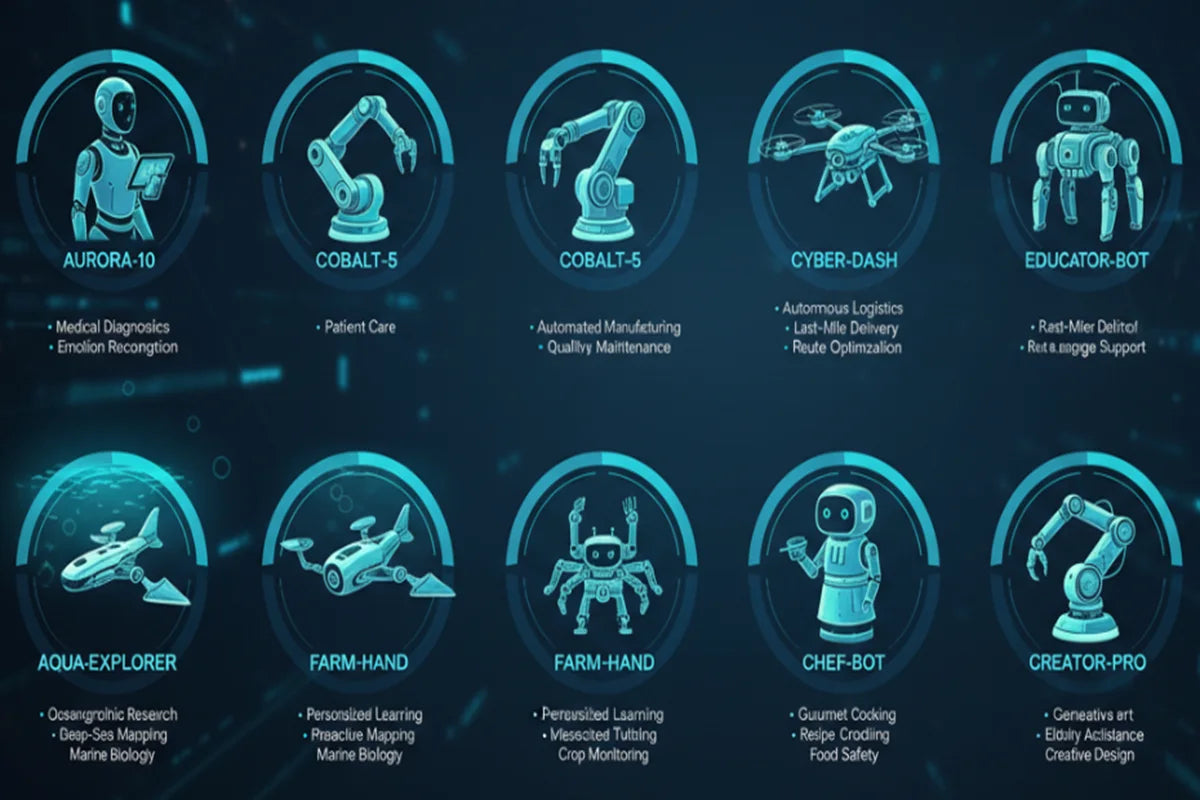
The Top 10 Robots with AI in 2026
Think of this list as a tour of where robots are most likely to show up in your life in 2026. Some are practical workhorses you’ll notice because your home feels cleaner. Others are small companions that change the vibe of a room. And a few are the “outside your home” robots you’ll meet when you order food or walk into a hotel. Below are ten standout robot categories that best capture how AI is changing what robots can do—and who they’re actually useful for.
1. Next-gen robot vacuum / mop (the most “mature” home robot)
Best for: Busy households, pet owners, anyone who hates daily crumbs.
Top use cases
Scheduled vacuuming + mopping without babysitting
Avoiding small obstacles (toys, cables, socks)
Hands-off maintenance with advanced docks (emptying, washing, drying)
Signature AI features (what actually matters)
Smarter navigation and mapping, often combining LiDAR with vision for obstacle avoidance.
Better object recognition: fewer “help me, I ate a phone charger” moments.
2026 reality check
Premium models can still be pricey, but independent testers and mainstream reviewers regularly rank top models on navigation + smart features.
Real examples to mention in your article draft
Roborock Qrevo line is frequently highlighted by consumer tech outlets for strong hybrid cleaning + dock automation.
2. Wire-free robotic lawn mower (outdoor autonomy is finally consumer-friendly)
Best for: Homeowners who want weekends back (and don’t want to install boundary wire).
Top use cases
Autonomous mowing with fewer manual setup hassles
Better edge handling and variable terrain
Scheduled mowing that maintains a “always tidy” lawn
Signature AI features
Navigation stacks that rely on combinations of RTK / LiDAR / AI vision (varies by model), enabling wire-free operation.
Product lines expanding quickly—especially boundary wire-free models.
2026 reality check
Expect a setup phase (mapping, zones, no-go areas). Also: wet grass and complex yards still trip up cheaper units.
Real examples
Husqvarna’s large boundary wire-free expansion for 2025 shows where the market is heading in 2026.
CES 2026 showcased mowers emphasizing LiDAR + AI vision + wire-free setup.
3. Window-cleaning robot
Best for: Apartment dwellers, anyone with large windows, and people who value safety.
Top use cases
Routine window cleaning with edge detection
Cleaning hard-to-reach glass without risky climbs
Maintaining clearer windows with frequent light cleans
Signature AI features
Sensor-based edge detection + path planning (“don’t drive off the glass”).
2026 reality check
These are better as “maintenance cleaners” than miracle workers. You still need to prep the window and occasionally re-pad.
Real examples
Consumer guides often highlight models like Hobot / Ecovacs Winbot families and talk up navigation + safety features.
4. Home security patrol robot (niche, but getting attention)
Best for: Large homes, people who want mobile monitoring (and understand privacy tradeoffs).
Top use cases
Mobile check-ins (garage, back door, downstairs)
Smarter alerts (movement patterns, unusual sounds)
Acting as a deterrent (sometimes just being seen helps)
Signature AI features
“Anomaly detection” style alerts—flagging what looks unusual rather than everything. (Execution varies widely.)
2026 reality check
This category has fewer mature options than robot vacuums, and it can raise big privacy questions.
Real examples
Security-focused consumer sites note the category is still limited compared with traditional home security systems.
5. Companion / social robot (from novelty to “actually helpful” for some people)
Best for: Older adults, people living alone, families wanting light assistance + check-ins.
Top use cases
Reminders, routines, “gentle nudges”
Conversation and engagement
Light monitoring features (varies by product; sometimes includes fall-related features)
Signature AI features
Generative AI for more natural dialogue and longer context, especially in products positioned as companions.
2026 reality check
The best ones feel supportive; the worst ones feel like a chat bubble with a face. Choose based on real-world support programs, updates, and privacy.
Real examples
Loona (AI Companion Robot / Pet-Style Companion) — Best for families and anyone who wants a playful companion robot. Loona is marketed as an interactive “pet robot” with voice control, games, and AI-driven interactions designed for everyday home use.
6. Pet care robot (moving from “automation” to “health signals”)
Best for: Pet parents who travel, work long hours, or worry about hydration/feeding consistency.
Top use cases
Automated feeding and watering
Monitoring patterns (drinking, eating, litter box habits)
Reducing daily “pet chores” without sacrificing consistency
Signature AI features
“AI ecosystem” framing: turning routine data into potential health signals (trend is growing).
2026 reality check
Data isn’t a diagnosis. It’s a signal. Still: for many pet parents, early “something changed” alerts are valuable.
Real examples
PETKIT positioned CES 2026 announcements around smart fountains/feeders and an AI ecosystem aimed at health insights.
7. Kitchen / cooking robot (more real in restaurants than in most homes—for now)
Best for: Busy households who hate meal planning, and anyone curious about “automation you can taste.”
Top use cases
Semi-autonomous cooking workflows
Consistency (same result each time)
Reducing time spent standing at the stove
Signature AI features
Recipe execution systems + guided cooking flows; some products position “private chef” experiences with a library of recipes.
2026 reality check
Home cooking robots are emerging, but the most proven deployments are still commercial kitchen automation (where repeatability matters more than artistry).
Real examples
Posha markets itself as an autonomous kitchen robot with a large recipe library (subscription caveats apply).
Robotic wok systems show how restaurant automation is expanding.
8. Smart rehab / wellness robot (AI-enabled recovery support is accelerating)
Best for: People doing guided rehab, mobility work, or therapy exercises—especially with clinician support.
Top use cases
Motion guidance and feedback
More personalized rehab plans
Improved adherence (the hardest part of rehab is doing it consistently)
Signature AI features
AI applied to assessment + personalization in rehabilitation, including robotic rehabilitation systems in the broader landscape.
2026 reality check
This is the highest-stakes category in this list. Look for clinical validation, data privacy clarity, and professional involvement.
9. Retail / service helper robot (you’ll meet these before you buy them)
Best for: Consumers who want quicker assistance in stores/hotels; businesses seeking consistency.
Top use cases
Directions, FAQs, queue management
Basic guest services and delivery within venues
“Always-on” availability during staffing gaps
Signature AI features
Service contexts matter: research consistently suggests acceptance depends heavily on fit with the environment and service expectations.
2026 reality check
Some service robots are beloved; others feel like a kiosk on wheels. The difference is usually reliability and when a human steps in.
Real examples
Reports of robot-heavy hotel deployments illustrate the direction of the category (even if some coverage is more PR-like than consumer-tested).
10. Delivery / transport robot (the “sidewalk robot” era keeps scaling)
Best for: Campuses, dense neighborhoods, and anyone who likes convenience.
Top use cases
Short-distance food or grocery delivery
Reduced car trips for small orders
Logistics support in controlled areas (campuses, business districts)
Signature AI features
Autonomy designed for sidewalks: obstacle handling, route planning, and remote oversight when needed.
2026 reality check
Real-world issues exist: vandalism, navigation edge cases, and the need for monitoring.
Real examples
Starship highlights widespread university deployments in the U.S.
Serve Robotics has scaled a large sidewalk delivery fleet and publicized expansion milestones.
DoorDash expanded sidewalk robot delivery partnerships in the U.S., illustrating mainstream platform interest.
The use cases that matter most in 2026 (by lifestyle)
If you’re buying with your heart, everything looks cool. If you’re buying with your calendar, these are the wins:
Time-savers: vacuum/mop robots and robotic mowers give the biggest “hours back” return.
Safety upgrades: window-cleaning robots can reduce ladder time; delivery robots reduce quick car trips (in some areas).
Care + connection: companion robots and pet care ecosystems are growing for reminders, engagement, and early “pattern change” signals.
Conclusion
“AI robots” feel normal for one simple reason: the best ones finally behave like dependable products, not fragile gadgets. The AI that matters shows up in everyday outcomes—cleaning that happens without supervision, navigation that avoids clutter instead of swallowing it, and systems that can recover from mistakes without demanding your attention.

Humanoid Robots with AI: Current Capabilities and What’s Coming Next
February 24, 2026
When people say “humanoid robot,” they usually picture a sci-fi helper that can cook dinner, fold laundry, and then politely remind you to call your mom. Reality is more interesting—and more practical.
Today’s best humanoids are already walking into real workplaces, moving real stuff, and learning from AI models that understand language and vision. They’re not “general-purpose humans in metal bodies” yet. But they’re past the toy stage, and the next wave of upgrades will be noticeable to regular consumers.
What AI humanoid robots can genuinely do today
Before we talk about what’s next, it helps to get clear on what humanoid robots can reliably handle right now—and under what conditions. Some abilities look nearly “ready,” while others still depend on controlled spaces, careful setup, or occasional human backup. Let’s break today’s real capabilities into a few practical buckets, so you can tell the difference between a solid product milestone and a flashy one-off demo.
They can walk, balance, and move through human spaces—sometimes.The headline improvement over the last couple of years isn’t “faster running” or “cooler backflips.” It’s reliability: smoother gait, better balance recovery, fewer “one bad step and it’s over” moments. Companies are explicitly pushing toward real-world work, not just lab demos. Source: Boston Dynamics’ shift to an all-electric Atlas is positioned around real applications and practical deployment.
They can pick up and place objects—best when the environment isn’t chaotic.In structured settings (warehouse lanes, marked bins, predictable shelves), humanoids can do repetitive handling tasks with growing consistency. A strong example is logistics-style work: Agility Robotics says Digit has moved 100,000+ totes in a commercial deployment, which is the kind of “boring throughput” milestone that matters more than flashy videos.
They can “listen and respond,” but that doesn’t mean they understand the world like you do.Some systems can hold natural back-and-forth conversations and accept spoken instructions at work—helpful for training, handoffs, and clarifying tasks. But conversation skill ≠ physical competence. A robot can be charming and still fail at opening a tricky cabinet. Source: TechCrunch describes Figure 02’s focus on speech interaction in workplace contexts.
Reality check (the part consumers should know):Clutter, surprise obstacles, reflective surfaces, pets/kids running through the scene, and long multi-step chores are still hard. Even at CES 2026, a high-profile Atlas demo was remote-controlled—a useful reminder that public demos can blend autonomy with piloting.
The “brain inside”: how modern AI makes humanoids feel smarter
Older robots were often like extremely expensive appliances: you scripted the exact steps, and they did those steps… until something changed.
The newer approach looks more like: see → understand → decide → act, powered by models that connect vision and language to physical control.
A concrete example of the trend: Figure introduced Helix, describing it as a vision-language-action system that can control an entire humanoid upper body from natural language, aiming for on-the-fly manipulation and longer-horizon tasks without task-specific programming.
Why this matters for consumers: the “teaching moment” becomes easier. Instead of programming or carefully pre-setting every object position, you increasingly talk to the robot, show it once, or let it infer what you meant from context.
But here’s the demo truth you should keep in your pocket:Even when the AI is real, the environment is often optimized—good lighting, tidy surfaces, safety boundaries, and sometimes remote intervention. This isn’t a conspiracy; it’s how companies responsibly test expensive machines near humans.
Where consumers will feel real value first
If you’re expecting a humanoid to fully run a household soon, you’ll be disappointed. If you’re expecting it to do specific, repeatable help—you’ll start seeing value sooner than you think.
The “first wins” will look like this:
Workplaces that resemble human environments: warehouses, factories, large retail backrooms, and campuses—places with wide aisles, repeatable routines, and safety processes. Digit’s tote-handling deployment is a good example of this steady, measurable path.
Guidance + assistance roles: greeting, escorting, simple item runs, basic checks—especially when paired with voice interaction. Figure’s workplace emphasis points in this direction.
Home “helper tasks,” not full home management: carrying items, fetching known objects, helping with a small set of routines (think: “bring me the package,” not “deep clean the kitchen”).
The consumer-friendly way to think about it: early humanoids will augment humans, not replace them. They’ll do the annoying parts of a process while a person handles judgment calls.
What’s coming next: 3 breakthroughs that will change the experience
Breakthrough #1: Better hands + force control (aka “stop crushing the grapes”)
Hands are where helpfulness lives or dies. A robot that can walk but can’t reliably grasp odd shapes is like a smartphone with a broken touchscreen.
The industry knows this: better tactile sensing, more stable grasps, and safer interaction are repeatedly highlighted as the next step—especially for assembly and parts handling.
Breakthrough #2: Long-horizon autonomy (finishing the job)
Consumers don’t want a robot that does one step. They want “do the thing”:
“Put the groceries away.”
“Clear the table.”
“Move these boxes to the garage.”
That requires planning, memory, error recovery, and the humility to ask clarifying questions when instructions are vague. Figure’s Helix pitch explicitly targets longer-horizon manipulation and generalization from language prompts.
Breakthrough #3: Robustness in messy, unpredictable reality
This is the unglamorous frontier: lighting changes, uneven floors, odd objects, cramped corners, and people doing people-things.
On the industrial side, Boston Dynamics and Hyundai have talked about a path toward deploying Atlas in car manufacturing—an environment full of edge cases, safety requirements, and “it must work every day” pressure.
The consumer checklist: what to look for (and what to be skeptical of)
If you’re evaluating humanoid robot claims—whether as a buyer, a business owner, or just a curious human—use this checklist to avoid getting dazzled.
What to ask (practical questions that cut through marketing)
Repeatability: Can it do the same task 50 times without a technician babysitting it?
Failure behavior: What happens when it drops something, loses grip, or gets blocked?
Safety systems: How does it detect humans nearby? What’s the safe speed and stop distance?
Uptime basics: Battery life under load, charging time, maintenance schedule, service network.
What to be skeptical of
One-off “perfect” demos in an overly tidy setting.
Unclear autonomy claims (especially if there’s no mention of supervision, teleoperation, or safety boundaries).
“It can do anything” language. Even top experts note ongoing limitations—especially around dexterity and scaling deployments.
A realistic consumer timeline (the honest version)
Near term: specialized tasks in semi-structured environments (already happening in logistics-style deployments).
Next: more flexible manipulation + better “finish the job” autonomy (where vision-language-action systems are pushing).
Later: broader home usefulness—once cost, safety, and robustness converge.
Conclusion
Humanoid robots with AI are moving from “impressive” to “useful,” but usefulness arrives in narrow slices first. The robots that win won’t be the ones that look most human. They’ll be the ones that:
safely work around people,
reliably manipulate everyday objects, and
complete multi-step tasks without constant rescue.
And when those three click, consumers won’t need a flashy demo to be convinced. They’ll notice because daily life gets a little easier.
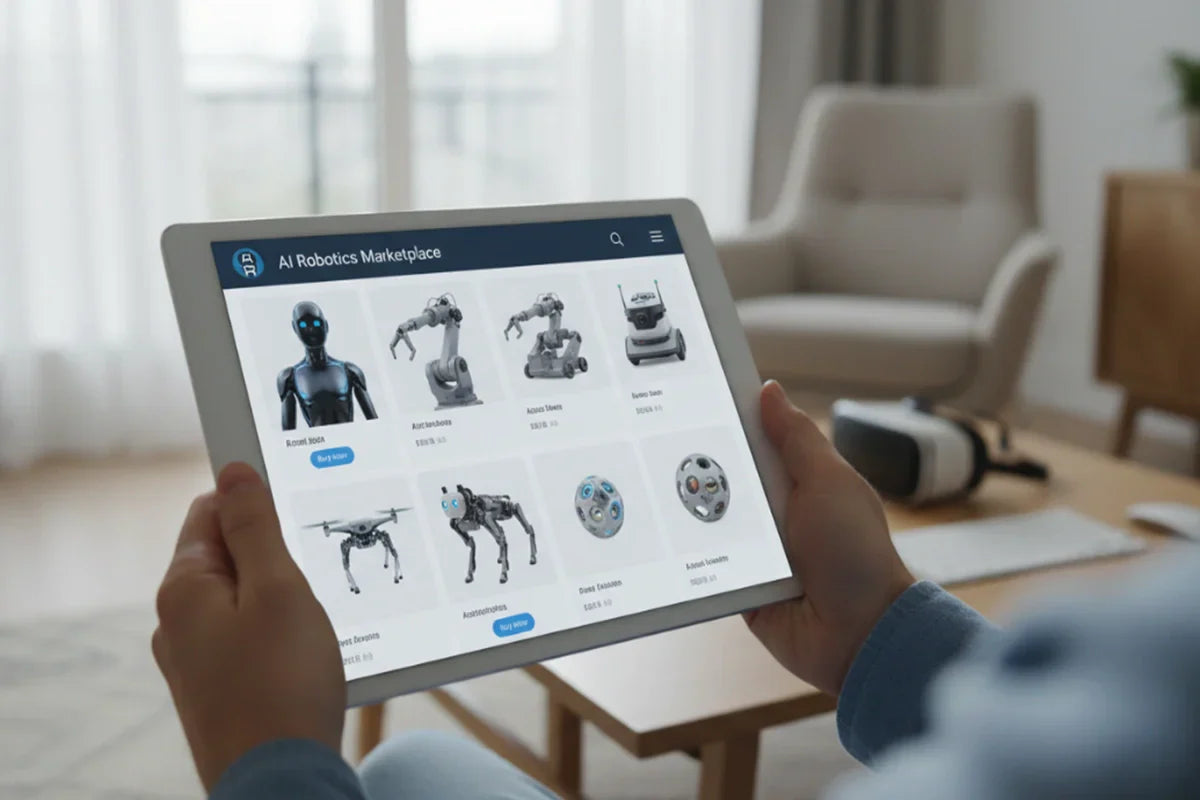
Where to Buy an AI Robot Online: Best Stores, Deals, and What to Check (2026 Guide)
February 12, 2026
Buying an AI robot online can feel like shopping in two worlds at once: half “normal e-commerce,” half “tech product that will live in your home and keep getting software updates.” The good news is you don’t need to be an engineer to buy smart—if you know where to shop, how to spot real deals, and what to verify before you click Buy Now.
Below is a practical, consumer-first guide you can use whether you’re eyeing a home companion robot, an education/coding bot, or a household helper.
Start with what kind of AI robot you’re buying
Before you compare prices, decide what “AI robot” means for you—because the best place to buy depends on the robot’s job (and how much support you’ll want afterward).
Common consumer categories
Home companion / social robots: Often camera/mic-equipped, app-driven, and update-dependent—support and warranty matter a lot.
Educational/coding robots: You’ll care about curriculum, replacement parts, and community lessons.
Household utility robots: Think “does it actually do the task reliably?” and “are parts easy to replace?”
30-second fit check
Where will it live (living room, kid’s desk, garage)?
Does it have a camera or mic (privacy expectations)?
Is it “works offline” or “needs cloud + subscription”?
Are you okay shipping it out for repairs, or do you need easy returns?
If the robot includes sensors like cameras/mics and connects to the internet, treat it like a smart device with stronger privacy/security considerations than a regular gadget.
Where to buy an AI robot online ?
Once you know the robot category, the next decision is where to buy it—and that choice can affect everything from authenticity and returns to repairs, parts, and software support. In the subsections below, we’ll compare the main online buying channels in a practical order, showing what each is best for and where shoppers most often get stuck.
Option A: The brand’s official online store (best for authenticity + support)
If the robot is a “serious device” (it moves around, has sensors, needs firmware updates), buying direct is often the least stressful route. You’re more likely to get:
Authentic hardware
Clean warranty coverage
Official parts and firmware support
This matters because robots aren’t “one-and-done” purchases—the software and service ecosystem can make or break the experience.
Option B: Major electronics retailers (best balance of convenience + policies)
Big retailers can be a sweet spot for mainstream consumer robots: solid logistics, easier returns, and add-on protection plans depending on region.
For example, Best Buy has dedicated robot categories (smart robots/household robots) and customer support resources that help buyers navigate warranty details.
Option C: Specialty robotics retailers (best for selection + expert-friendly details)
Specialty robotics shops are great when you want better specs, clearer compatibility info, or a curated selection beyond whatever is trending on marketplaces.
RobotShop, for instance, positions itself as a robotics-focused store with consumer robotics categories and support resources—useful if you’re shopping outside the usual big-box lineup.
Option D: Marketplaces (best selection, but you must vet sellers)
Marketplaces can offer the widest range and frequent promos—but you’ll want to be picky:
Confirm the seller is authorized (or at least reputable)
Avoid “seller warranty only” listings for robots that need long-term support
Read return conditions like your future self is already unhappy
Option E: Crowdfunding / preorder sites (highest risk, sometimes highest novelty)
This is where you’ll see the boldest claims and the longest timelines. If you go this route, assume:
Shipping dates can slip
Hardware may change between prototype and production
Refund terms may be complicated
A simple rule: if the robot will be around your kids/pets/home all day, prioritize a channel with strong support and clear warranty terms.
How to find real deals (without getting trapped by fake discounts)
“Deal hunting” for robots isn’t just about the lowest sticker price. The best deals usually reduce total ownership cost.
Deal types that actually matter for robots
Bundles (extra battery, docking station, accessories)
Extended protection (especially for mobile robots that bump into things)
Free returns / easy exchanges (your robot may not fit your home like the product page promised)
Some retailers offer protection plans as an upgrade to the manufacturer warranty; understand what’s covered and who provides service.
Quick “fake deal” sniff test
The listing is vague about warranty (“1 year warranty” but from whom?)
The seller name looks random, with limited history
The product photos/specs don’t match the manufacturer’s own listing
Return terms are restrictive (or quietly “final sale”)
Pro tip: For robots, “open-box/refurbished” can be great if the warranty is explicit and the return window is generous.
What to check before checkout (the buyer’s safety + satisfaction checklist)
This is the part most people skip—and the part that prevents regret.
A) Warranty + support (don’t assume it’s simple)
Warranty length and who honors it (manufacturer vs. retailer vs. seller)
Where repairs happen (local service vs. mail-in)
Replacement parts availability
Some robotics retailers publish warranty information and support routes—look for that before you buy.
B) Privacy + security (especially for camera/mic robots)
Ask these questions before the robot enters your home:
Can you mute the mic / disable camera easily?
What data is collected and shared?
Does the vendor provide regular security updates?
The FTC’s IoT security guidance emphasizes building security in connected devices, and UK/NCSC guidance reminds consumers to actively manage smart device security at home—both are relevant if your robot connects to Wi-Fi and uses sensors. Also, privacy regulators recommend checking for physical privacy features (like camera covers or hardware switches) and being comfortable with the access requested.
C) Performance reality checks (marketing vs. your home)
Look for specifics on:
Battery runtime in real usage (not ideal conditions)
Navigation limits (dark rooms, reflective floors, clutter)
Network requirements (some “AI features” are cloud-dependent)
D) Compatibility and regional issues
App availability in your country
Language support
Power adapters/charging standards
Smart home integrations (if you care)
E) Ongoing costs
Many “AI” features are increasingly subscription-based. Before buying, check:
Is anything paywalled after the trial?
Are premium features essential or optional?
After you buy: unboxing-to-day-7 steps that prevent buyer’s remorse
A robot isn’t like a toaster. Give it a fair trial—then decide quickly if it’s a keeper.
Day 0 (first hour): set it up like you’ll keep it
Update firmware right away
Review privacy settings before you place it in main living areas
Turn on auto-updates if offered (security matters)
Day 1–3: run a “real life” test
Use it at the times you actually need it (not when your house is spotless)
Test it in the messiest room
Watch for battery drop, navigation quirks, and app reliability
Day 7: make the keep/return call
If you’re unsure, ask:
Is the robot doing a real job—consistently?
Is support responsive?
Are you comfortable with the privacy settings long-term?
If the answer is “not really,” return windows close fast—don’t talk yourself into keeping an expensive experiment.
Conclusion
Buying an AI robot online is easiest when you treat it less like a novelty gadget and more like a long-term smart device. The “best” store isn’t always the one with the lowest price—it’s the one that can reliably back the product with authentic inventory, clear returns, real warranty coverage, and ongoing software support. If you choose your channel based on the robot’s purpose (companion, education, or household utility), you’ll narrow the field quickly and avoid most buyer regret.
Before you check out, take two extra minutes to confirm the essentials: who honors the warranty, what privacy controls exist for cameras and microphones, whether key features require a subscription, and how easy it is to return or repair the device. Then, once it arrives, run a realistic first-week test in your actual home setup. Do that, and you’ll end up with a robot that genuinely earns its place—rather than one that looks impressive online but disappoints in daily life.
FAQ
Is it safer to buy an AI robot from the official store?Often, yes—especially for robots that need firmware updates, parts, or warranty service. Official channels reduce gray-market risk and usually simplify support.
Are marketplace listings risky?Not always, but you should verify warranty coverage, seller reputation, and return terms carefully—robots are higher-maintenance than typical gadgets.
What’s the first thing to check before buying a home robot with a camera/mic?Privacy controls: whether you can disable sensors, what data is collected, and how updates/security are handled.

10 Best Little AI Robot Toys for Kids: Features, Safety, and Price Guide (2026)
February 12, 2026
If you’re shopping for a little AI robot for a child, you’re not just buying a toy—you’re choosing a mix of play value, learning design, and (sometimes) privacy settings. Below is a practical, parent-friendly list of 10 strong options, organized so you can skim fast and still make a confident choice.
Quick-Scan Summary
If you just want the fastest answer, start here. In the next few lines, you’ll see the top picks by use-case—then we’ll break down exactly why each one earns its spot.
Best Overall Interactive Companion: Loona (KEYi Tech)
Best Screen-Free Coding (No Tablet): Botley 2.0 (Learning Resources)
Best “School-Proven” Coding Robot: Dash (Wonder Workshop)
Best Rolling STEM Robot: Sphero BOLT+
Best Budget Coding Ball: Sphero Mini
Best Screen-Free Coding for Preschoolers: Cubetto (Primo Toys)
What “Little AI Robot” Means in Kids’ Toys
Before comparing models, it helps to agree on what “AI” actually means in children’s robot toys, set realistic expectations for daily use.
In kid-friendly robot toys, “AI” usually means some combination of:
Interactive behavior (responds to voice, touch, motion, or sensors)
Personalization (learns preferences, reacts differently over time)
Adaptive play (games/skills that adjust difficulty or content)
What it doesn’t necessarily mean: a true “home assistant,” flawless conversation, or safe-by-default internet features. When a robot has mics/cameras + connectivity, the “best” choice depends as much on your privacy comfort level as your budget.
How We Chose the 10 (Transparent Ranking Method)
A “best-of” list only matters if the rules are clear. Below is the scorecard we used to judge every robot.
Every pick below is evaluated using a simple scorecard:
Play Depth: will kids come back after week two?
Learning Value: coding logic, problem-solving, creativity, or social play
Safety & Privacy: materials + child data safeguards (when connected)
Ease of Use: setup, stability, updates, child independence
Value: what you get without surprise ongoing costs
Non-negotiables (instant red flags)
No clear age guidance or safety documentation
“AI” claims with unclear privacy controls
Heavy subscription lock-in without upfront transparency
Price Guide: What You Usually Get at Each Tier
Robot toys vary wildly in price, and the “extra money” doesn’t always buy extra value. Here’s what typically changes as you move up each price tier, plus the hidden costs that can surprise parents later.
Under $50: starter robots, basic coding games, smaller sensors (often Bluetooth)
$50–$120: stronger build, more activities, better app ecosystems
$120–$250: richer interactions, more sensors, longer-term engagement
$250+: premium companions, more complex interaction systems, often more “smart features”
Hidden cost checklist: subscription content, replacement parts, expansion kits, warranty plans.
The 10 Best Little AI Robot Toys for Kids (Main List)
We will provide a detailed overview of which users these 10 products are best suited for, their advantages, their disadvantages, and the practical significance of their price ranges.
1 Best Overall Interactive Companion: Loona Robot
Best For: families who want a lively “pet-like” companion robot with strong personalityAge Fit: commonly positioned for kids around 5+ (check your child’s maturity + supervision needs) Interaction Style: app + smart behaviors + sensor-driven play
Standout features
Built as an AI robot pet companion experience (play + personality + engagement loops)
Supports an official Loona app (control + scenarios + programming features)
Safety/Privacy notes
As with many companion-style robots, app connectivity can be a plus (features) and a responsibility (permissions).
Price Tier: PremiumPros: high “bonding” potential; lots of moments that feel like a real companionCons: connected features mean parents should do a quick privacy setup
Quick verdict: If your kid wants a robot pet with personality (not just a coding tool), Loona robot is a strong centerpiece pick—just set it up like you would any smart device.
2 Best “School-Proven” Coding Robot: Dash (Wonder Workshop)
Best For: kids who love building challenges and learning coding step-by-stepAge Fit: commonly used for kids roughly 6–11 Interaction Style: app-based coding (Blockly-style puzzles/projects)
Standout features
Coding apps with guided puzzles + open-ended creation
Many classroom-oriented lesson ecosystems around Dash (helpful if you want structure)
Safety/Privacy notes
Strong parent-friendly note: some listings highlight Dash does not contain a camera, which may ease privacy worries.
Price Tier: Mid to upper-midPros: structured learning path; great “I built something!” payoffCons: best experience typically requires a phone/tablet
Quick verdict: If you want an actual coding journey (not just robot entertainment), Dash is one of the safest bets.
3 Best Screen-Free Coding (No Tablet): Botley 2.0 (Learning Resources)
Best For: parents who want coding logic without handing over a screenAge Fit: as young as 5 Interaction Style: remote-programmer + coding cards + physical challenges
Standout features
Designed around 100% screen-free coding play
Can build longer sequences (up to many steps), which is where coding concepts “click”
Safety/Privacy notes
Great privacy profile: no app accounts required for core play (less data exposure by design).
Price Tier: MidPros: screen-free; fast setup; easy for siblings to shareCons: less “personality” than companion bots
Quick verdict: The best pick when you want coding fundamentals without screen-time negotiations.
4 Best Rolling STEM Robot: Sphero BOLT+
Best For: kids who learn best by experimenting (and don’t mind a little trial-and-error)Age Fit: often positioned around 8+ Interaction Style: app-based coding + sensors + on-robot display
Standout features
Programmable animations/messages on an LCD display; sensor-driven activities
Durable, waterproof-style design is often highlighted for rougher play environments
Safety/Privacy notes
Primarily a coding/learning robot; typical considerations are device/app permissions rather than microphones/cameras.
Price Tier: Upper-midPros: huge learning runway; great for STEM-minded kidsCons: needs space to roll (not ideal for tiny apartments + fragile decor)
Quick verdict: A top pick for kids who want to test, tweak, and level up over months—not days.
5 Best DIY Robotics Starter Kit: Makeblock mBot (or mBot2)
Best For: kids who like building + tinkering (and parents who don’t mind helping once)Age Fit: commonly marketed for kids learning to code and build Interaction Style: build it → code it (block-based; some models support Python/Arduino paths)
Standout features
Beginner-friendly build + drag-and-drop coding on many bundles
Clear upgrade path if your child “outgrows” beginner coding
Safety/Privacy notes
Typically less about child data, more about safe building + supervision.
Price Tier: MidPros: strong STEM value; satisfying “I made this” experienceCons: assembly time; small parts (follow age guidance)
Quick verdict: Great when your goal is real robotics basics, not just a cute companion.
6 Best Educational AI Companion (Screen Built-In): Miko 3
Best For: families who want a learning-focused companion with guided contentAge Fit: often listed around 5–10 Interaction Style: AI-driven content + built-in screen experiences
Standout features
Positioned as an educational companion with interactive learning + entertainment
Safety/Privacy notes
Because it’s a connected “AI companion” category, use the COPPA-aware checklist and keep an eye on permissions/parent controls.
Price Tier: Mid to upper-midPros: structured learning content; engaging for kids who like guided activitiesCons: screen-based experience may be a downside for screen-light households
Quick verdict: Best when you want guided learning + companionship in one device.
7 Best “Cute Desk Buddy” Companion: Eilik
Best For: kids who want emotional reactions and playful companionship (short sessions)Age Fit: broadly marketed as family-friendly (check age guidance from the seller) Interaction Style: expressive reactions, desk-friendly play loops
Standout features
Designed as an emotionally expressive desktop companion
Safety/Privacy notes
Often simpler than full “AI cloud companion” robots—still, follow seller guidance and supervise younger kids.
Price Tier: MidPros: adorable, low-setup, easy to loveCons: less “learning curriculum” than coding robots
Quick verdict: A strong choice for wholesome companion energy without building a full coding program around it.
8 Best for Classroom-Style STEAM Builds: LEGO Education SPIKE Essential
Best For: kids who love LEGO-style building + guided STEAM challengesAge Fit: primary/elementary learning range Interaction Style: build + app-based lessons/projects
Standout features
Structured STEAM lessons and build instructions ecosystem
Important availability note
Some regional pages indicate retirement timelines (availability can vary by country/region).
Price Tier: Upper-midPros: strong build creativity; great for clubs and structured learningCons: may be overkill if your kid wants “a buddy,” not “a project”
Quick verdict: Ideal for builders who thrive with guided challenges and modular creations.
9 Best Preschool “First Coding Toy”: Fisher-Price Think & Learn Code-a-Pillar Twist
Best For: ages where “coding” should look like play—twist, plan, try, laughAge Fit: commonly cited 3–6 Interaction Style: physical segments + simple sequencing logic
Standout features
Early problem-solving and sequencing without screens
Safety/Privacy notes
Mostly physical-play considerations; follow age grading and supervision.
Price Tier: Budget to midPros: perfect “first logic toy”; easy family participationCons: kids may outgrow it once they want real programming blocks
Quick verdict: Great starter for preschoolers—teaches planning without feeling like homework.
10 Best Screen-Free Coding for Preschoolers: Cubetto (Primo Toys)
Best For: Montessori-leaning homes and kids who learn with hands + storiesAge Fit: 3–6 Interaction Style: tangible programming blocks + playful navigation challenges
Standout features
Screen-free coding approach designed for early learners
Safety/Privacy notes
Big privacy win: no app accounts needed for core experience.
Price Tier: MidPros: calm, tactile, story-driven learningCons: not the pick for kids who want fast-moving “robot tricks”
Quick verdict: A lovely choice if you want quiet, durable, screenless coding play.
Comparison Table (Decision Shortcut)
If you’re deciding between two or three options, this table is the fastest way to narrow it down.
Pick
Best For
Approx Age
Screen Needed?
“Privacy Load”*
Price Tier
Loona
Companion + personality
5+
Optional app
Medium–High
Premium
Dash
Coding progression
6–11
Yes
Low–Medium
Mid–Upper
Botley 2.0
Screen-free coding
5+
No
Low
Mid
Sphero BOLT+
Sensor STEM + coding
8+
Yes
Low–Medium
Upper-mid
mBot / mBot2
DIY robotics
~6+/8+
Yes
Low
Mid
Miko 3
Guided learning companion
5–10
Built-in
Medium–High
Mid–Upper
Eilik
Cute companion desk bot
varies
No/Minimal
Low
Mid
SPIKE Essential
LEGO-style STEAM builds
elementary
Yes
Low–Medium
Upper-mid
Code-a-Pillar Twist
preschool sequencing
3–6
No
Low
Budget–Mid
Cubetto
screen-free early coding
3–6
No
Low
Mid
How to Choose the Right Robot for Your Kid
There isn’t one perfect robot for every child—there’s a perfect match for your child. Below are three quick decision paths: first by age, then by personality, and finally by household rules like screen time and connectivity.
Choose by age (fast)
3–6: Code-a-Pillar Twist, Cubetto
5–8: Botley 2.0, Dash (with help), Loona (if they want a “pet-like” robot)
8+: Sphero BOLT+, Sphero Mini, mBot/mBot2
Choose by personality
Story + companionship: Loona, Eilik, Miko 3
Builders + tinkerers: mBot/mBot2, SPIKE Essential
Puzzle solvers: Botley 2.0, Dash
Experimenters: Sphero BOLT+
Choose by household rules
Screen-light home: Botley 2.0, Cubetto, Code-a-Pillar Twist
Privacy-first home: favor screen-free + local-play robots; use COPPA-minded setup for any connected toy
Conclusion
Choosing the right little AI robot toy isn’t about finding the “most advanced” option—it’s about matching the robot to your child’s age, personality, and your family’s comfort level with screens and connectivity.
If your child is looking for a robot companion with strong personality and interactive play, Loona can be a standout choice—especially for families who want a pet-like experience at home. If your priority is STEM learning and coding skills, robots like Dash, Botley 2.0, and Sphero-style options tend to deliver the most measurable progress over time. And if you’re buying a first robot on a tighter budget, a simpler pick can still be a great “trial run” before investing in a premium companion.
Before you click “buy,” do one last quick check: age grading, durability, privacy controls (if connected), and total cost (including any subscriptions or accessories). A well-chosen AI robot toy should feel less like a gadget—and more like a toy your kid actually comes back to week after week.
FAQ
Are AI robot toys safe?Most are safe when you buy from reputable brands/sellers and follow age grading. In the U.S., toy safety is anchored by ASTM F963 as a mandatory standard.
Do they record audio/video?Some do; some don’t. Treat any connected toy like a smart device: check app permissions and settings. COPPA is the key U.S. privacy framework for child-directed services.
Do I need Wi-Fi?Not always. Screen-free coding robots like Botley 2.0 and Cubetto are designed specifically to work without it.
Are subscriptions worth it?Sometimes—if they truly add new content your child uses weekly. If your kid mainly enjoys physical play, screen-free robots often offer better long-term value.

Robots with AI: What They Are, How They Work, and Real-World Examples
February 23, 2026
“AI robots” often make people think of humanoids with arms and faces. In reality, most robots with AI don’t look like humans at all—they’re usually wheels, sensors, and software working together. What makes them impressive isn’t the shape of the body, but their ability to handle the real world: messy homes, moving people and pets, changing lighting, clutter, cords, and unexpected obstacles.
This article explains what robots with AI really are in practical, consumer-friendly terms. You’ll learn how AI-enabled robots follow a simple loop—sense → think → act → improve—to perceive their environment, make decisions, and perform tasks without constant step-by-step control. We’ll also break down what actually matters before you buy, including navigation reliability, obstacle avoidance, recovery behavior, safety, privacy and data controls, and total cost of ownership. Finally, we’ll ground the discussion with real-world categories like robot vacuums, delivery robots, warehouse automation, and inspection robots, plus a realistic look at the near-future features consumers will truly feel.
What “robots with AI” really are
A robot is a programmed, actuated mechanism with some degree of autonomy that can do locomotion, manipulation, or positioning. That’s not marketing copy—ISO’s robotics vocabulary standard puts it plainly.
Now add AI, and the robot gets better at dealing with reality: messy homes, moving people, weird lighting, clutter, and surprise obstacles. The OECD’s definition of an AI system emphasizes a machine-based system that, toward human-defined objectives, can produce outputs like predictions, recommendations, or decisions that influence environments (real or virtual), often with varying autonomy.
The helpful consumer definition
A robot with AI is a physical machine that uses AI to perceive what’s happening, decide what to do next, and act—without you micromanaging every step.
Common myth: “AI robot = humanoid”
Not at all. Most AI-powered robots don’t have arms—or even faces. Many are wheels + sensors + software. The “wow” is not the body shape. It’s the robot’s ability to handle the unexpected.
How they work: the 4-layer “sense → think → act → improve” loop
Almost every AI robot—home or industrial—runs some version of this loop:
Sense: collecting clues from the real world
Robots don’t “see” like humans. They sample signals:
Cameras (visual details, object recognition)
Depth sensors / LiDAR (distance and room geometry)
IMUs (how the robot is moving/tilting)
Ultrasonic / bump sensors / wheel encoders (close-range safety + movement feedback)
Think: turning sensor data into decisions
This is where AI earns its keep. Depending on the robot, “thinking” can include:
Perception: “Is that a cord or a rug fringe?”
Mapping/localization: “Where am I in this room?”
Planning: “What path gets me there without hitting the dog bowl?”
Control: “How do I move smoothly and stop safely?”
A key consumer takeaway: robots don’t need human-level intelligence to be useful. They need reliable perception + planning for a narrow job.
Act: doing the physical work
This is the part you notice:
Motors spin wheels, arms, or brushes
Grippers grab items
Docks charge and sometimes empty bins
Safety routines slow/stop movement around people or pets
If the “think” layer is weak, you’ll feel it as:
random detours
repeated bumps
getting stuck in the same spot
weird “I’m lost” moments
Improve: getting better over time (in two different ways)
Robots typically improve via:
Software updates (new features, bug fixes, better obstacle models)
Learning from use (sometimes on-device, sometimes with cloud support)
For consumers, “improve” has a twin question: privacy. If a robot uses cameras/mics and cloud processing, you’ll want clear controls and transparency about what’s stored and why.
What to look for before you buy: a consumer-friendly checklist
If you’re shopping (or even just comparing), here are the questions that actually predict day-to-day satisfaction.
A. Performance you’ll feel in the first week
Navigation reliability: Does it cover the space without “wandering”?
Obstacle handling: Does it avoid cords, socks, and pet bowls—or just shove them around?
Recovery behavior: When it gets confused, can it recover without you rescuing it?
B. Safety & trust (especially with kids/pets)
Predictable stopping and rerouting
Clear camera/mic indicators and controls
Fail-safes (what happens if Wi-Fi drops or a sensor is blocked?)
Even broad standards vocabulary highlights autonomy based on sensing—meaning sensing failures can directly affect behavior.
C. Privacy & data: the questions most people forget to ask
Is camera footage stored?
Is audio involved (and can it be disabled)?
Is processing done locally, in the cloud, or both?
Can you delete maps/data easily?
This matters more now because modern consumer robots increasingly use vision for obstacle recognition and mapping.
D. Total cost of ownership
It’s not just sticker price.
consumables (filters, bags, brushes)
repairs (battery replacement, wheel modules)
subscriptions (some brands lock advanced features behind plans)
A robot that’s $100 cheaper but needs constant babysitting ends up “expensive” in a different way: your time.
Real-world examples (by category) and what they’re good at
Let’s ground this in familiar, real deployments—no sci-fi required.
Home robots: where AI is mostly about “not being annoying”
Robot vacuums and mops are the most common AI robots consumers own. The best ones use AI to reduce friction:
recognizing objects (cords, shoes, pet waste)
navigating efficiently
adapting routes when chairs move
iRobot’s Roomba j7/j7+ is a clear example of a consumer robot marketed around AI-based recognition and avoidance.
Who benefits most: busy households, pet owners, anyone who wants “set it and forget it” cleaning (instead of a gadget that becomes another chore).
Delivery robots: “AI” is mostly navigation + safety
Sidewalk delivery robots are a good example of narrow autonomy: they don’t need to “understand the world,” but they do need to navigate it consistently.
Starship, for instance, describes its robots as 99% autonomous, learning over journeys, with millions of deliveries completed.
Who benefits most: campuses, dense neighborhoods, and controlled routes—places where the environment is predictable enough for strong autonomy.
Warehouses and logistics: robots that quietly run modern commerce
In warehouses, AI robots shine because the work is repetitive—but the environment is busy.
Amazon’s Proteus was introduced as a fully autonomous mobile robot designed to operate safely in spaces with employees. Separately, reporting notes the scale of Amazon’s robotics footprint (hundreds of thousands of robots in fulfillment operations) and highlights multiple robot systems used for transport, sorting, and picking.
Who benefits most: anyone who likes fast shipping (so… everyone), plus workers when robots reduce heavy pushing/lifting or repetitive strain tasks—when deployed thoughtfully.
Industrial inspection and hazardous environments: “send the robot, not the human”
Robots like Boston Dynamics’ Spot are used in places that are dull, dangerous, or difficult—construction sites, industrial facilities, labs. Boston Dynamics positions Spot around “360° perception” and autonomy for real-world operations.
Who benefits most: organizations that need repeatable inspections, data capture, or remote operation in risky areas.
Near-future features consumers will actually feel
The next wave of “AI robots” won’t just be flashier. They’ll be less needy.
More natural interaction (without gimmicks)
Voice control will keep improving, but the real win is when robots understand context:
“Clean under the dining table after dinner”
“Avoid the baby play mat”
“Do a quiet run while I’m on a call”
Better boundaries and explainable behavior
Consumers don’t need a robot that’s “smart.” They need a robot that’s predictable.Expect more:
granular no-go zones
“why I avoided that area” explanations
clearer mapping controls
Interoperability that reduces app clutter
Right now, many homes have a different app for every device. As ecosystems mature, robots that integrate cleanly into broader smart-home routines will feel less like gadgets and more like appliances.
A realistic takeaway: where AI robots are worth it today
AI robots already make strong sense when:
the task is frequent (daily cleaning, deliveries, inspections)
the environment is somewhat repeatable
the robot’s autonomy reduces your effort instead of increasing it
Where hype still shows up:
“general-purpose” home humanoids promising too much, too soon
robots that require constant “training” or babysitting
features that sound smart but don’t improve outcomes (or privacy)
Conclusion
Robots with AI are not defined by humanoid designs or sci-fi promises. A more accurate definition is simple: a physical robot that uses AI to sense what’s happening, decide what to do next, and act with real autonomy—so you don’t have to micromanage every step. When the “thinking” layer is strong, you experience fewer frustrations: less wandering, fewer bumps, fewer stuck moments, and better recovery when something goes wrong.
For buyers, the best measure of an AI-powered robot isn’t “how intelligent it sounds,” but whether it reliably reduces your effort in a narrow, high-frequency job—like daily floor cleaning, safe sidewalk navigation for deliveries, warehouse transport, or industrial inspections. At the same time, modern AI robots raise practical questions about privacy, data storage, on-device vs. cloud processing, and long-term ownership costs such as consumables, repairs, and subscriptions.
Looking ahead, the most valuable progress in consumer robotics won’t be flashier demos—it will be robots that are simply less needy: more natural commands, clearer boundaries, more explainable behavior, and smoother smart-home integration. In the end, the best AI robots will feel less like gadgets and more like appliances—quietly doing the job well, with minimal attention from you.

What Is a Pet Realistic Robot Dog? Benefits, Limitations, and Who It’s For
February 11, 2026
Picture this: you love the idea of a dog greeting you at the door, following you around the house, and making the living room feel less quiet—but you don’t love shedding, barking complaints from neighbors, pet deposits, vet bills, or the guilt of leaving a real animal alone for long hours.
That “in-between” need is exactly where the pet realistic robot dog category lives: pet-like companionship, delivered through robotics and interactive behaviors, without many of the long-term responsibilities of pet ownership.
This guide breaks down what a pet realistic robot dog really is, what it’s great at, what it can’t replace, and who tends to be happiest buying one.
1) Definition: What “Pet Realistic Robot Dog” Actually Means
A pet realistic robot dog is an interactive robot designed to feel “pet-like” in presence, behavior, and responsiveness. It’s not just a remote-control toy, and it’s not meant to be a literal substitute for a living dog. Instead, it aims for believable companionship—the sense that something is “there with you,” reacting to you, and forming routines.
1.1 The “Realistic” Part: What Counts as Realism?
When people say “realistic,” they usually mean some combination of:
Physical realism: size, proportions, texture, stable movement, and a “grounded” feel in a room
Behavior realism: natural-looking gestures (head turns, tail movement), curiosity, and idle behaviors
Social realism: reacting to voice, touch, proximity, and attention cues
Emotional realism: calming signals and “comfort behaviors” (gentle sounds, slow movement, staying nearby)
Design choices like eye contact and socially meaningful gaze can strongly influence how “social” a robot feels to people.
1.2 The “Pet” Part: Why People Treat It Like a Companion
Humans bond quickly to things that respond consistently. A robot dog becomes “pet-like” when it does the small stuff well:
it acknowledges you when you enter
it reacts when you speak or reach out
it repeats routines that become familiar (a morning greeting, an evening “settle”)
Mirroring and non-verbal social cues can also increase how positive and “natural” a human–robot interaction feels.
1.3 The “Robot Dog” Part: The Core Tech Behind the Experience
Most pet realistic robot dogs rely on a similar loop:
Sensing: touch sensors, distance sensors, camera and/or microphone
Interpretation: onboard processing (and sometimes cloud support)
Actuation: motors for movement and gestures, speakers for sound
Feedback: it reacts → you react → a routine forms
That loop is what turns a gadget into something that feels companionable.
2) How It Works in Daily Life (What Ownership Feels Like)
What most people really want to know is: what is it like to live with one? To answer that, it’s best to walk through the first week, the interactions people actually use, and the small maintenance habits that shape the day-to-day experience.
2.1 The First-Week Reality Check
The first week usually includes:
charging + getting used to battery rhythm
setup steps (app pairing if applicable, updates, permissions)
learning what the robot “understands” well (and what it doesn’t)
A helpful mindset: you’re not training a pet—you’re learning a product’s interaction style.
2.2 The Interactions People Actually Use Most
In real homes, the most-used moments tend to be simple:
greeting behaviors (“hey buddy” → turns toward you)
follow-me or “hang out” modes
light play (short games, reactions, sound cues)
quiet companionship (stays nearby, small movements, gentle engagement)
These small interactions often matter more than flashy tricks.
2.3 Maintenance vs. “Care”
Instead of feeding/walking/vet visits, the routine looks like:
charging (often daily or every few days, depending on use)
cleaning (dust, hair, and smudges)
updates (firmware improvements and bug fixes)
safe storage (especially around stairs, wet areas, or curious kids/pets)
3) Benefits: Why Consumers Buy Pet Realistic Robot Dogs
3.1 Lifestyle-Friendly Companionship
A major reason people search pet realistic robot dog is simple: companionship that fits modern constraints.
no shedding and minimal mess
usually easier for apartments and shared housing
often better for allergies than real pets (though you still want to check materials)
3.2 Emotional Comfort (Without Overpromising)
Many buyers want a calming presence, not a “replacement pet.” Research on socially assistive robots suggests they may help with loneliness and social interaction in some contexts, but the evidence is mixed and outcomes can vary by person and setting.
A healthy expectation is: it can offer soothing routines and interaction, but it’s not therapy and not a living relationship.
3.3 Learning & Play Value
For families, robot dogs can:
encourage gentle responsibility habits (charging routine, careful handling)
spark curiosity about robotics and AI—without feeling like a classroom project
3.4 Predictability and Control
Unlike a real dog:
you can often adjust volume, interaction frequency, and “quiet time”
behavior tends to be more predictable (no sudden biting, no unpredictable accidents)
If your goal is low-effort companionship—especially for apartments or busy schedules—companion-oriented options like Loona Robot can be a better fit than toy-grade robot dogs that mainly focus on short games.
4) Limitations: What It Can’t Replace (And What Brands Don’t Always Say)
To avoid disappointment, it’s worth getting clear on the most common trade-offs—emotional boundaries, real-world performance limits, durability, privacy considerations, and the total cost beyond the sticker price.
4.1 It Won’t Love You Back (The Emotional Boundary)
A robot dog can simulate affection cues, but it doesn’t have needs, instincts, or genuine attachment. For some people, that’s exactly why it feels safe and low-pressure. For others, it’s where the “magic” stops.
4.2 Real-World Performance Constraints
Common friction points:
battery life (heavier movement + higher volume often drains faster)
noise (motors and movement can be noticeable, especially at night)
environment limits (thick carpet, cluttered floors, stairs, tight spaces)
recognition variability (lighting and room noise can affect camera/mic performance)
4.3 Durability and Repair Reality
Robot dogs have moving parts. Over time, wear can happen in:
joints, motors, gears
exterior coverings (especially with kids)
charging connectors and docks
Before buying, it’s worth checking warranty length and support responsiveness.
4.4 Privacy & Data Considerations (Simple, Practical)
If the robot uses a camera and/or microphone, treat it like a smart device:
review what it records (if anything), what it stores, and what it uploads
check app permissions and settings
look for clear disclosures and transparent privacy practices
Consumer-focused guidance on smart device safety and privacy emphasizes being intentional about setup, settings, and what data you share.
4.5 Total Cost of Ownership
Beyond the price tag, consider:
replacement parts (if offered)
accessories
potential subscriptions (for premium AI features on some models)
5) Who It’s For: 6 Real Buyer Profiles
The “right” pet realistic robot dog isn’t just about specs—it’s about fit. Match the features that matter to that situation.
5.1 Seniors Seeking Daily Companion Moments
Best fit when the priority is:
gentle interaction
simple controls
predictable routines and calm “presence”
Research on social robots in aging populations often focuses on companionship-style benefits like social interaction and reduced loneliness, though results differ across studies.
5.2 Kids Who Want a “Pet Experience” Without the Commitment
Great for:
kids who beg for a pet, but the family isn’t ready
households wanting to practice responsibility routines (care + respect)
Prioritize: durability, safe materials, stable movement, and parental settings.
5.3 Busy Professionals & Apartment Dwellers
Ideal if you want:
a friendly presence at home
interaction you can “turn on/off”
a companion vibe without daily pet logistics
5.4 Families Not Ready for a Real Dog Yet
Useful as a “bridge”:
teaches consistent routines
helps families learn what day-to-day “pet energy” feels like
keeps the household engaged without long-term commitment
5.5 People With Allergies or Housing Restrictions
A common reason people choose this category:
fewer allergy triggers than a real animal (depending on materials)
avoids many pet-policy issues (though always check your building rules)
5.6 Tech Enthusiasts Who Want an Interactive Home Companion
Best fit when you enjoy:
customization
frequent feature updates
experimenting with behaviors and modes
6) Quick Self-Assessment: “Should I Buy One?” Checklist
If you’re still on the fence, a short checklist can help turn gut feelings into a clear decision. The questions below are designed to reveal whether you want a low-effort companion, a high-interaction tech pet, or something closer to a real-pet experience.
Ask yourself:
Do I want comfort + interaction, or do I specifically want a living bond?
Am I okay with charging it like a phone (and keeping it updated)?
Will motor noise or movement bother me (or my neighbors) at night?
Is my home robot-friendly (floors, clutter, stairs)?
Do I have strong privacy preferences about cameras/mics in the home?
Am I buying this for a child—do I want toy fun or companion-style interaction?
If your answers lean toward “I want companionship but not the full responsibility,” this category is usually a strong match.
7) What to Look For When Shopping (Without Getting Lost in Spec Sheets)
The simplest approach is to evaluate “realism” as an experience—then validate it with interaction quality, home-fit factors, and trust signals you can actually verify.
7.1 A Simple Realism Scorecard
When comparing models, focus on outcomes:
Responsiveness: does it react quickly and consistently?
Behavior variety: does it feel repetitive after a week?
Stability: does it move smoothly without tipping or jittering?
Noise level: can it be calm and quiet when needed?
Home compatibility: carpet, thresholds, tight spaces
Support: warranty, parts, updates, customer service
7.2 Interaction Quality Beats “More Sensors”
A robot with many sensors can still feel lifeless if its behavior design is shallow. Eye contact and social cues, for example, can matter more than a longer spec list.
7.3 Trust Signals You Can Verify
clear update history
transparent privacy language and controls
accessible support channels
replacement parts availability8) Common Misconceptions (Myth vs. Reality)
Myth: “It’s basically a real dog replacement.”Reality: It’s a companion category—pet-like, not living.
Myth: “More AI always means more realistic.”Reality: Behavior design + responsiveness often drive realism more than raw AI claims.
Myth: “All robot dogs are the same.”Reality: There’s a big difference between toy-grade and companion-grade experiences.
Conclusion
A pet realistic robot dog isn’t a living pet and shouldn’t be sold as one. But for the right buyer, it can be something surprisingly valuable: a friendly presence, interactive routines, and a low-pressure sense of companionship—without shedding, barking, or lifelong commitment.
If your goal is comfort and interaction without the full responsibilities of pet ownership, this category is worth considering. If your goal is a real emotional bond with a living being, nothing fully replaces that—and that’s okay.
FAQs
Is a pet realistic robot dog good for seniors?It can be, especially for people who want light companionship and routine without pet care demands. Research on social robots suggests potential benefits for social interaction and loneliness in some settings, though experiences vary.
Can it work without Wi-Fi?Some can do basic interactions offline, but app features, updates, or advanced voice/vision may require connectivity (check the specific model’s details).
How long does the battery last?Battery life depends on movement, volume, and how often interactive features run. Expect shorter life with active play and longer life in calmer modes.
Is it safe for kids?Generally yes when it’s designed for home use, but look for stable movement, kid-safe materials, and age guidance. Supervision is wise for younger children.
Does it record video or audio?Some models use cameras/mics for interaction. Before buying, read the privacy disclosures and settings, and configure the device intentionally.

AI Toy Robot Guide: Features, Benefits, and How to Choose the Right One
February 11, 2026
Buying an AI toy robot isn’t just about picking the cutest design or the loudest “smart” claims. The right robot can spark daily conversations, support screen-light learning, and make playtime feel more interactive—while the wrong one can end up as a pricey novelty. In this guide, we’ll break down the features that truly matter (from voice quality to offline modes), the real benefits for kids and parents, and a practical checklist to help you choose a robot that fits your child’s age, your home’s privacy expectations, and your budget.
Quick Answer
Definition: An AI toy robot is an interactive toy that responds using sensors (touch/voice/vision), software “smarts,” and a personality layer to create two-way play, not just pre-recorded actions.
What matters most: The best AI toy robots balance conversation quality, safety/privacy controls, durable hardware, and a strong content ecosystem.
Buying shortcut: Choose based on age fit + offline usefulness + privacy transparency + total cost (including subscriptions).
What an AI Toy Robot Really Is (and What It Isn’t)
If you’ve ever watched a kid talk to a toy like it’s a little friend, you already understand the appeal. A good AI toy robot feels responsive—like it’s participating, not just performing.
What it is
An AI toy robot combines:
Input: microphones, touch sensors, sometimes cameras or distance sensors
“Brain”: software that interprets what’s happening (speech, gestures, routines)
Output: voice, movement, lights, expressions, games, stories, or coaching
The magic isn’t “perfect intelligence.” It’s the toy’s ability to adapt—remember a preference, switch modes, suggest a new game, or guide a kid from one activity to another.
What it isn’t
Not a phone replacement: It shouldn’t push unlimited internet content.
Not a household assistant: A toy robot is for play and learning, not managing your calendar.
Not “always listening” by default: Many are wake-word based or have physical mic controls—how clearly the brand explains this matters.
Who it’s for (simple snapshot):
Ages 3–6: simple voice commands, short games, lots of physical feedback (lights/movement)
Ages 7–10: longer conversations, challenges, creativity tools, light STEM activities
Family play: routines, co-op games, storytelling prompts, language practice
A great AI toy robot feels interactive because it can sense, interpret, and respond in ways that change based on the child—not just play a scripted routine.
Core Features That Change the Experience
When people say “smart toy,” they usually mean one of these. The key is knowing which features actually improve day-to-day play.
A) Conversation & Voice (the #1 dealbreaker)
What to look for:
Response time: Does it answer quickly enough to feel like a real exchange?
Speech clarity in real life: Kids mumble, rooms get noisy—does it keep up?
Kid-appropriate conversation: Does it stay on-topic, avoid odd phrases, and handle “why?” questions well?
Offline or limited-online modes: Useful for travel, bedtime, or privacy-first households
Multilingual support: Great if your home uses more than one language
Practical tip: If conversation is the main selling point, prioritize natural turn-taking over fancy movement.
B) Movement & Interaction (what makes it feel “alive”)
Even simple movement can change everything:
Gestures and body language: nods, turns, “listening” posture
Expressive lights or eyes: emotional cues kids understand instantly
Touch reactions: head pats, high-fives, button-free controls
Obstacle detection: prevents constant bumps and frustration
What consumers often miss: A toy that moves less but responds better can feel smarter than a toy that dances a lot.
C) Content Ecosystem (the “will my kid get bored?” factor)
A robot is only as good as what it can do on week three.Look for:
Variety: stories, quizzes, roleplay, music, routines, mini-missions
Updates: seasonal content, new games, bug fixes
Customization: names, voices, “jobs” (helper, explorer, storyteller), rewards
Difficulty scaling: grows with the child instead of becoming a novelty
For most families, the content ecosystem determines whether an AI toy robot becomes a daily companion or a one-week wonder.
Benefits for Kids and Parents (Beyond “It’s Fun”)
Yes, it should be fun. But the best AI toy robots deliver value that shows up in ordinary moments—after school, before dinner, on rainy weekends, or when you’re juggling everything at once.
Benefits for kids
Curiosity on tap: robots can turn “I’m bored” into a scavenger hunt, a story prompt, or a quick challenge
Language practice: repetition without judgment—kids will try again because the toy is patient
Storytelling & creativity: roleplay modes encourage imagination without a screen-heavy setup
STEM thinking (lightweight): cause-and-effect, sequences, simple logic games, basic coding patterns
Social-emotional cues: turn-taking, polite requests, naming feelings (especially with expressive feedback)
Benefits for parents
Smoother transitions: “one more game” becomes “let’s do a two-minute mission, then brush teeth”
Co-play without planning: parents can join for five minutes and still feel included
Screen-light entertainment: interactive without defaulting to a tablet
Confidence through controls: strong parental settings reduce the “what is it hearing?” worry
A realistic expectation: No robot replaces parenting. But a well-designed one can be a helpful catalyst—a tool that makes the day a bit easier and play a bit richer.
The best AI toy robots create ‘micro-moments’ of learning and calm—short interactions that fit real family life.
How to Choose the Right One: A Practical Buying Framework
This is the section that saves you money and prevents disappointment. Use this checklist like a filter—if a robot fails the basics, don’t let flashy videos talk you out of it.
Step 1: Fit (age, attention span, and play style)
Ask:
Will the child enjoy conversation, movement, or missions most?
Can the robot do something satisfying in 30–90 seconds for short attention spans?
Is it durable enough for real handling (drops, grabs, stuffed backpacks)?
Good match examples:
Chatty kid: prioritize voice quality and story modes
Busy hands kid: prioritize touch reactions and physical games
Shy kid: prioritize guided prompts and gentle encouragement
Step 2: Safety & trust (privacy is a feature, not a footnote)
Look for clear answers to:
What data is collected? (voice clips? usage logs?)
Where is it processed? (on-device vs cloud)
Can you delete data easily?
Are there physical indicators? (mic/camera light, hardware switch)
Are parental controls easy? (not hidden behind three menus)
Red flag language: vague statements like “we may collect information to improve services” without specifics.
Step 3: Total cost & setup (the “surprise fees” zone)
Consider:
Battery life and how annoying charging will be
Wi-Fi dependency: does it become useless without internet?
Subscriptions: is core play locked behind a paywall?
App stability: frequent crashes = a robot that ends up in a drawer
Warranty + support: parents value fast replacement more than fancy features
Example Pick: Loona Robot (Who It’s Best For)
If you’re looking for an AI toy robot that feels more like a responsive pet than a basic talking toy, Loona Robot is worth considering. Its biggest strength is how it interacts: quick reactions, expressive movement, and playful “personality” behaviors that make everyday moments feel lively rather than scripted.
Why some families like it
Expressive interaction: movement, sounds, and reactions that can feel emotionally engaging
Play-first design: built around games and companionship-style play, not just lessons
High “replay value”: kids often come back for short, frequent interactions throughout the day
Best fit for
Kids who love pet-like companionship and physical interaction more than long conversations
Families who want a robot that feels alive in the room, not just an app-powered speaker
Gifting scenarios where “wow factor” matters, but you still want lasting engagement
Before you buy (quick checks)
Confirm offline usefulness vs features that require Wi-Fi
Review subscription/app requirements and what’s included out of the box
Look for privacy controls (mic indicators, permissions, data deletion options) that match your comfort level
Loona Robot is a strong option for families who want an AI toy robot with pet-like personality and expressive movement, especially for kids who engage best through physical, reactive play.
Conclusion
An AI toy robot can be more than a trendy gadget—it can become a daily companion that encourages curiosity, creativity, and screen-light learning when it’s chosen well. The best way to avoid buyer’s regret is to focus on what actually shapes the experience: natural conversation, responsive interaction, a content library that stays fresh, and clear safety and privacy controls you can understand at a glance.
Before you buy, test it like a real parent would—listen for response speed, try it in a noisy room, check offline usefulness, and read the fine print on subscriptions and data policies. When you match the robot to your child’s age and play style (and to your household’s comfort level with connectivity), you’re far more likely to bring home a toy that’s not just impressive on day one—but still loved weeks later.
FAQ
What age is best for an AI toy robot?
Most families see the best results when the robot’s language and activities match the child’s attention span—typically preschool through early elementary. For younger kids, prioritize simple interactions and durability.
Do AI toy robots need Wi-Fi?
Some do for updates or advanced conversation. If you want flexibility, look for offline play modes so the toy still works during travel or outages.
Are AI toy robots safe for privacy?
They can be—if the company offers clear data explanations, easy parental controls, physical mic/camera indicators, and deletion options. If this information is hard to find, treat it as a red flag.
The Ultimate Guide to the Perfect 10 Year Anniversary Gift: Celebrating a Decade of Love in 2026
February 05, 2026
Reaching a ten-year milestone is a monumental achievement in any marriage. It represents 3,650 days of partnership, growth, and shared memories. Whether you are looking for something deeply sentimental, traditionally symbolic, or cutting-edge and modern, finding the right 10 year anniversary gift is about honoring the unique bond you have built.
In this guide, we explore the rich traditions of the first decade and look forward to the innovations of 2026. We will help you navigate the transition from "newlyweds" to a seasoned couple with gift ideas that reflect strength, flexibility, and a bright future together.
The Significance of the Ten-Year Milestone
The tenth anniversary is often called the "Decade Anniversary." It is the first major milestone that feels truly substantial. By this point, most couples have navigated significant life changes—perhaps moving homes, growing careers, or raising children.
A 10 year anniversary gift serves as a physical manifestation of your resilience. It is a moment to pause and acknowledge that you are no longer the same people who stood at the altar ten years ago. You have evolved together.
This milestone is historically significant because it marks the transition into long-term commitment. In many cultures, reaching ten years is seen as the point where a marriage becomes "set," much like a foundation that has finally cured and hardened.
Celebrating this year isn't just about the price tag of the present. It is about the intentionality behind it. Whether it is a small token or a grand gesture, the gift should say: "I see the work we’ve put in, and I’m excited for the next ten years."
Traditional vs. Modern: Understanding Tin and Aluminum
When researching a 10 year anniversary gift, you will immediately encounter the traditional themes of tin and aluminum. While these metals might seem humble compared to gold or silver, their symbolic meaning is profound for a ten-year-old marriage.
Tin and aluminum were chosen because they do not rust. They are flexible yet durable. A marriage that has lasted a decade has learned how to bend without breaking. Like these metals, your relationship is now resistant to the "corrosion" of daily stresses.
Why Tin and Aluminum Represent a Decade of Marriage
Tin and aluminum symbolize the ability to be molded. In the early years of marriage, couples often clash as they figure out how to merge two lives. By year ten, you have likely learned the art of compromise.
These metals are also used to preserve things, such as in cans or foil. This mirrors how a couple preserves their love and history through the passage of time. They are lightweight but strong—a perfect metaphor for a relationship that feels easy and natural but possesses a core of incredible strength.
Creative Traditional Tin and Aluminum Gift Ideas
If you want to stick to tradition, you don’t have to settle for something boring. There are many sophisticated ways to incorporate tin and aluminum into a high-end 10 year anniversary gift that looks beautiful in a modern home.
The key is to look for artisans who specialize in metalwork. Many creators now offer "cold-cast" aluminum or hand-hammered tin items that serve as stunning decor or functional keepsakes.
Personalized Metal Art and Sculptures
Consider a custom-engraved aluminum plaque that features the lyrics to your first dance song or the coordinates of where you got married. This takes a industrial material and turns it into a romantic focal point.
Hand-cast metal figurines representing your family are also popular. These "tin men" or aluminum silhouettes can be added to over the years as your family grows, making them a living history of your household.
High-Quality Aluminum Kitchenware and Home Decor
For the partner who loves to cook or entertain, high-end cast aluminum serveware is an excellent choice. This material is prized for its heat-chilling properties, making it perfect for salad bowls or beverage tubs.
You might also look for industrial-style aluminum clocks or picture frames. These items fit perfectly with the "modern-industrial" aesthetic popular in 2026, ensuring your traditional gift still feels stylish and contemporary.
Modern Jewelry and Gemstone Alternatives for 2026
While tin is the traditional route, many modern couples prefer to mark the decade with fine jewelry. The modern 10 year anniversary gift list designates diamonds as the primary theme, reflecting the indestructible nature of your love.
Diamonds are the hardest natural substance on earth. Giving a diamond at the ten-year mark signifies that your commitment is now "diamond-hard." It is a celebration of clarity, brilliance, and enduring value.
The Sparkle of Diamonds and Blue Sapphires
An "anniversary band" is a classic choice. This is typically a ring with a row of diamonds that can be stacked with an original wedding set. It serves as a beautiful "upgrade" to acknowledge the years passed.
Blue sapphires are also frequently associated with this milestone. They represent loyalty and trust. A sapphire pendant or a pair of earrings can add a splash of "anniversary blue" to a jewelry collection, offering a regal alternative to traditional clear stones.
Future-Forward Gifts: Tech and Innovation for the Modern Couple
As we move through 2026, the definition of a great gift is changing. Many couples now prioritize shared experiences or items that improve their home life through technology. A high-tech 10 year anniversary gift can bring fun and efficiency to your daily routine.
Modern technology allows couples to stay connected even when they are busy. From smart home ecosystems to interactive devices, these gifts are about making the next ten years more comfortable and entertaining.
Smart Home Upgrades for a Shared Life
Upgrading to a top-tier smart home hub or a high-fidelity multi-room audio system can transform your living space. Imagine a house where the lighting and music adjust automatically to your "date night" settings.
These gifts are practical yet luxurious. They symbolize the "smart" way you have learned to live together, optimizing your environment so you have more time to focus on each other rather than household chores.
Advanced Robotics and Next-Gen Interaction
One of the most exciting trends in 2026 is the rise of social robotics. For families or couples who love tech, an AI robot for companionship is a unique way to celebrate a decade of life together.
These robots are no longer just toys; they are interactive members of the household that can provide entertainment, take photos of your family, and even offer emotional engagement. They represent the cutting edge of what is possible in a modern home.
The Loona Robot is a fantastic example of this. Loona is an intelligent, pet-like robot that uses advanced AI to react to your presence. It’s a playful, high-tech way to add a bit of joy and innovation to your ten-year celebration.
Experience-Based Gifts to Celebrate Your Journey
Sometimes the best 10 year anniversary gift isn't an object at all, but a memory. After a decade of marriage, you may find that you value time spent together more than any physical item.
Experiences allow you to step out of your roles as "parents" or "professionals" and reconnect as a couple. Whether it is a trip or a new hobby, these gifts invest in the future health of your relationship.
Planning the "Second Honeymoon" Travel Destination
Ten years is the perfect time for a "second honeymoon." Many couples return to the place they first vacationed, or finally book that bucket-list trip to Europe, Japan, or a tropical island.
This trip serves as a celebration of your survival through the busy first decade. It provides the space to talk about your goals for the next ten years without the distractions of work or home life.
Local Workshops and Skill-Building for Couples
If a big trip isn't in the cards, consider a local experience. Booking a series of cooking classes, dance lessons, or even a pottery workshop (a nod to the 9th anniversary!) can be a wonderful way to bond.
Learning a new skill together keeps the relationship dynamic. It creates a "shared struggle" that ends in a shared reward, reinforcing the teamwork that has kept your marriage strong for ten years.
Personalized and Sentimental Keepsakes
For many, the most cherished 10 year anniversary gift is one that tells a story. Sentimental gifts focus on the "then vs. now" aspect of your relationship, highlighting how far you have come since your wedding day.
These gifts often become family heirlooms. They are the items your children will one day look at to understand the history of their parents' love. In 2026, digital and physical storytelling tools have made these gifts easier to create than ever.
Custom Photo Books and Digital Memory Frames
A ten-year photo book is a classic. Gather one photo from every month of the last ten years. Seeing the physical changes and the progression of your life in one volume is incredibly moving.
Alternatively, a high-definition digital memory frame can rotate through thousands of photos from your decade together. It’s a constant, changing reminder of the adventures, the mundane moments, and the milestones you’ve shared.
Commemorative Maps and "Where We Met" Illustrations
Custom maps remain a top choice for anniversaries. You can get a "star map" showing how the sky looked on your wedding night, or a "nested map" showing where you met, where you married, and where you live now.
These illustrations ground your relationship in geography and time. They celebrate the specific places that have shaped your story, making them deeply personal additions to your home decor.
How to Choose a Gift That Reflects His or Her Personality
The secret to a great 10 year anniversary gift is knowing which "language" your partner speaks. Does your spouse value tradition, or are they always looking for the newest gadget?
If your partner is a traditionalist, lean into the tin or aluminum theme with a high-quality, handcrafted item. They will appreciate the effort you took to honor the history of the anniversary.
For the practical spouse, look for "upgrades." Maybe it’s a high-end coffee maker they’ve wanted for years, or a piece of luggage for your upcoming travels. To them, a useful gift is a sign that you pay attention to their needs.
Finally, if your partner is the "sentimental" type, prioritize personalization. Anything that includes your wedding date, your children’s names, or a reference to an "inside joke" will be a winner. At the ten-year mark, the best gift is one that shows you still "get" them.
Conclusion
Choosing a 10 year anniversary gift is a beautiful opportunity to reflect on a decade of shared life. Whether you choose the traditional path of tin and aluminum, the sparkling modern route of diamonds, or a high-tech companion for your home, the goal remains the same: celebration.
A decade of marriage is proof of your adaptability and devotion. Whatever you choose, let it be a reflection of the strength and flexibility that has brought you this far. Happy 10th anniversary—here is to many more decades of love, laughter, and growth.
FAQ
What is the traditional gift for a 10 year anniversary?
The traditional 10 year anniversary gift is tin or aluminum. These materials represent the durability and flexibility required to sustain a marriage for a full decade. Unlike earlier themes like paper or wood, these metals do not rust or decay easily.
Historically, tin was used to plate other metals to protect them, symbolizing how a ten-year-old marriage protects the individuals within it. Today, couples often interpret this theme through jewelry made of pewter (which contains tin), aluminum home decor, or even creative "tin" packaging for other presents.
Is it okay to skip the traditional theme and buy something modern?
Absolutely. While traditions provide a fun framework, they are not rules. Many modern couples prefer the updated list, which suggests diamonds for the tenth anniversary. Others choose to ignore themes entirely in favor of experiences or tech.
The most important factor is what your partner values. If they find traditions romantic, sticking to the theme shows thoughtfulness. If they are more interested in utility or luxury, a modern gift like a diamond ring or a smart home device may be more appreciated.
How much should I reasonably spend on a 10th-anniversary present?
There is no set dollar amount for a 10 year anniversary gift. The "correct" amount depends entirely on your household budget and your personal values. Some couples save up for a year to buy a major diamond piece or a vacation.
Others find that a $50 personalized tin sign is more meaningful than a thousand-dollar watch. Because ten years often coincides with other financial responsibilities like mortgages or children, many couples choose to focus on the "sentiment per dollar" rather than the total cost. The key is to make the gift feel special and distinct from a standard birthday or holiday present.