


Best Robotic Pet Dog Options in 2026: The Ultimate Buyer’s Guide for Smart Companions
March 30, 2026
In 2026, the idea of owning a pet has evolved. Thanks to advances in artificial intelligence, sensors, and robotics, the robotic pet dog is no longer just a toy—it’s a smart companion designed to interact, learn, and even provide emotional support.
Whether you're a tech enthusiast, a busy professional, or someone who wants companionship without the responsibilities of a real pet, this guide will help you find the best robotic pet dog for your needs.
What Is a Robotic Pet Dog and Why It’s Trending in 2026
A robotic pet dog is an AI-powered companion designed to mimic the behavior of a real dog. These devices combine:
AI-driven interaction
Voice and facial recognition
Touch sensors
Autonomous movement
Unlike traditional toys, modern robotic dogs can learn your habits, respond to emotions, and even develop unique personalities over time.
Why they’re trending:
Rising pet care costs
Increased demand for low-maintenance companions
Growth of AI-powered home devices
Emotional support applications for seniors and children
In short, robotic pets are becoming the next generation of companionship.
Key Features to Look For in a Robotic Pet Dog
Not all robotic dogs are created equal. If you want the best experience, here are the most important features to consider:
AI Interaction & Personality
Look for a robotic pet dog that can:
Learn from your behavior
Show emotions
Adapt over time
Voice Recognition
Advanced models respond to voice commands and even recognize different users.
Touch & Gesture Sensors
A good robotic dog should react to:
Petting
Tapping
Gestures
Battery Life
Aim for at least 1.5–3 hours of active interaction.
App Connectivity
Smart apps unlock:
Custom behaviors
Updates
Remote control
Realistic Movement
The closer the movement is to a real dog, the more immersive the experience.
At a Glance: 2026 Top Robotic Dog Comparison
The following table provides a high-level snapshot of the current market leaders. Whether you're a hardcore tech enthusiast or a parent looking for a low-maintenance companion, this "cheat sheet" will help you narrow down your search in seconds.
Model
Price Range (2026 Est.)
Best For
Primary Drive Type
Key Feature
Sony Aibo (ERS-1000)
$2,899 + Subscription
Luxury Companionship
Articulated Legs
Predictive Empathy AI
KEYi Loona
$399 - $499
Family Fun & Education
Wheels / Leg Hybrid
High-Expressivity Emotions
Unitree Go2 Pro
$1,600 - $2,500
Tech Enthusiasts & Security
High-Torque Legs
4D LiDAR & Chatbot Integration
Tombot Jennie
649
Therapeutic Support
Stationary / Minimal Movement
Hyper-Realistic Fur & Tactile Sensors
Zoomer (2026 Generation)
$79 - $129
Young Children (Ages 3-7)
Wheels
Durable, Simple Voice Commands
Best Robotic Pet Dog Options in 2026 (Compared & Reviewed)
We tested these models on three core pillars: Interaction Quality (How "real" does it feel?), Mobility & Hardware (Can it navigate a standard living room?), and Value for Money.
Sony Aibo (ERS-1000) – The Gold Standard (Still)
It’s expensive, it requires a monthly cloud subscription, and yet, in 2026, the Sony Aibo remains the king of emotional connection.
This isn’t about trick-sorting; it's about personality. Sony’s 2026 firmware update introduced "Predictive Empathy." Aibo doesn't just react when you pet it; it anticipates your mood based on your tone of voice and facial expressions over time. If you come home stressed, Aibo might sit quietly nearby rather than demanding play.
Its physical movements are spooky-smooth. The articulated joints allow for hundreds of realistic poses. When it looks at you with those deep OLED eyes and tilts its head, you genuinely forget it’s running on a Snapdragon processor.
The Vibe: A sophisticated, loyal, and low-energy companion.
The Catch: The price tag is high, and without the "AI Cloud Plan," its capabilities are significantly diminished.
Loona Petbot– The Life of the Party
If Aibo is the sophisticated elder states-dog, Loona is the hyperactive puppy. Loona is, hands down, the most entertaining robot dog for families in 2026.
Using a hybrid drive system (wheels on its back legs, articulated fronts), it is incredibly fast and agile. Loona doesn't just walk; it dances, makes "eye contact" using its screen, and reacts to hand gestures almost instantly.
The big 2026 upgrade for Loona was the seamless integration of real-time, multilingual Generative AI. You can have full, fluid conversations with Loona. Ask it to tell your kids a bedtime story, or have it explain how a volcano works while it acts out the explosion.
The Vibe: High-energy, hilarious, and surprisingly smart.
The Catch: Battery life is short (about 60-90 minutes of heavy play), and its wheels struggle on high-pile carpets.
Unitree Go2 (Pro Model) – The Tech Marvel
While the others are designed to be cute, the Unitree Go2 is designed to be capable. Looking at it, you immediately notice the difference—this is a quadraped robot, not a toy.
Equipped with Unitree’s self-developed 4D LiDAR, the Go2 maps your entire home with centimeter precision. It can navigate cluttered environments, climb stairs, and follow you on a walk outside (even on rough terrain) without missing a beat.
In 2026, the Go2 Pro integrates fully with Matter-enabled smart homes. It acts as a mobile security camera, patrolling your house while you're away. If it detects a water leak or an unrecognized face, it sends an alert to your phone. Plus, with GPT-4o style voice interaction, it serves as a mobile smart speaker.
The Vibe: Robust, useful, and slightly intimidating (in a cool way).
The Catch: It doesn't have a "face," which makes emotional connection harder. It can also be quite noisy when running at full speed.
Tombot Jennie – The Therapeutic Companion
Tombot takes a completely different approach. Jennie is not designed to walk around; she is designed to lie in your lap and be petted.
Specifically created for seniors, individuals with dementia, or those suffering from PTSD, Jennie focuses entirely on tactile realism. Her fur feels real, she has a realistic weight, and her internal mechanisms operate almost silently.
In 2026, Tombot improved their sensor array. Jennie can now detect the difference between a gentle pat, a frantic stroke, and a hug, responding with appropriate whimpers, purrs, and tail wags. It’s simple, but for its intended purpose, it is exceptionally effective at reducing anxiety.
The Vibe: Calming, soft, and comforting.
The Catch: Does not walk or interact autonomously beyond responding to touch.
2. 2026 Buyer’s Checklist: What Actually Matters Now?
In 2026, you can’t just buy based on looks. Here are the crucial factors you need to consider before dropping hundreds (or thousands) of dollars:
AI Personality vs. Scriped Reactions
Don't buy a robot that only has 20 programmed tricks. In 2026, you want a "robotic pet dog" with an adaptive personality. This means the robot learns your routine and preferences. If you live alone and are quiet, the dog should become quieter over time. Only advanced models like Aibo and the high-end Loona updates truly offer this.
Privacy & Edge AI
This is the big conversation of 2026. These robots have cameras and microphones. Before you buy, check the manufacturer’s data privacy policy.
Ideally, you want "Edge AI." This means the robot processes voice commands and visual data locally on its own processor, rather than sending everything to the cloud. Unitree is a leader here, keeping most operational data on the device.
Legged vs. Wheeled Mobility
This is a trade-off between realism and reliability.
Legs (Aibo, Unitree): Look more realistic and can handle small obstacles or even stairs. However, they are mechanically complex and slower.
Wheels (Loona, various budget models): Much faster, more durable, and require less maintenance. But they cannot handle stairs and will get stuck on thick rugs or thresholds.
The "Ghost in the Machine" (Subscription Fees)
Many top-tier robots in 2026 require a monthly fee to access their advanced AI features. This is how manufacturers pay for the cloud computing costs needed to run their large language models. Always check the long-term costs. A $2,000 robot might cost you another $1,000 over three years in AI subscription fees.
Which "Good Boy" is Right for You?
The "best" robotic pet dog depends entirely on why you are buying one.
If you live alone in a modern apartment and want a genuine, emotional connection without the hassle of a live dog, then investing in a Sony Aibo or Loona Petbot is worthwhile.
If you have kids and want something that is both an educational STEM tool and a hilarious playmate, the Loona Petbot offers the best balance of features and price.
If you are a tech geek who wants to integrate a robot into your smart home security system and experiment with advanced navigation, get the Unitree Go2.
If you are looking for anxiety relief for yourself or a loved one who cannot care for an animal, the soft comfort of Tombot Jennie is the compassionate choice.
Conclusion
Selecting the best robotic pet dog in 2026 isn't just about comparing specs on a screen; it’s about deciding what kind of "presence" you want in your home. We’ve reached a tipping point where these machines no longer feel like plastic toys—they offer genuine companionship, security, and joy.
The Emotional Soul: If you have the budget and crave a pet that grows with you, the Sony Aibo remains the undisputed king of artificial empathy.
The Family Entertainer: For a household full of energy and curiosity, Loona provides the most "bang for your buck" with its brilliant AI personality.
The Practical Guardian: If your interest is more "high-tech utility" than "cuddly companion," the Unitree Go2 is the powerhouse that bridges the gap between a pet and a smart home hub.
The Gentle Healer: For those seeking comfort without the complexity, Tombot Jennie proves that sometimes, just "being there" is the most advanced feature of all.
As we move further into 2026, the line between biological and digital companionship will continue to blur. While a robot dog may never fully replace the chaotic charm of a rescue pup, it offers a sophisticated, allergy-free, and low-maintenance alternative that fits perfectly into our modern, fast-paced lives.
Which mechanical companion are you leaning towards? Whether you're prioritizing cutting-edge LiDAR navigation or a robot that can tell your kids a bedtime story, the "perfect" good boy is out there waiting to be unboxed.

Best 7 Year Anniversary Gift Guide for Him and Her in 2026
March 24, 2026
Reaching seven years of marriage is no small thing. By this point, love usually looks a little different than it did in the beginning. It is calmer, deeper, and built on thousands of ordinary moments that have slowly turned into a life together. That is what makes choosing the right 7 year anniversary gift feel meaningful. You are not just buying a present. You are marking seven years of growth, loyalty, comfort, and shared history.
Traditionally, the 7th wedding anniversary is linked to copper and wool. Copper represents warmth, strength, and resilience, while wool symbolizes comfort, care, and protection. Together, they reflect the balance that many long-term relationships naturally grow into: strong enough to last, soft enough to feel like home.
Of course, not every couple wants a gift that feels strictly traditional. Some people love symbolic gifts. Others prefer something practical, personalized, romantic, or completely unexpected. That is why the best 7 year anniversary gift is not always the one that follows the rulebook perfectly. It is the one that feels right for your partner and your relationship.
In this guide, you will find thoughtful 7 year anniversary gifts for her, smart 7 year anniversary gifts for him, ideas for couples, and a few modern options for people who want something a little more original in 2026.
What Is the Traditional 7th Anniversary Gift?
If you have been wondering what the traditional 7 year anniversary gift is, the answer is simple: copper and wool.
Copper has long been associated with warmth, beauty, and durability. It is strong, useful, and known for aging gracefully over time, which makes it a fitting symbol for a marriage that has become stronger over seven years. Wool carries a softer meaning. It represents comfort, security, and protection, which speaks to the everyday care that keeps a relationship going long after the excitement of the early years.
That said, you do not need to buy a gift made entirely of copper or wool to honor the tradition. Many of the best anniversary gifts simply borrow from the symbolism. A copper bracelet, a wool blanket, a personalized keepsake, or even a gift that reflects comfort and connection can all feel appropriate for a seventh anniversary.
A good rule of thumb is to let the tradition guide you, not trap you. Start with what your partner genuinely likes, then look for a gift that adds a thoughtful nod to the anniversary theme.
Best 7 Year Anniversary Gifts for Her
When shopping for her, the best gifts tend to feel personal, beautiful, and easy to connect back to your relationship. Some women love romantic gestures, some prefer practical gifts they can use every day, and others appreciate anything that feels customized just for them. The trick is to choose something that matches who she is, not just what sounds good on paper.
Personalized Copper Jewelry
A piece of personalized copper jewelry is one of the most timeless 7 year anniversary gifts for her. It checks all the boxes: meaningful, elegant, and tied directly to the traditional anniversary theme. A bracelet, necklace, or ring dish engraved with your wedding date, initials, or a short phrase can feel deeply personal without being overly dramatic.
This kind of gift works especially well for someone who values sentimental details and likes to wear pieces that carry a story.
A Luxury Wool Blanket
A premium wool blanket may not sound flashy at first, but it is one of those gifts that feels better the longer it is used. It adds warmth, comfort, and a little everyday luxury to home life, which makes it a strong anniversary gift for someone who loves cozy evenings and thoughtful practical gifts.
You can make it feel even more special by pairing it with a handwritten card, her favorite candle, or a weekend stay-at-home date night plan.
A Copper Rose or Romantic Keepsake
If she loves romantic gifts, a copper rose can be a beautiful anniversary gesture. It keeps the symbolism of flowers but feels far more lasting than a bouquet that disappears in a few days. You could also go with a custom keepsake box, a framed wedding vow print, or a personalized art piece featuring an important date in your relationship.
These gifts tend to work well when the emotional meaning matters more than the size or price of the gift.
A Spa-Inspired Comfort Gift
For the woman who rarely slows down, a comfort-focused anniversary gift can feel incredibly thoughtful. A wool robe, soft slippers, or a curated self-care gift set can be a subtle way to nod to the traditional 7th anniversary theme while still giving her something she will truly enjoy.
Sometimes the best gift is simply one that says, “I know what helps you feel good.”
A Copper Gift for the Home
If she loves cooking, hosting, or decorating, a copper-inspired home gift can feel both stylish and useful. Copper cookware, decorative trays, serving pieces, or kitchen accents can be a smart choice for someone whose love language is creating a warm home.
A good anniversary gift does not have to be overly romantic to feel special. It just has to feel chosen with care.
Best 7 Year Anniversary Gifts for Him
The best 7 year anniversary gifts for him usually land somewhere between practical and personal. Many men appreciate gifts that fit naturally into their everyday lives, especially when those gifts still have a thoughtful story behind them.
A Copper Bracelet, Cufflinks, or Ring
If he likes understated accessories, copper is an easy material to work with. A bracelet, pair of cufflinks, or simple ring can feel masculine, meaningful, and wearable. Add a discreet engraving, and the gift becomes even more personal.
This is a solid option for someone who appreciates thoughtful details but is not necessarily drawn to big romantic gestures.
A Wool Sweater or Scarf
A well-made wool sweater or scarf is a classic anniversary choice because it combines tradition with practicality. It honors the 7th anniversary theme without feeling forced, and it works especially well for someone who values quality, comfort, and useful gifts.
Choose something that actually suits his style. The best gift is one he will reach for often.
Copper Mugs or Barware
For the husband who enjoys drinks at home, copper mugs or bar accessories can make a fun and polished anniversary gift. It feels a little more original than another wallet or watch accessory, while still being practical enough to use.
You can easily build a fuller gift around this idea by adding his favorite drink, a personalized note, or an at-home anniversary date setup.
Personalized Desk or Everyday Carry Gifts
Some of the best gifts are the ones that quietly become part of a daily routine. A desk organizer with copper accents, a personalized valet tray, an engraved keychain, or a custom pen can all work well for a husband who prefers useful items over decorative ones.
These are especially good options when he is hard to shop for and already seems to have everything.
An Experience Gift for Two
Not every anniversary present has to be a physical object. A concert, a weekend trip, a restaurant reservation, or a class you can take together can be a meaningful way to celebrate seven years. Shared experiences often stay with you longer than material gifts do.
If you want to make the gift feel more complete, pair the experience with a small keepsake, like a copper token, a framed photo, or a handwritten letter.
Best 7 Year Anniversary Gifts for Couples
Some anniversary gifts work best when they are shared. If the goal is to celebrate your relationship as a team, couple-focused gifts can feel more natural than buying one item for one person. The best shared gifts are the ones that fit your real life together.
Matching Wool Slippers or Robes
Yes, matching gifts can be cheesy, but they can also be genuinely sweet when they are done well. Soft wool slippers or cozy robes are a good example. They are comfortable, practical, and tied to the traditional anniversary theme without feeling too formal.
For couples who love staying in, this kind of gift feels warm in the best possible way.
Personalized Home Decor
A custom piece of home decor can be a great anniversary gift if your home already holds a lot of shared meaning. A framed map of where you met, a print featuring your wedding date, or a piece of art tied to a favorite memory can make the anniversary feel personal without being overly sentimental.
The best versions of these gifts tell a small story rather than just displaying names.
Copper Drinkware or Dining Pieces
If you enjoy celebrating with a special dinner at home, copper drinkware or serving pieces can turn a simple evening into something more memorable. They feel elegant, useful, and easy to bring back out for future occasions.
This kind of gift works particularly well for couples who love hosting or marking milestones with food, drinks, and time together.
A Memory Journal or Scrapbook
Seven years gives you a lot to look back on. A memory journal or scrapbook can be a meaningful way to collect those moments in one place. It is not the kind of gift you rush through. It works best when you take the time to choose photos, little stories, or memories that actually reflect your life together.
This is a strong choice for couples who value emotional meaning more than polished presentation.
A Romantic Getaway
A short trip can be one of the most memorable anniversary gifts of all. It does not need to be extravagant. Even one night away somewhere quiet can feel like a reset. For many couples, uninterrupted time together is the most luxurious gift.
A getaway also pairs well with a small physical gift if you still want something tangible to mark the day.
Best Copper, Wool, Personalized, and Budget 7th Anniversary Gifts
If you are still narrowing things down, it helps to sort 7th anniversary gift ideas by theme and budget. That way, you are not trying to compare completely different kinds of gifts all at once.
Best Copper Anniversary Gifts
Copper is one of the most recognizable traditional choices for a 7 year anniversary gift, which makes it an easy place to start. Some of the best ideas include engraved jewelry, copper mugs, kitchenware, decorative home accents, and handmade keepsakes.
Copper gifts work best when they feel intentional. Even something small can feel meaningful if there is a clear connection between the item and your relationship.
Best Wool Anniversary Gifts
Wool gifts are ideal for anyone who values comfort, warmth, and everyday usefulness. Blankets, robes, scarves, sweaters, slippers, and premium lounge pieces all fit the theme naturally.
This is a great category if your partner is the type of person who would rather receive something cozy and genuinely useful than something decorative.
Best Personalized 7 Year Anniversary Gifts
Personalized gifts continue to be popular because they instantly make a present feel more specific and thoughtful. Engraved items, custom artwork, photo books, memory boxes, and anniversary date prints can all work beautifully for a seventh anniversary.
Personalization is especially powerful when it highlights a real memory rather than just adding names to an object.
Best 7 Year Anniversary Gifts Under $50
You do not need a huge budget to buy something meaningful. A thoughtful anniversary gift under $50 can still feel personal if it reflects your partner’s taste and your shared history. Good options include engraved keychains, copper mugs, custom prints, scarves, small keepsake boxes, or a handwritten letter paired with a modest gift.
Best 7 Year Anniversary Gifts Under $100
This price range often gives you the most flexibility. It is enough to buy something well-made without moving into luxury territory. Good options here include premium wool throws, personalized jewelry, framed art, curated gift sets, or home accessories that feel elevated.
Best Luxury 7th Anniversary Gifts
If you want to make the occasion feel more indulgent, luxury anniversary gifts can absolutely work — but only when they match your partner’s style. High-end jewelry, designer accessories, custom home decor, luxury spa experiences, and upscale travel are all possibilities.
Luxury is not about spending more for the sake of it. It is about choosing something that feels exceptional to the person receiving it.
Unique 7 Year Anniversary Gifts for Couples Who Love Tech
Not every couple wants a traditional anniversary present. After seven years together, some people would rather give something unexpected — something fun, interactive, and a little different from the usual keepsake.
If your relationship naturally leans toward smart gadgets, playful home tech, or modern experiences, a tech-forward gift can feel surprisingly personal. In some cases, it can even feel more memorable than a standard romantic item, especially if you have already done jewelry, framed photos, and classic date-night gifts in previous years.
Loona Petbot for Tech-Loving Couples
For couples who love innovation, Loona Petbot can be an interesting modern anniversary gift idea. It is not a traditional copper or wool gift, and it does not need to be. Its appeal comes from being playful, interactive, and a little unexpected.
What makes a gift like this work is that it feels shared. Instead of giving something that sits on a shelf and gets admired once, you are choosing something that can become part of daily life at home. For the right couple, that sense of ongoing interaction can feel much more exciting than a standard keepsake.
Loona makes the most sense for partners who genuinely enjoy robotics, smart gadgets, and conversation-starting tech. If your spouse is the kind of person who lights up around new devices and loves gifts that feel original, this kind of anniversary present can land surprisingly well. It is a modern alternative, but sometimes that is exactly what makes a seventh anniversary feel fresh.
Final Thoughts
The best 7 year anniversary gift is not always the most expensive one or the most traditional one. It is the one that makes your partner feel known, appreciated, and loved after seven years of building a life together.
For some couples, that means a symbolic copper keepsake. For others, it means a soft wool gift that brings comfort into everyday life. And for couples who love innovation, it may even mean choosing a more modern, unexpected gift that brings fun and interaction into the home.
If you are choosing a 7th anniversary gift in 2026, let tradition guide you, but not limit you. Start with who your partner is, think about what would genuinely make them smile, and choose something that feels honest to your relationship. That is what makes an anniversary gift memorable in the first place.

8 Year Anniversary Gift Ideas: 25 Meaningful Presents for Your Partner
March 24, 2026
Reaching your eighth wedding anniversary is a meaningful milestone. After eight years together, your relationship has likely grown stronger, deeper, and more resilient with time. Naturally, finding the perfect 8 year anniversary gift isn’t just about buying something—it’s about choosing a gift that reflects your journey as a couple.
Some people prefer to follow tradition, while others look for something more modern, practical, or even unexpected. The good news is that there’s no single “right” answer. What matters most is finding something that feels personal and genuine.
In this guide, you’ll find 25 thoughtful 8 year anniversary gift ideas, ranging from traditional bronze and pottery pieces to romantic keepsakes, practical gifts, and unique modern options.
What Is the Traditional 8 Year Anniversary Gift?
The traditional 8th anniversary gift is associated with bronze and pottery.
Bronze represents strength and durability—two qualities that naturally develop in a long-term relationship. After eight years, a marriage has typically weathered challenges and grown stronger because of them.
Pottery, on the other hand, symbolizes something that is shaped and refined over time. Just like clay is molded into something beautiful, a relationship evolves through shared experiences, patience, and care.
Choosing a traditional 8 year anniversary gift can be a meaningful way to honor the foundation you’ve built together.
What Is the Modern 8 Year Anniversary Gift?
Modern anniversary traditions introduce linen and lace as the materials for the eighth year.
Linen represents comfort and warmth—the everyday side of a relationship that often matters most. It reflects the quiet, consistent support partners provide each other.
Lace adds a sense of elegance and beauty. It symbolizes the delicate yet strong nature of a long-term relationship.
For many couples today, modern gifts offer more flexibility. They allow you to choose something practical, stylish, or personal while still honoring the spirit of the anniversary.
25 Best 8 Year Anniversary Gift Ideas for Your Partner
Finding the right 8 year anniversary gift often comes down to choosing something that feels both meaningful and personal. The ideas below are grouped into different categories to help you find something that truly fits your partner.
Traditional Bronze & Pottery Gift Ideas
If you want your gift to feel symbolic and timeless, traditional anniversary materials are a great place to start. Bronze and pottery both carry special meaning for the eighth year of marriage, which makes these ideas especially fitting for couples who want to honor the occasion in a classic way.
1. Personalized Bronze KeepsakeA personalized bronze keepsake is one of the most meaningful ways to celebrate the traditional 8th anniversary. Since bronze symbolizes strength and resilience, it naturally reflects a relationship that has grown stronger over time. Adding an engraving—such as your wedding date or a short message—makes it even more personal.
2. Engraved Bronze JewelryJewelry always carries emotional value, but choosing bronze gives it added symbolism. A bracelet or pendant engraved with something meaningful can become an everyday reminder of your relationship.
3. Custom Pottery BowlA handmade pottery bowl has a warmth and uniqueness that mass-produced items can’t match. Its handcrafted nature mirrors the idea that relationships are shaped over time, making it a thoughtful and symbolic gift.
4. Ceramic Dinner SetA pottery dinner set is both beautiful and practical. Because you’ll use it regularly, it becomes part of your shared daily life, adding quiet meaning to everyday moments.
5. Bronze Photo FrameA favorite photo paired with a bronze frame creates a simple yet powerful gift. It captures a moment from your journey together while tying back to the traditional anniversary theme.
6. Pottery Class for TwoInstead of giving pottery, you can create it together. A pottery class turns the traditional idea into a shared experience, which often ends up being more memorable than the object itself.
Romantic and Meaningful Anniversary Gifts
For many couples, the best anniversary gifts are the ones that carry emotional weight. If you want your 8 year anniversary gift to feel heartfelt rather than purely practical, these romantic ideas can help turn memories, milestones, and shared moments into something tangible.
7. Custom Star MapA star map showing the night sky from a meaningful date—like your wedding or first meeting—adds a romantic and personal touch that feels timeless.
8. Memory ScrapbookAfter eight years together, you’ve likely built a collection of memories worth revisiting. A scrapbook shows effort, intention, and appreciation for your shared journey.
9. Love Letter BoxHandwritten letters feel rare and meaningful today. A collection of letters can become something your partner treasures for years.
10. Personalized Couple PortraitA custom illustration of you and your partner adds a creative and artistic dimension to your anniversary gift.
11. Anniversary JewelryA simple necklace or bracelet engraved with your anniversary date remains one of the most classic and meaningful options.
8 Year Anniversary Gifts for Him
Shopping for him can feel tricky, especially if he tends to prefer practical gifts or rarely says what he wants. The best 8 year anniversary gift for him is usually something that balances usefulness with a personal touch, so it feels thoughtful without being overdone.
12. Minimalist Bronze WatchA watch is both practical and symbolic. Choosing one with bronze elements subtly ties it to the 8th anniversary tradition.
13. Personalized Leather WalletA wallet is used every day, which makes it an ideal place for a hidden message or small engraving.
14. Whiskey Gift SetA whiskey set becomes more special when personalized. It’s a great option if he enjoys relaxing with a drink.
15. Weekend GetawayExperiences often leave a stronger impression than physical gifts. A short trip gives you both time to reconnect and celebrate.
16. Custom Desk DecorA personalized item for his workspace adds a thoughtful touch to his daily routine.
8 Year Anniversary Gifts for Her
When choosing an 8 year anniversary gift for her, it often helps to think beyond the obvious and focus on what would make her feel genuinely seen and appreciated. Whether she loves sentimental keepsakes, everyday luxury, or something romantic, the right gift should feel intentional and personal.
17. Elegant Bronze or Gold-Tone JewelryA timeless piece of jewelry always feels special. Choosing tones that align with bronze adds subtle meaning.
18. Luxury Linen RobeSoft, comfortable, and practical, a linen robe reflects the modern anniversary theme while still feeling personal.
19. Lace Accessories or SleepwearLace introduces a romantic and elegant element, making it a thoughtful nod to the modern tradition.
20. Personalized Photo BookA curated photo book tells the story of your relationship in a way that feels intentional and deeply personal.
21. Spa or Self-Care Gift SetA gift focused on relaxation shows care and consideration, especially after years of shared responsibilities.
Unique and Creative 8 Year Anniversary Gift Ideas
Not every couple wants a traditional or expected anniversary present. If your partner loves surprises, enjoys new experiences, or already seems to have everything, a more creative 8 year anniversary gift can make the celebration feel fresh, fun, and much more memorable.
22. Cooking Class for CouplesLearning something new together can strengthen your connection and create lasting memories.
23. Subscription Box for Shared InterestsA subscription gift extends the celebration over time, reminding your partner of your thoughtfulness month after month.
24. Customized Home DecorA personalized item for your home becomes part of your everyday environment, adding long-term meaning.
25. Loona PetbotIf you’re looking for a truly unique 8 year anniversary gift, something interactive like Loona Petbot offers a refreshing alternative. Unlike traditional gifts, it brings ongoing engagement into daily life through playful interaction and responsiveness.
For couples who enjoy technology or want something different from the usual anniversary presents, it can feel less like a one-time gift and more like a shared experience you continue to enjoy together.
How to Choose the Perfect 8 Year Anniversary Gift
Choosing the right 8 year anniversary gift doesn’t have to be complicated. The key is to focus on what feels meaningful for your partner and your relationship.
Think about personalitySome people value sentimental gifts, while others prefer practical or experience-based ones.
Balance meaning and usefulnessA great gift can be symbolic, functional, or both.
Consider shared experiencesGifts you enjoy together often create stronger memories.
Add a personal touchEven a simple gift can feel special with the right message or customization.
Final Thoughts
At the end of the day, the best 8 year anniversary gift isn’t about following a rule—it’s about choosing something that feels right for your relationship.
Some couples prefer traditional bronze or pottery gifts, while others lean toward modern, romantic, or creative ideas. What matters most is that your gift reflects the time you’ve spent together and the connection you’ve built.
After eight years, the most meaningful gifts are the ones that show thought, effort, and understanding—and that’s what truly makes an anniversary worth celebrating.

30 Best 5 Year Anniversary Gift Ideas That Your Partner Will Absolutely Love
March 23, 2026
Reaching your fifth wedding anniversary is no small thing. By year five, you have built routines, shared milestones, weathered stressful seasons, and created the kind of memories that only make sense inside your relationship. That is exactly why a thoughtful gift matters. The best 5 year anniversary gift is not just pretty or expensive. It should feel personal.
Traditionally, the fifth anniversary is associated with wood, which symbolizes strength, stability, and deep roots. The modern fifth anniversary theme is often connected to silverware, representing shared meals, home, and everyday life together. Some couples also like to bring in sapphire or daisy-inspired details when choosing a gift.
Still, tradition is only one way to approach it. Some partners will love a classic wooden keepsake. Others would rather get something practical, romantic, personalized, or completely unexpected. That is why this guide covers a wide range of ideas, from timeless wood gifts to modern picks and meaningful surprises.
If you are looking for the best 5 year anniversary gift ideas for your husband, wife, or partner, these are the ones worth considering.
How to Choose the Best 5 Year Anniversary Gift
Before buying anything, think about who your partner actually is in everyday life. The right gift usually becomes obvious once you stop thinking in categories and start thinking in personality.
Some people love sentimental keepsakes they can display, revisit, and treasure for years. Others prefer practical gifts they can use every day. Some want something romantic and personal, while others light up when they get an experience or a gift that feels original and unexpected.
It also helps to decide whether you want to follow the traditional fifth anniversary theme. A wood gift can feel symbolic and meaningful, especially if it is personalized. But there is no rule that says your anniversary gift has to be traditional. The best gifts are the ones that feel like they were chosen for one specific person, not for a generic “anniversary” category.
As you read through the list, keep these questions in mind:
Would your partner prefer something sentimental or useful?
Do they love classic gifts, modern gifts, or quirky surprises?
Would personalization make the gift more meaningful?
Are they more excited by objects, experiences, or shared memories?
A great anniversary gift does one thing really well: it makes your partner feel known.
30 Best 5 Year Anniversary Gift Ideas
Finding the right anniversary gift is not always about choosing the most expensive or the most traditional option. Sometimes the best gift is simply the one that feels the most personal to your relationship. Whether your partner loves sentimental keepsakes, practical gifts, romantic gestures, or something a little more unexpected, the ideas below are designed to help you find a gift that feels thoughtful, meaningful, and genuinely worth giving.
1. Personalized Wooden Photo Frame
A personalized wooden photo frame is a classic choice for a reason. It fits the traditional fifth anniversary theme perfectly, but it also feels warm and personal in a way that never goes out of style.
Choose a photo that actually means something to both of you. It could be a wedding picture, a vacation snapshot, or even a candid moment from ordinary life that somehow says more than a posed portrait ever could. Add your names, wedding date, or a short engraved message to make it feel even more special.
Best for: sentimental partnersWhy they’ll love it: it turns one meaningful memory into something they can see every day
2. Engraved Cutting Board
If your partner loves cooking, hosting, or making your home feel inviting, an engraved cutting board is a smart gift. It is practical enough to use regularly, but personal enough to feel like more than just a kitchen item.
You can customize it with your last name, initials, a meaningful date, or a short phrase. It is especially good for couples who appreciate gifts that blend sentiment with real-life usefulness.
Best for: practical partners, home cooksWhy they’ll love it: it is useful, personal, and fits the traditional wood theme naturally
3. Custom Wood Map of a Meaningful Place
A custom wood map can make a place feel unforgettable all over again. Think about the city where you met, where you got engaged, where you were married, or where you bought your first home together.
This kind of gift works because it tells your story without needing a long explanation. It is personal, visually beautiful, and subtle enough to feel tasteful rather than overly sentimental.
Best for: thoughtful partners, design loversWhy they’ll love it: it captures an important chapter of your relationship in a beautiful way
4. Handcrafted Wooden Watch
A handcrafted wooden watch is one of the best traditional gifts if you want something stylish rather than decorative. It fits the fifth anniversary theme while still feeling modern and wearable.
Many wooden watches can also be engraved on the back, which gives you the chance to add a private note or anniversary message.
Best for: partners who love understated accessoriesWhy they’ll love it: it is elegant, practical, and more unique than a standard watch
5. Wooden Keepsake Box
A wooden keepsake box can be simple or deeply emotional, depending on how you use it. You can give it empty, or fill it with printed photos, ticket stubs, little letters, notes from meaningful moments, or other small reminders of the life you have built together.
It is the kind of gift that becomes more valuable over time, which is exactly what makes it such a strong anniversary gift.
Best for: sentimental partnersWhy they’ll love it: it gives your shared memories a permanent home
6. Personalized Charcuterie Board Set
For the partner who loves cozy nights in, wine and snacks, or having friends over, a personalized charcuterie board set is a fun and useful option. It can feel special without being overly formal, and it is the kind of gift you can actually enjoy together.
Add your initials, last name, or anniversary date to make it feel more meaningful.
Best for: food lovers, hostsWhy they’ll love it: it turns everyday moments at home into something a little more special
7. Wooden Wall Art With Your Wedding Vows
If your partner is the romantic type, turning part of your vows into wooden wall art can be a beautiful gift. You can also use first dance lyrics, a meaningful quote, or a line that captures your relationship.
Done well, this kind of gift feels intimate without being over-the-top. It is emotional, personal, and decorative all at once.
Best for: romantic partnersWhy they’ll love it: it keeps the heart of your marriage visible in daily life
8. Custom Wooden Music Box
A custom wooden music box feels old-fashioned in the best possible way. Pick a song that matters to your relationship, such as your first dance song or a piece of music tied to a special memory.
It is not the most obvious anniversary gift, which is exactly why it can feel so memorable.
Best for: deeply sentimental partnersWhy they’ll love it: it connects music, memory, and emotion in a very personal way
9. Wooden Plant Stand With a New Plant
A plant-themed gift fits the fifth anniversary beautifully because it symbolizes growth. A wooden plant stand paired with a healthy new plant can feel symbolic without trying too hard.
This is especially great if your partner enjoys decorating your home or taking care of living things.
Best for: plant lovers, homebodiesWhy they’ll love it: it represents growth and adds warmth to your shared space
10. Personalized Picnic Basket
A personalized picnic basket turns the gift into an experience. Fill it with your partner’s favorite snacks, drinks, desserts, and maybe a handwritten note, then plan a surprise outing together.
Sometimes what makes a gift memorable is not the object itself, but the moment wrapped around it.
Best for: romantic, experience-loving partnersWhy they’ll love it: it feels thoughtful, intimate, and easy to turn into a real memory
11. Flatware Set for Two
If you want to lean into the modern fifth anniversary theme, a quality flatware set is a solid choice. It may not sound flashy, but a well-made set can make ordinary dinners feel more intentional and elevated.
This works especially well for couples who care about their home and enjoy upgrading everyday rituals.
Best for: practical couples, home-focused partnersWhy they’ll love it: it adds quiet luxury to everyday life together
12. Personalized Silver Serving Set
A personalized silver serving set feels a little more special than standard flatware. It is a beautiful gift for the partner who loves hosting, cares about details, or enjoys making your home feel polished and welcoming.
Adding engraving can make it feel much more personal and anniversary-worthy.
Best for: hosts, detail-oriented partnersWhy they’ll love it: it feels refined, lasting, and thoughtful
13. Silver-Plated Champagne Flutes
A pair of silver-plated champagne flutes is one of those gifts that almost creates its own moment. It comes with an instant occasion: an anniversary dinner, a weekend away, or a quiet toast at home after a long day.
It is simple, romantic, and easy to pair with a bottle of something celebratory.
Best for: romantic partnersWhy they’ll love it: it turns the celebration itself into part of the gift
14. Sapphire Jewelry
If your partner loves timeless gifts, sapphire jewelry is a beautiful fifth anniversary option. A necklace, bracelet, earrings, or ring can feel deeply meaningful without needing much explanation.
This is a strong choice if you want the gift to feel elegant, classic, and a little luxurious.
Best for: partners who love jewelryWhy they’ll love it: it feels special, lasting, and full of quiet significance
15. Custom Star Map
A custom star map showing the sky on your wedding night or the night you met is romantic without feeling too predictable. It is personal, visually beautiful, and easy to display in your home.
This kind of gift works best when the moment behind it genuinely matters to both of you.
Best for: romantic, sentimental partnersWhy they’ll love it: it turns an invisible memory into something tangible
16. Love Letter Book in a Wooden Box
This is one of the most personal gifts on the list. Write a series of letters about your favorite memories, what you admire about your partner, what the past five years have meant to you, and what you hope for in the next five.
Placed inside a wooden box, the whole gift feels intimate and deeply intentional.
Best for: highly sentimental partnersWhy they’ll love it: nothing feels more personal than words written just for them
17. Couples’ Memory Scrapbook
A scrapbook gives you room to tell the story of your relationship in a way no store-bought product can. Fill it with photos, notes, screenshots of old messages, travel mementos, or little details you never want to forget.
It is a gift that feels handmade, and handmade almost always feels more human.
Best for: nostalgic partnersWhy they’ll love it: it reflects effort, memory, and love all at once
18. Framed First Dance Lyrics Print
If music plays a big role in your relationship, framing the lyrics from your first dance song can make a beautiful anniversary gift. It is especially powerful when paired with a short note about why the song still matters to you.
This works well for couples who like romantic gifts that still feel tasteful.
Best for: music-loving romanticsWhy they’ll love it: it keeps one of your most meaningful moments close
19. Loona Petbot for the Partner Who Loves Tech
Not every great anniversary gift has to follow tradition. If your partner is more into smart gadgets, interactive experiences, and unexpected surprises than classic keepsakes, Loona Petbot can be a genuinely fun choice.
Loona Petbot is the kind of gift that feels playful, modern, and full of personality. For the right person, that matters more than sticking strictly to a traditional fifth anniversary symbol. If your partner loves discovering new tech, enjoys emotionally engaging gadgets, or simply lights up around products that feel creative and different, this can be a memorable pick.
This idea will not be for everyone, and that is exactly why it works. In a list full of frames, boxes, and jewelry, it offers something a little more surprising.
Best for: tech-loving partners, gadget enthusiasts, couples who love playful giftsWhy they’ll love it: it feels interactive, unexpected, and much more personal than a standard tech product
20. Surprise Weekend Getaway
A surprise weekend trip can be just as meaningful as a physical gift, sometimes more. If your partner values experiences over objects, this may be the best anniversary idea on the list.
It does not have to be extravagant. A quiet cabin, a favorite city, or even a one-night stay somewhere beautiful can feel deeply special when it is clearly planned with care.
Best for: experience-focused partnersWhy they’ll love it: it gives you new memories instead of one more thing to store
21. Custom Anniversary Sign
A custom anniversary sign with your names, wedding date, or a meaningful phrase can work beautifully in a bedroom, living room, or hallway. The key is choosing a design that actually fits your home, so it feels personal instead of novelty-driven.
Best for: home decor loversWhy they’ll love it: it marks your marriage in a visible and lasting way
22. Personalized Vow Book Set
A vow book set is a beautiful gift for the partner who values words and emotional detail. You can rewrite your original vows, write new promises for the next chapter of your marriage, or reflect on what the first five years have taught you.
It is thoughtful, intimate, and full of emotional weight.
Best for: reflective, sentimental partnersWhy they’ll love it: it adds meaning to the anniversary instead of just adding stuff
23. Custom Couple Portrait on Wood
A custom couple portrait printed or painted on wood gives you the best of both worlds: personalization and the traditional anniversary material. Depending on the style you choose, it can feel romantic, modern, playful, or artistic.
Best for: creative partnersWhy they’ll love it: it is unique to your relationship and visually striking
24. Anniversary Time Capsule Box
Create a time capsule together with photos, letters, small souvenirs, and predictions about the future. Then seal it and decide when to open it, maybe on your tenth anniversary.
This is one of the most memorable ideas because it becomes a shared ritual, not just a one-time gift.
Best for: couples who love meaning and traditionWhy they’ll love it: it celebrates both your past and your future
25. Engraved Wooden Watch for Him
If you are shopping for your husband, an engraved wooden watch is one of the strongest options. It feels masculine, polished, and personal without being too formal.
A short message engraved on the back can make it something he keeps for years.
Best for: husbands who like understated accessoriesWhy they’ll love it: it is wearable, stylish, and tied to the anniversary theme
26. Personalized Whiskey Set
A whiskey glass set, decanter, or mini barrel can make an excellent 5 year anniversary gift for him, especially if he enjoys a good drink, hosting friends, or upgrading his bar setup.
Personalization is what takes it from standard gift set to something more meaningful.
Best for: husbands who enjoy barware or entertainingWhy they’ll love it: it feels grown-up, personal, and useful
27. Wooden Docking Station
A wooden docking station for a phone, watch, wallet, and keys is one of the best practical anniversary gifts. It is especially good for the partner who appreciates order and would never think to buy something like this for themselves.
Because it is made of wood, it still ties back nicely to the traditional fifth anniversary theme.
Best for: practical, organized partnersWhy they’ll love it: it improves everyday life in a subtle but real way
28. Personalized Jewelry Box for Her
If you are shopping for your wife, a personalized jewelry box is elegant, useful, and easy to make meaningful. Add her name, initials, or a private message inside the lid for extra emotional value.
It is a classic gift, but one that still feels intimate when chosen well.
Best for: wives who love jewelry or keepsakesWhy they’ll love it: it feels beautiful, personal, and thoughtfully chosen
29. Daisy-Inspired Keepsake or Bouquet
Since daisies are often associated with the fifth anniversary, a daisy-themed gift can be a lovely symbolic touch. This could be a preserved bouquet, daisy-inspired artwork, or a keepsake featuring the flower in a way that suits your partner’s style.
It is a softer, more symbolic option than some of the bigger gifts on this list.
Best for: romantic, flower-loving partnersWhy they’ll love it: it brings anniversary symbolism into the gift in a delicate way
30. Spa Gift Set or Staycation Package
If your partner has been stressed, tired, or simply in need of rest, a spa-themed gift can be incredibly thoughtful. You can create a staycation package with robes, bath products, candles, snacks, and a handwritten note, or book a spa day for the two of you.
It is less about luxury for the sake of luxury and more about care.
Best for: partners who value comfort, rest, and experiencesWhy they’ll love it: it feels nurturing, relaxing, and intentionally generous
Best 5 Year Anniversary Gifts for Him and Her
For partners who love meaningful keepsakes, the strongest choices are usually personalized gifts: a wooden photo frame, a memory scrapbook, a keepsake box, a custom map, or a vow book set. These gifts tend to create the biggest emotional impact because they reflect your actual relationship.
For partners who prefer practical gifts, go with something useful but elevated. A cutting board, docking station, jewelry box, flatware set, or serving set can all feel thoughtful when chosen well.
For romantic partners, focus on gifts with a clear emotional story behind them. A custom star map, framed first dance lyrics, love letters, champagne flutes, or a surprise weekend away all work beautifully.
And for partners who love originality more than tradition, an unexpected gift like Loona Petbot can stand out far more than another standard keepsake.
A Few Simple Ways to Make Any Anniversary Gift More Meaningful
A gift becomes much more memorable when it includes intention. That might mean writing a short note about why you chose it. It might mean giving it during dinner, on a weekend away, or at a place tied to an important memory. It could also mean pairing something practical with something emotional, like a photo, a letter, or a message engraved somewhere private. People rarely remember only what they received. They remember how it felt to receive it.
Conclusion
Five years of marriage deserves more than a rushed, generic present. The best 5 year anniversary gift ideas are the ones that feel personal, thoughtful, and genuinely connected to your relationship.
You do not need to choose the most expensive thing on this list to make your partner feel loved. Sometimes the most meaningful gifts are the ones that quietly say: I know you. I appreciate you. I still choose you. That is what a great anniversary gift should do.
FAQ
What are good 5 year anniversary gifts for him?
Some of the best options include an engraved wooden watch, a personalized whiskey set, a wooden docking station, or a keepsake box filled with shared memories.
What are good 5 year anniversary gifts for her?
Popular choices include sapphire jewelry, a personalized jewelry box, a wooden photo frame, a love letter box, or a romantic weekend getaway.
Does a 5 year anniversary gift have to be wood?
Not at all. Wood is the traditional fifth anniversary symbol, but many couples choose gifts that feel more personal, modern, practical, or experience-based.
What is the best 5 year anniversary gift?
The best 5 year anniversary gift is one that feels personal to your relationship. A memorable gift reflects your partner’s personality, your shared story, or the life you have built together over five years.

How to Choose the Best Robot Dog for Kids: A Complete Buying Guide
March 23, 2026
Picking the best robot dog for kids sounds easy at first—until you start comparing models.
Some are cute but limited. Some are packed with features but too complicated for younger children. Others look impressive in ads but lose their appeal after a few days of play. That is why choosing the right robot dog is less about buying the flashiest toy and more about finding the one that matches your child’s age, interests, and play style.
For some kids, a robot dog is all about companionship. For others, it is about tricks, movement, and silly interactive fun. And for families who want something more educational, the right robot dog can also introduce basic STEM thinking, sequencing, and problem-solving.
In this guide, we will walk through what really matters when choosing a robot dog for kids, which features are worth paying for, what mistakes parents often make, and how to find the right option based on age, budget, and learning goals.
Quick Answer: What Is the Best Robot Dog for Kids?
The best robot dog for kids is one that fits your child’s age, is easy to use, feels interactive enough to stay fun, and offers good value for the price.
That means there is no single “best” robot dog for every child. A preschooler usually does better with a simple, durable model that responds to touch, sound, or basic commands. An older child may get more from a robot dog with programmable features, app control, or STEM-style activities. And if you are shopping for a gift, ease of setup and replay value matter just as much as looks.
As a general rule:
The best robot dog for preschoolers is simple, cute, durable, and easy to control.
The best robot dog for STEM learning includes programmable features or logic-based play.
The best robot dog for interactive fun reacts well, moves smoothly, and keeps kids engaged beyond the first day.
The best budget robot dog offers a few strong features without feeling flimsy or frustrating.
The best premium robot dog delivers better responsiveness, stronger build quality, and longer-lasting play value.
If you are not sure where to begin, start with your child’s age and how they like to play. That narrows the field much faster than focusing on marketing claims.
What to Look for in the Best Robot Dog for Kids
Not every feature on the box matters equally. Some things genuinely improve playtime, while others sound exciting but rarely get used. Here are the factors that deserve the most attention.
Age Appropriateness
This is the first filter, and honestly, it matters more than most parents expect.
A robot dog that feels exciting for an eight-year-old may feel frustrating or confusing for a four-year-old. Younger children usually need bigger buttons, simpler controls, predictable reactions, and fewer setup steps. Older kids are more likely to enjoy challenge-based play, programmable routines, or app-connected features.
For ages 3 to 5, look for models with:
simple controls
soft or rounded edges
clear reactions to touch, sound, or movement
sturdy construction
limited dependence on apps or instructions
For ages 5 to 7, a child can usually handle:
remote control functions
tricks and movement modes
simple voice commands
more varied play patterns
For ages 8 to 12, it often makes sense to consider:
programmable commands
app control
STEM-friendly features
more detailed customization
If your child is between age ranges, go with their patience level and confidence, not just the number on the box.
Safety and Durability
A good robot dog for kids should feel safe in everyday play. That means more than just meeting toy safety basics.
Look for a design that feels stable when moving, has no sharp corners, and can handle the occasional drop from a couch or table. If the toy uses batteries, the battery compartment should feel secure. If it is rechargeable, charging should be straightforward and not require constant adult troubleshooting.
Durability matters because kids do not play gently all the time. A robot dog that breaks after a few rough play sessions is not really a bargain, even if the price looked attractive upfront.
Ease of Use
Parents often underestimate this one. A toy can have amazing features, but if it takes too long to pair, charge, or explain, kids may lose interest before the fun begins.
The best robot dog for kids should feel rewarding right away. The first interaction should be simple enough that a child can quickly understand, “When I do this, the robot dog responds like that.”
Ask yourself:
Can my child use it without constant help?
Is setup simple?
Are the controls intuitive?
Will charging or batteries become a hassle?
In real life, the toys kids return to again and again are usually the ones that feel effortless to start using.
Interactivity
This is where a robot dog either becomes a favorite or ends up forgotten in a corner.
Good interactivity creates the feeling that the toy is responsive rather than repetitive. Touch sensors, voice response, hand gestures, follow mode, barking sounds, dancing, and pet-like reactions can all add to that experience—as long as they work well.
The key is not the number of features. It is how satisfying those features feel in practice.
A robot dog that reacts consistently, moves smoothly, and behaves in ways that feel playful or surprising will usually hold attention longer than one with a long list of weak gimmicks.
Educational Value
Not every family cares about this equally, but if you do, it is worth looking closely at what “educational” actually means.
In some products, educational value simply means cause-and-effect play: press a button, see a reaction, repeat. That is still useful for younger children. In other cases, a robot dog may introduce more advanced concepts like sequencing, command logic, coding basics, or task-based problem-solving.
If your goal is STEM learning, look for features that encourage kids to:
build sequences
solve simple challenges
experiment with commands
predict outcomes
learn through trial and error
If a product claims to be educational but offers little beyond lights and sound effects, it may not deliver much learning value after the novelty wears off.
Battery Life and Charging
This may not be the most exciting factor, but it affects the day-to-day experience more than people think.
A robot dog that needs constant charging can interrupt play and create frustration, especially for younger kids who do not understand why their toy suddenly stops working. On the other hand, a model with reasonable battery life and simple charging feels much easier to live with.
Rechargeable models can be more convenient over time, but only if charging is fast and reliable. Battery-powered options may work better for families who want quick replacement and minimal downtime.
Either way, it helps to think practically: how long will your child actually be able to enjoy it before it needs attention again?
Features Worth Paying for vs. Gimmicks
This is where smart buying makes a difference.
Features worth paying for usually include:
strong responsiveness
smooth movement
reliable sensors
durable build quality
easy controls
meaningful programmable play
decent battery performance
Features that are often more gimmick than value include:
too many novelty modes that all feel similar
weak app features that parents never want to troubleshoot
sound effects that become annoying quickly
overcomplicated controls for younger kids
A good rule of thumb: if a feature makes the toy easier to enjoy, easier to replay, or more engaging over time, it is probably valuable. If it only sounds impressive in a product listing, it may not matter much once the box is open.
How to Choose the Right Robot Dog by Age, Play Style, and Budget
Once you know what matters most, the next step is narrowing down the right type of robot dog for your child.
By Age
For kids ages 3 to 5, simplicity wins. At this stage, children usually want immediate interaction, friendly reactions, and controls they can understand without instructions. The best robot dog for this age group is usually more about pretend pet play than advanced features.
For kids ages 5 to 7, you can start looking at more movement, trick modes, and basic command-based play. Children in this range often enjoy the feeling of “training” the robot dog or making it perform.
For kids ages 8 to 12, it makes more sense to prioritize replay value. That may mean app connectivity, programmable behaviors, task-based play, or STEM-style interaction. Older kids are more likely to stick with a robot dog if it offers something to figure out, customize, or control.
By Play Style
Some kids want a robot dog that feels like a little companion. They like pet-like reactions, sounds, touch response, and pretend care. In that case, look for personality and responsiveness over technical complexity.
Some kids want a toy that performs. They care more about tricks, dancing, movement, and commands. For them, entertainment value matters most.
Others are naturally curious about how things work. These are the kids who may benefit most from a STEM-friendly robot dog with programming or sequencing features.
And then there is the family factor. If siblings are likely to play together, a robot dog with broader interactive modes may hold up better than a toy designed mainly for solo use.
By Budget
Under $50, you can usually expect basic interaction, simple movement, and novelty-driven play. These models can still be fun, especially for younger kids, but expectations should stay realistic. You are usually paying for a lighter experience rather than deep functionality.
Between $50 and $150 is often the best value range for most families. This is where you are more likely to find a good balance of quality, interactivity, durability, and age-appropriate features.
Above $150, you should expect something more than just a cute toy. Better responsiveness, smoother performance, stronger educational features, or a more advanced interactive experience should justify the higher price.
A higher price is not automatically better. The real question is whether your child will actually use the added features.
Common Mistakes Parents Make When Buying a Robot Dog
Even thoughtful buyers can end up with the wrong fit. Here are a few common mistakes worth avoiding.
Choosing Based on Looks Alone
A robot dog that looks adorable in photos is not always the one kids enjoy most. Design matters, but function matters more. Responsiveness, ease of use, and durability usually have a bigger impact on long-term satisfaction than appearance.
Ignoring the Recommended Age Range
This is one of the fastest ways to turn a fun gift into a frustrating one. A toy that is too advanced can feel overwhelming. A toy that is too simple can get boring quickly. The right age fit helps protect both excitement and replay value.
Buying a Model That Is Too Complicated
Parents sometimes assume more features always mean better value. In reality, too many layers can make a toy less enjoyable, especially for younger kids. The best choice is often the one that matches the child’s ability to explore independently.
Overlooking Battery Life
Short play sessions and frequent charging interruptions can become annoying fast. A robot dog might seem exciting at first, but poor battery performance can reduce how often it actually gets used.
Assuming Every Robot Dog Is Educational
“Educational” is one of those labels that gets used loosely. Some robot dogs genuinely support STEM-style learning or logical play. Others simply include buttons, sounds, and movement with very little real skill-building. It helps to read beyond the marketing language.
Paying Extra for Features Kids Will Barely Use
This happens a lot with premium toys. Parents pay more for advanced features that sound impressive, but the child mainly uses the same two or three functions every time. If your child is young or just wants a fun interactive pet, you may not need the most advanced model.
Best Robot Dogs for Different Kids: Top Picks Compared
When comparing options, it helps to think in categories instead of chasing one universal winner.
Best for Preschoolers
Look for a robot dog that is durable, friendly, easy to activate, and not overloaded with controls. Preschoolers usually enjoy direct feedback—touch the head, hear a bark, watch it move—more than complicated feature sets.
Best for STEM Learning
For kids who enjoy building, coding, or figuring things out, prioritize robot dogs with command logic, programmable actions, or challenge-based interaction. The best STEM-friendly models feel like both a toy and a learning tool.
Best for Interactive Play
If your child mostly wants fun, personality matters. A robot dog that reacts well, performs tricks, follows commands, or behaves in playful ways is often the best fit for this category.
Best Budget Robot Dog
The best budget choice is not necessarily the cheapest. It is the one that gives enough interaction to feel exciting, while still being reliable and easy to use. For many families, a simpler but well-executed robot dog is a smarter purchase than a feature-heavy low-cost model.
Best Premium Robot Dog
A premium robot dog should deliver noticeably better performance, not just a higher price tag. That may include better sensors, stronger movement, more advanced interaction, or more meaningful educational features.
Best Gift Option
If you are buying for a birthday or holiday, think about the unboxing experience too. A good gift option should feel exciting right away, be simple enough to start quickly, and have enough replay value to stay interesting after the first day.
When reviewing products, it helps to compare them using the same criteria every time:
best for
recommended age
main features
why kids like it
why parents like it
what to consider before buying
That makes it much easier to choose based on fit rather than hype.
Conclusion
If you are trying to choose the best robot dog for kids, the smartest approach is to keep it simple.
Start with age. Then think about how your child likes to play. Do they want a companion, a performer, or something they can learn from? After that, match your budget to the level of interactivity and quality you actually need.
For younger kids, choose simplicity, durability, and friendly interaction.
For kids who love pet-style play, choose responsiveness and personality.
For kids interested in technology, coding, or building, choose a robot dog with more meaningful STEM or programmable features.
FAQs
Are robot dogs good for kids?
Yes, robot dogs can be a great toy for kids when chosen carefully. They can support imaginative play, interactive fun, and in some cases early STEM learning.
What age is best for a robot dog?
That depends on the model. Simpler robot dogs can work well for younger children, while more advanced options are often better for older kids who can appreciate deeper interaction or tech-based features.
Are robot dogs safe for younger children?
Many are designed for children, but parents should still check recommended ages, build quality, material safety, and battery compartment security before buying.
Best Robot Dog in 2026: Top 7 Smart Robot Pets for Families, Tech Lovers, and Everyday Companionship
March 23, 2026
Robot pets are no longer just novelty gadgets. In 2026, the best robot dog can offer something far more meaningful: interactive companionship, playful learning, smart home-friendly convenience, and a new way to experience everyday technology.
Over the past few years, robot dogs have evolved from simple remote-control toys into products with richer personalities, better mobility, more natural interaction, and more practical day-to-day value. Some are designed to entertain children. Some are built to support STEM learning. Others are made to feel more like a true household companion—responsive, expressive, and always ready to engage.
That also means today’s market looks more diverse than ever. Not every robot dog is created for the same person, and not every “smart pet” delivers the same kind of experience. For some families, the right choice is a playful AI companion that feels alive in the home. For others, it may be a programmable quadruped for education or exploration. The key is understanding what kind of robot dog best fits your lifestyle.
In this guide, we take a closer look at the best robot dog options in 2026, what sets them apart, and how to choose the right one based on interaction, intelligence, ease of use, and overall experience.
Our Top Picks at a Glance
Here’s the quick answer before we get into the full rankings.
Best robot dog overall: LoonaBest premium robot dog: Sony aiboBest robot dog for advanced robotics fans: Unitree Go2Best robot dog for STEM learning: XGO 2Best robot dog for kids: Petma Smart Robot DogBest budget robot dog: Dingdongwu Smart Robot Dog
If you are shopping for a family-friendly smart companion, Loona stands out because it combines voice interaction, autonomous charging, local processing, navigation, and kid-focused experiences like games and Blockly-style programming. Sony aibo remains one of the most recognizable AI companion dogs thanks to its focus on personality development and household interaction. Unitree Go2 is the most technically impressive machine here, but it belongs more in the “robotics platform” lane than the “casual robot pet” lane.
How We Evaluated the Best Robot Dog Options
Choosing the best robot dog is not just about counting features. A longer spec sheet does not automatically translate into a better experience.
What matters more is how the robot fits into real life.
We looked at several key factors:
Interaction Quality
A robot dog should feel responsive and enjoyable to spend time with. That includes how it reacts to voice, touch, movement, and daily routines. The best products create a sense of connection rather than simply repeating pre-programmed tricks.
Everyday Usability
A great robot pet should be easy to set up, simple to use, and convenient to live with. Charging, app experience, navigation, and reliability all make a big difference over time.
Smart Features
Modern robot dogs can include voice interaction, app control, autonomous movement, home awareness, remote monitoring, and even learning-based behaviors. We considered how meaningful these features are in practice, not just how impressive they sound on paper.
Audience Fit
The best robot dog for a young child is not the same as the best one for an adult tech enthusiast. We evaluated products based on who they are truly designed for: families, kids, educators, hobbyists, or premium companion-seekers.
Overall Value
Value is not only about price. It is about how much enjoyment, interaction, and long-term usefulness a product delivers for the experience it promises.
The 7 Best Robot Dogs in 2026
To make your search easier, we narrowed the market down to seven robot dogs that stand out in 2026. These picks were chosen for their performance, personality, ease of use, and the kind of experience they offer—whether you want a smart companion, a kid-friendly robot pet, or a more advanced quadruped.
1. Loona Petbot— Best Robot Dog Overall
For most people, Loona Petbot is the most well-rounded robot dog in 2026.
What makes Loona especially compelling is not just one feature, but the way the entire experience comes together. It is playful without feeling shallow, smart without feeling complicated, and expressive enough to feel like a real presence in the home. That balance is exactly what many people are looking for in a modern robot pet.
Loona is designed as an AI-powered companion rather than a traditional electronic toy. Its experience combines interaction, mobility, personality, and family-friendly usability in a way that feels polished and approachable. Instead of asking users to adapt to the product, Loona fits naturally into everyday home life—whether that means playtime with children, casual interaction throughout the day, or simply having a lively little companion nearby.
Another reason Loona stands out is accessibility. Some robot dogs are technically impressive but intimidating for average users. Others are easy to pick up but lose their appeal quickly. Loona manages to sit in the middle: advanced enough to remain engaging, but intuitive enough for the whole family to enjoy.
For households that want a smart robot pet with warmth, personality, and real day-to-day appeal, Loona is the strongest all-around choice.
Best for: families, smart home users, gift buyers, everyday companionshipWhy it stands out: balanced AI interaction, strong personality, approachable design, family appealBottom line: The best robot dog for people who want a smart companion that feels fun, natural, and easy to live with.
2. Sony aibo — Best Premium Robot Dog
Sony aibo remains one of the most recognizable names in the robot dog category, and for good reason. It represents one of the clearest attempts to build a robotic pet around emotional connection rather than simple entertainment.
Aibo is best understood as a premium companion robot. Its appeal lies in expression, presence, and the feeling that it develops a character over time. For users who care most about a robot dog’s ability to feel lifelike and emotionally engaging, aibo still holds a unique place in the market.
This is not the most practical option for every buyer, and it is certainly not the most budget-conscious. But for those who want a refined, high-end companion experience, aibo continues to set a high standard.
Best for: premium buyers, collectors, adults seeking a companion robotWhy it stands out: expressive design, emotional appeal, strong brand legacyBottom line: A top-tier choice for those who want a premium robot dog focused on companionship.
3. Unitree Go2 — Best for Advanced Robotics
Some buyers are not looking for a pet-like experience first. They are looking for cutting-edge robotics in a dog-shaped form factor. For that audience, Unitree Go2 stands out.
Go2 is less of a household companion and more of an advanced quadruped robot platform. Its strengths are technical capability, mobility, sensing, and robotics performance. It is a very different product from family-oriented robot pets, but it deserves a place in the conversation because it expands what “robot dog” can mean in 2026.
For researchers, developers, and serious robotics enthusiasts, Go2 is one of the most exciting options available. For casual home users, it may be far more machine than they actually need.
Best for: advanced hobbyists, robotics enthusiasts, developersWhy it stands out: high-end mobility, serious technical depth, strong robotics focusBottom line: The best robot dog for users who want an advanced quadruped platform rather than a casual home companion.
4. XGO 2 — Best for STEM Learning
XGO 2 is an excellent example of how the robot dog category continues to intersect with education. While some robot pets are designed primarily for entertainment, XGO 2 offers a more technical, learning-oriented experience.
Its strengths are in programmability, experimentation, and teaching value. That makes it especially attractive for students, classrooms, makers, and families who want a robot dog that can support curiosity and skill-building.
It may not offer the same polished companion feel as consumer-focused smart pets, but that is not really its purpose. XGO 2 is best for users who want to understand how robotics works, not just interact with a finished product.
Best for: students, educators, coding learners, STEM householdsWhy it stands out: educational value, programmable functionality, technical explorationBottom line: A strong robot dog option for learning, experimentation, and hands-on robotics.
5. Petma Smart Robot Dog — Best for Kids
For younger users, ease of use matters as much as features. A good robot dog for kids should feel fun quickly, respond clearly, and avoid becoming frustrating after the first few play sessions.
That is where products like the Petma Smart Robot Dog fit well. This type of robot dog is designed to be approachable, entertaining, and age-friendly. It does not aim to replace premium AI companions, but it can deliver a satisfying and engaging experience for children who want an interactive robot pet.
For parents shopping for birthdays, holidays, or a first robot companion, this kind of product often makes more sense than a more complex or expensive alternative.
Best for: children, first-time robot pet users, giftingWhy it stands out: approachable controls, fun interaction, child-friendly designBottom line: A practical robot dog choice for families who want a fun and accessible experience for kids.
6. Dingdongwu Smart Robot Dog — Best Budget Robot Dog
Not everyone wants to spend premium money to explore the robot pet category. In fact, many buyers simply want a lower-risk way to see whether a robot dog fits their home at all.
That is why budget-friendly options like Dingdongwu remain relevant. They offer a simpler version of the robot dog experience—enough features to feel interactive, enough charm to be fun, and a price point that feels much easier to justify.
There are trade-offs, of course. Budget models are rarely as expressive or as polished as premium smart robot pets. But for casual use, entry-level gifting, or first-time buyers, that may be perfectly fine.
Best for: budget-conscious families, entry-level buyers, casual usersWhy it stands out: accessible price, approachable feature set, easy category entryBottom line: The best robot dog for shoppers who want a more affordable starting point.
7. SkylineExtend Robot Dog — Best Value Toy-Style Robot Dog
Some robot dogs sit between the cheapest toy category and the premium smart companion category. SkylineExtend is a good example of that middle ground.
It offers a toy-style experience, but with enough interactivity to feel more satisfying than the most basic options. For buyers who want something playful and approachable without moving into higher-end pricing, that can be a smart compromise.
This kind of product works best when judged fairly. It is not meant to replace a premium AI robot pet. It is meant to offer a fun, feature-rich experience at a more accessible level. For many households, that is all they really need.
Best for: casual family use, value-focused buyers, gift shoppingWhy it stands out: balanced feature set, playful design, accessible tierBottom line: A solid value pick for shoppers who want more than the basics.
How to Choose the Best Robot Dog
The best robot dog is not always the one with the most advanced technology. It is the one that delivers the right experience for the person using it.
If you are shopping for a family, look for a robot dog that feels expressive, easy to use, and enjoyable across different ages. Products that combine personality with simple daily interaction tend to work best in shared home environments.
If you are shopping for a child, prioritize clarity and fun over complexity. A robot dog should respond quickly, feel rewarding right away, and be durable enough for regular use.
If you are shopping for yourself as a tech enthusiast, you may care more about sensing, mobility, programmability, or how advanced the interaction feels over time.
And if you are shopping for companionship, emotional design becomes especially important. The best robot pets are not just functional. They feel present. They create moments of interaction that are small, playful, and memorable.
If you are shopping for yourself rather than for a child, priorities often shift. Adult buyers tend to care more about companionship, design, responsiveness, and how natural the interaction feels over time. For a closer look at what matters most from that perspective, see How to Choose the Best Robot Pet for Adults.
A few things to keep in mind before buying:
Choose Based on Experience, Not Just Features
A long list of features can look impressive, but the real question is how those features come together. Does the robot feel alive? Does it stay interesting over time? Does it fit naturally into the home?
Match the Product to the User
A premium companion robot may be perfect for an adult but unnecessary for a young child. A programmable quadruped may be exciting for a student but too complex for a casual buyer.
Think About Long-Term Use
The best robot dog should still feel enjoyable after the first week. Products with stronger interaction design, better usability, and a clearer sense of personality tend to have more staying power.
Conclusion
The robot dog category is becoming more interesting every year. What once felt experimental now feels increasingly personal, practical, and relevant to everyday life.
For some people, the best robot dog is a learning tool. For others, it is a playful gift. And for many modern households, it is becoming something more than either of those—a smart companion that adds energy, interaction, and a little more joy to the day.
If you are looking for the best robot dog in 2026, focus on the experience you want to create. The right product is not simply the one with the biggest feature list. It is the one that feels right in your home, fits your lifestyle, and keeps inviting you back into the interaction.
Robot Pet for Adults vs Real Pets: Key Differences Explained
March 23, 2026
For many adults, the idea of having a pet is appealing—but the reality of daily care, cleaning, costs, and long-term responsibility can feel overwhelming. That is exactly why robot pets have started to attract more attention. They offer companionship, interaction, and comfort, but without many of the demands that come with caring for a living animal.
So, how does a robot pet really compare to a real pet?
The short answer is this: robot pets are better for convenience and low-maintenance companionship, while real pets offer a deeper emotional bond and a more natural relationship. Neither is automatically “better.” The right choice depends on your lifestyle, your expectations, and what kind of companionship you are actually looking for.
In this guide, we will break down the key differences between robot pets for adults and real pets, including cost, daily care, emotional experience, apartment living, travel flexibility, allergies, and more.
Robot Pet vs Real Pet: Quick Comparison
Before getting into the details, here is the simplest way to understand the difference.
A robot pet is an interactive companion designed to mimic some of the behaviors people enjoy in pets, such as responding to touch, making sounds, moving, or reacting to voice and attention. A real pet is a living animal that needs food, healthcare, exercise, emotional care, and a long-term commitment.
At the center of the comparison is one big contrast:
A robot pet offers companionship with less responsibility
A real pet offers living companionship with greater responsibility
Here is a quick side-by-side view:
Factor
Robot Pet for Adults
Real Pet
Daily care
Minimal
High
Feeding and grooming
Not required
Required
Ongoing costs
Usually more predictable
Often recurring and unpredictable
Emotional bonding
Limited to programmed interaction
Deeper and more organic
Training needs
None or minimal
Often necessary
Apartment fit
Usually very easy
Depends on pet type, size, and rules
Allergy-friendly
Yes
Not always
Travel flexibility
Easy
Requires planning
Mess and cleanup
Very low
Can be significant
Vet care
Not needed
Essential
Long-term commitment
Lower
High
Care, Maintenance, and Long-Term Cost
One of the biggest differences between a robot pet and a real pet is the amount of responsibility involved. This is where many adults make their decision.
Daily Care and Time Commitment
A real pet becomes part of your routine right away. Depending on the animal, that can mean feeding, walking, litter cleaning, grooming, training, playtime, and regular attention every single day. Even on busy days, travel days, or days when you feel exhausted, your pet still needs you.
A robot pet works differently. It may need charging, occasional cleaning, or app setup, but it does not depend on you for survival. You do not need to rush home to let it out, arrange a sitter for the weekend, or worry that skipping a routine will affect its health.
That difference may sound obvious, but it matters a lot in real life. Many adults love animals, yet do not have the schedule, energy, or stability needed for pet ownership. In those cases, a robot pet may feel like a more realistic fit.
Ongoing Maintenance
Real pets require hands-on maintenance that never fully goes away. Puppies become adult dogs, but they still need walks. Cats may be more independent, but they still need litter care, feeding, enrichment, and medical attention. Maintenance is not a phase—it is part of the relationship.
Robot pets are lower maintenance, but not maintenance-free. Batteries need charging. Sensors or moving parts can sometimes need troubleshooting. Some products may require software updates or occasional repairs. Still, compared with a living pet, the workload is much lighter.
Which One Costs More Over Time?
Cost is another major factor, and it is not always as simple as “real pets are expensive” or “robot pets are cheap.”
A robot pet often comes with a noticeable upfront price, especially if it includes advanced interaction features. But after that, the ongoing cost is usually limited to electricity, accessories, or occasional repair.
A real pet may start with an adoption fee or purchase price, but the larger financial picture comes later: food, grooming, regular vet visits, vaccines, supplies, pet insurance, emergency care, boarding, and other recurring expenses. Over time, those costs can add up quickly—and not always predictably.
If you value cost stability, robot pets usually have the advantage. If you are comfortable with both recurring and surprise expenses, a real pet may still be worth it for the experience it offers.
Companionship and Emotional Experience
This is the heart of the comparison, because most people are not choosing between a robot and an animal based on maintenance alone. They are choosing based on what kind of companionship they want to feel in everyday life.
What Robot Pets Can Offer
Robot pets can provide comfort, routine, and a sense of connection. For some adults, especially those living alone, dealing with stress, or looking for low-pressure companionship, that can be meaningful.
A well-designed robot pet may respond to touch, react to sound, move in familiar ways, or create a comforting presence in the home. It can offer interaction without demanding the constant caregiving that a real pet requires. For adults who want something calming and engaging—but not overwhelming—that balance can be attractive.
There is also another benefit that people do not always mention: robot pets can feel emotionally accessible. There is no fear of mishandling a living animal, no guilt about not walking it enough, and no anxiety about whether you are meeting its needs.
What Real Pets Offer That Robots Cannot Fully Replicate
Real pets bring something fundamentally different. They are living beings with instincts, moods, habits, and personalities that are not scripted in the same way. Their affection may be unpredictable, but that unpredictability is often part of the bond.
A dog greeting you at the door, a cat choosing to curl up beside you, or even the little quirks that come with real animal behavior can create a kind of connection that feels deeper and more emotionally rich. Many adults do not just want interaction—they want relationship, responsibility, and the sense of being needed by another living creature.
That is something robot pets can imitate to a degree, but not fully replace.
The Biggest Emotional Difference
If we strip the comparison down to one emotional truth, it is this:
A robot pet can simulate companionship. A real pet creates a living relationship.
That does not mean robot pets are meaningless. It simply means they serve a different purpose. For some adults, simulated companionship is enough—and may actually be the healthier or more practical choice. For others, nothing will feel comparable to a bond with a living animal.
The better option depends on what you expect companionship to look like.
Lifestyle Fit: Housing, Travel, Allergies, and Cleanliness
Sometimes the best choice is not about preference at all. It is about what fits your real life.
Apartment and Rental-Friendly Living
If you live in an apartment, condo, or shared rental, a robot pet is usually much easier to manage. There are no pet weight limits, no barking concerns, no breed restrictions, and no pet deposits in most cases.
Real pets, especially dogs, can make housing more complicated. Some buildings do not allow them. Others limit size or breed. Even if pets are technically allowed, small spaces can make exercise, noise, and cleanup harder to manage.
For adults living in urban settings or rental properties, this alone can be enough to shape the decision.
Travel and Schedule Flexibility
A robot pet is much easier to leave at home. You do not need to arrange boarding, hire a sitter, or coordinate your schedule around feeding and bathroom breaks.
A real pet changes your flexibility immediately. Weekend trips, long workdays, late evenings, and travel plans all require more thought. Some people are happy to take that on. Others find that it creates stress over time.
If your routine is unpredictable, or if you travel often for work or family, a robot pet is usually the more practical option.
Allergies and Home Cleanliness
This is one of the clearest advantages of robot pets.
They do not shed. They do not produce dander. They do not bring in dirt from outside, scratch furniture, or leave odors in the home. For adults with allergies—or adults who simply prefer a cleaner, lower-maintenance living space—that matters.
Real pets, of course, come with the physical realities of living animals. Fur, smells, accidents, litter, drool, muddy paws, and general cleanup are all part of the experience. Some owners hardly mind it. Others quickly realize they were not as prepared for it as they thought.
Who Benefits Most From Each Option?
A robot pet may be a better fit for:
busy professionals
frequent travelers
adults with allergies
people living in pet-restricted housing
seniors who want comfort without demanding care
adults who want companionship but not full pet responsibility
A real pet may be a better fit for:
people with stable routines
adults who enjoy caregiving and nurturing
households with enough time for daily attention
people who want a true bond with a living animal
owners ready for long-term commitment, mess, cost, and responsibility
The best option is not just about what sounds appealing. It is about what actually fits the life you have.
For adults living in small apartments, convenience matters even more. Space limitations, building rules, noise concerns, and ease of cleaning can all affect the decision. If you are specifically looking for an option that works well in a compact home, see What Is the Best Pet Robot for Apartment for a more focused guide.
Pros, Cons, and Which One Is Better for Adults
Both options have clear strengths and trade-offs. Looking at them side by side can make the decision easier.
Robot Pets for Adults: Pros and Cons
Pros
low daily maintenance
no feeding, grooming, or vet visits
easier for apartments and rentals
allergy-friendly
cleaner home environment
more convenient for travel and busy schedules
predictable ownership experience
Cons
less emotional depth for many users
interaction may feel artificial over time
limited spontaneity
depends on technology and battery life
may not satisfy people who want a real living bond
Robot pets work best for adults who want companionship in a lighter, more manageable form. They are especially appealing when convenience and simplicity matter more than emotional realism.
Real Pets: Pros and Cons
Pros
deeper emotional bonding
real affection and physical presence
richer and more varied interaction
strong sense of companionship for many owners
meaningful experience of caring for a living being
Cons
daily care never really stops
ongoing and sometimes unpredictable costs
mess, odor, and cleanup
travel and schedule restrictions
possible training, behavior, and health challenges
grief and loss are part of the experience
Real pets are usually the better choice for adults who want the full emotional and relational experience of having an animal in their life—and who are ready for everything that comes with it.
Which One Is Better for You?
A robot pet may be better for you if:
you want companionship without daily caregiving
you live in a rental or small apartment
you have allergies
your work or travel schedule is unpredictable
you are not ready for the long-term responsibility of a real animal
A real pet may be better for you if:
you want a living relationship, not just interaction
you are comfortable with routine care and extra responsibility
you have the time, budget, and stability for long-term ownership
you value emotional depth more than convenience
For most adults, the right answer is not about which one is objectively better. It is about which one matches your life honestly.
If you have decided that a robot pet is the better fit, the next question is how to choose one that actually matches your needs. Our guide on How to Choose the Best Robot Pet for Adults explains the key factors to consider, including interaction style, maintenance, and everyday usability.
Final Thoughts
Choosing between a robot pet for adults and a real pet is not really about technology versus nature. It is about expectations, responsibility, and the kind of companionship you want in your everyday life.
If you want something comforting, interactive, and easy to manage, a robot pet may be the smarter choice. It offers companionship without the constant demands of feeding, grooming, cleanup, and medical care.
If you want the emotional richness of bonding with a living animal—and you are ready for the time, cost, mess, and long-term responsibility that come with it—a real pet still offers something unique and hard to replicate.
In the end, the best choice is the one that fits your life honestly, not the one that sounds ideal in theory.
FAQ
Are robot pets good for adults?
Yes, robot pets can be a good option for adults who want companionship, comfort, or interaction without the full responsibility of caring for a real animal. They are especially useful for busy adults, seniors, apartment dwellers, and people with allergies.
Can a robot pet replace a real pet?
For some people, a robot pet can serve as a satisfying alternative. But for adults who want the emotional depth, spontaneity, and living connection of a real animal, it usually will not feel like a full replacement.
Which is better for apartment living: a robot pet or a real pet?
A robot pet is usually easier for apartment living because it does not create noise, require outdoor exercise, or face rental restrictions in the same way a real pet might.
Are robot pets a good option for seniors?
They can be. For seniors who want comfort and interaction without the physical demands of animal care, robot pets can offer a practical and low-stress form of companionship.
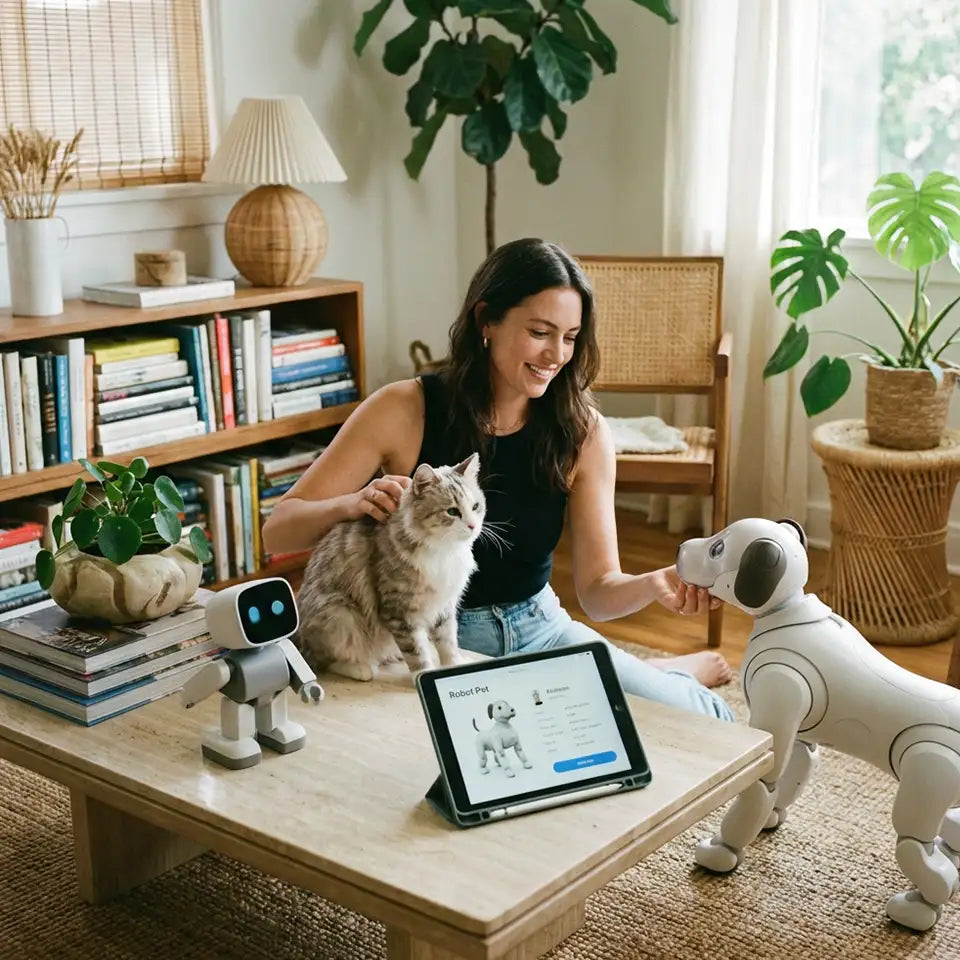
How to Choose the Best Robot Pet for Adults in 2026
March 20, 2026
More adults are looking for companionship that fits modern life. Real pets are wonderful, but they also come with real responsibility: feeding, grooming, walking, vet bills, cleaning, and long-term care. That is not realistic for everyone. Some people live in small apartments. Some travel often. Some work long hours. Some simply want a smart, interactive companion at home without the demands of a live animal. That is exactly why interest in the robot pet for adults category keeps growing.
But here is the tricky part: there is no single best robot pet for every adult. Some people want emotional comfort. Some want playful interaction. Some want a desk companion. Others want an expressive AI pet that feels lively and entertaining in a shared home. This guide will help you sort through the noise and choose the right option for your lifestyle, budget, and expectations.
Who Are Robot Pets for, and What Types Are Available?
A robot pet can be a good fit for adults who want companionship, routine, entertainment, or stress relief without taking on the full responsibility of a live pet. That includes busy professionals, apartment dwellers, tech enthusiasts, and even families who want a shared interactive companion at home.
Broadly speaking, most robot pets for adults fall into a few categories.
Expressive AI pet robots
These are the most animated and personality-driven options. They usually move around, respond to voice or touch, and create the feeling that you are interacting with a lively digital companion rather than a static gadget.
This is the category where Loona fits best. It is not trying to be a hyper-realistic dog or cat. Instead, it focuses more on personality, responsiveness, movement, and fun.
Plush emotional companion robots
These products tend to be softer, calmer, and more comfort-oriented. They are often designed to provide soothing companionship rather than energetic interaction. They may be especially appealing to adults who want a low-stimulation companion.
Desktop companion robots
These are best for people who want a robot companion on a desk, shelf, or bedside table. They usually take up less space and are a better fit for light interaction than full-room mobility.
Realistic robot pets
Some robot pets are designed to mimic real animals more closely. If your goal is something that feels as close as possible to a pet substitute, these may be worth exploring. But they can also feel more limited if what you really want is personality and AI-style interaction.
Premium mobile companion robots
These are often the most advanced and the most expensive. They may include better mobility, more sensors, and deeper smart features. For some adults, they are exciting. For others, they are more robot than pet.
The key takeaway is simple: before you compare products, decide what kind of experience you actually want.
How to Choose the Best Robot Pet for Adults
A lot of buyers make the same mistake. They search for the “best” product, skim a few lists, and end up choosing the one with the flashiest features instead of the one that actually fits their daily life.
The better approach is to evaluate robot pets the same way you would evaluate any other personal technology purchase: by fit, not hype.
Decide what kind of companionship you want
Do you want a robot pet that feels playful and active? Do you want something soothing and low-maintenance? Do you want voice interaction, movement, and a stronger sense of personality? Or are you mainly looking for a simple emotional companion?
If you want a lively, expressive experience, an AI pet robot like Loona makes more sense than a plush comfort companion. If you want calm emotional presence, the opposite may be true.
Choose the right interaction style
Not all interaction feels equally satisfying. Some robot pets mainly respond to touch. Others prioritize voice commands. Some move around the room and react in ways that feel more dynamic. Others stay in one place and function more like a digital companion on display.
Adults who want something engaging over time should pay attention to interaction depth. A robot that feels fun for five minutes but repetitive after a week is not a great long-term choice.
Set a realistic budget
A robot pet can range from a relatively affordable novelty purchase to a serious investment. That is why it helps to think beyond the initial price.
Consider the full cost of ownership:
accessories
charging dock or replacement parts
app-related features
software support
long-term durability
The cheapest option is not always the best value, and the most expensive option is not always the most enjoyable.
Think about your home environment
Some robot pets are a better fit for desks, while others work best when they have room to move. If you live in a small apartment, that matters. If you share your home with family, that matters too.
A lively mobile robot pet can be great in a shared living space because it becomes part of the atmosphere. But if you live alone and want something subtle and quiet, a more animated product may not feel like the right match.
Review smart features with a practical mindset
It is easy to get pulled in by buzzwords. AI, voice interaction, smart sensors, and app control all sound impressive, but what matters is how these features affect everyday use.
Ask yourself:
Does this make the experience more natural?
Will I actually use this feature often?
Does it improve companionship, or is it mainly a technical extra?
The best robot pet for adults is not the one with the longest feature list. It is the one whose features make daily interaction more enjoyable.
Pay attention to maintenance and convenience
A robot pet is still a device. It needs charging, updates, and basic care.
That does not mean it is difficult to own, but it does mean expectations matter. If you want a true “pick it up and enjoy it” experience, ease of setup and charging behavior can make a bigger difference than buyers expect.
Focus on everyday fit, not just first impressions
This is where many rankings get it wrong. A product can look exciting in a demo and still feel underwhelming in real life. Try to picture how it fits into a normal week, not a product video.
Would you actually interact with it after work? Would it make your home feel more lively? Would it reduce stress, or end up sitting in the corner? That is the real test.
Comparison Table: Best Robot Pets for Adults in 2026
Before diving into specific recommendations, it helps to compare robot pets by role rather than by marketing claims.
Type
Best For
Interaction Style
Price Range
Main Strength
Main Drawback
Expressive AI pet robots
Adults who want playful, lively interaction
Voice, touch, movement, app
Mid to premium
Strong personality and fun factor
Not ideal if you want realism
Plush emotional companions
Adults seeking comfort and calm
Touch, simple responses
Low to mid
Soothing and approachable
Less dynamic over time
Desktop companion robots
Office or bedside use
Voice, screen-based interaction
Low to mid
Compact and easy to place
Limited physical presence
Realistic robot pets
Buyers who want pet-like behavior
Touch, sound, limited movement
Mid to premium
Feels closer to a traditional pet substitute
May feel less expressive
Premium mobile companions
Tech-forward adults
Advanced mobility and sensors
Premium
High-end capabilities
Price can be a barrier
This kind of comparison is often more useful than a simple “top 10” list because it helps you eliminate the wrong options first.
Our Top Picks: Best Robot Pets for Adults in 2026
The best approach is not to crown one winner for everyone. Instead, think in terms of best fit by use case.
Best overall robot pet for adults
The best overall option should balance personality, ease of use, interaction quality, and long-term enjoyment. In most cases, the winner here will be the one that feels engaging without demanding too much setup or adaptation from the user.
Best for emotional comfort
If your goal is gentle companionship and low-pressure interaction, a plush-style emotional companion may be the better choice. These products are often less stimulating and more comforting, especially for adults who want calm presence rather than active play.
Best budget option
A budget-friendly robot pet can still be enjoyable, but buyers should be realistic. Lower-cost models are usually simpler and may offer less interaction depth. They can still be a good entry point if you are exploring the category for the first time.
Best for realistic pet-like behavior
If you want something that reminds you more of a traditional pet, look for options that focus on lifelike responses rather than animated AI personality. These can be appealing to adults who miss having a dog or cat at home.
Best for adults who want a playful AI companion: Loona
This is where Loona stands out most clearly.
Loona makes the most sense for adults who do not just want a gadget sitting on a shelf. It is a better fit for people who want a robot pet that feels lively, expressive, and fun to interact with. Its appeal is not just that it moves or responds. It is that it creates a stronger sense of presence than many products in the category.
For adults in family homes, shared apartments, or tech-friendly households, that can be a big advantage. It feels more like a companion with character and less like a passive device.
Loona Petbot Review: Is It Worth It for Adults?
This is the question a lot of buyers ask quietly, especially because Loona Petbot is often associated with family-friendly use.
The short answer is yes, Loona can absolutely be a good robot pet for adults, but it depends on what kind of adult buyer you are.
If you are looking for a realistic substitute for a live pet, Loona may not be the best match. If you are looking for a quiet comfort object, there are calmer options out there. But if you want a playful AI companion with expressive movement, interactive behavior, and real home presence, Loona becomes much more compelling.
Why Loona stands out
The biggest difference with Loona is personality.
A lot of robot pets are functional, cute, or technically impressive. Fewer actually feel lively. Loona has a stronger sense of animation and interaction, which makes it easier to build a daily habit around. That matters more than people think. A robot pet only becomes valuable when you actually enjoy having it around.
Loona is especially appealing for adults who like products that feel a little more social and a little less passive.
Who Loona is best for
Loona is a strong fit for:
adults who enjoy playful, animated interaction
buyers who want a smart companion with more personality
family households looking for a shared robot pet
adults who prefer fun and expressiveness over strict realism
tech lovers who want an AI-driven home companion
Who should skip Loona
Loona may be less ideal for:
adults who want a very realistic animal substitute
buyers focused mainly on finding the lowest-cost option
people who want a soft, soothing emotional companion
anyone expecting the experience to feel exactly like a live pet
That last point is important. The best experience with Loona comes when you appreciate it for what it is: an expressive AI robot pet, not a robotic copy of an animal.
Pros and cons of Loona for adults
Pros
expressive and engaging personality
strong interactive appeal
more dynamic than many static companion devices
good fit for shared home environments
memorable, playful experience
Cons
not the best choice for buyers seeking realism
may be more energetic than some adults want
premium products require a bigger budget commitment
expectations need to be aligned with the robot pet category, not real-pet behavior
Loona vs other robot pet categories
Compared with plush emotional companion robots, Loona feels more active and entertaining. Compared with realistic robot pets, it feels less like a pet replacement and more like an AI-powered character companion. Compared with desktop companions, it has stronger physical presence and a greater ability to become part of the home environment.
That difference is exactly why some adults will love it and others will prefer something simpler.
When Loona is worth the price
Loona is worth considering if you value personality, movement, interactivity, and that sense of having a lively companion in your space. It makes less sense if your main goal is simply to buy the cheapest robot pet available.
In other words, Loona is usually not the right choice for someone who wants the category’s most minimal option. It is a better choice for someone who wants a memorable one.
For apartment dwellers, Loona can work well as a pet robot for apartment thanks to its compact home-friendly design and interactive appeal.
Common Mistakes Adults Make When Buying a Robot Pet
A robot pet can be a surprisingly satisfying purchase, but only if expectations are realistic.
One common mistake is buying based on category buzz instead of personal lifestyle. People see “AI pet robot” and assume more intelligence always means a better experience. That is not necessarily true. Sometimes the simpler, calmer option is a better fit.
Another mistake is confusing entertainment value with long-term satisfaction. A product that seems impressive at first may not become part of your daily life. The right robot pet is the one you will still want to interact with after the novelty wears off.
A third mistake is ignoring environment. A compact desk companion and a mobile AI robot create completely different experiences. One is not automatically better than the other.
And finally, some buyers expect a robot pet to replicate the emotional experience of a real animal. That usually leads to disappointment. The better mindset is to view a robot pet as its own kind of companion: something between technology, play, routine, and presence.
Conclusion
Choosing the best robot pet for adults comes down to one thing: what kind of companionship actually fits your life.
If you want a soothing, low-key companion, look toward comfort-focused options. If you want realism, choose a product that leans toward lifelike pet behavior. But if you want an energetic, expressive, AI-powered companion that feels playful and alive in your home, Loona deserves serious consideration. Instead of acting like a realistic pet substitute, Loona feels more like an AI robot friend designed for fun, companionship, and daily interaction.
The smartest way to buy is not to ask, “What is the best robot pet on the market?” It is to ask, “Which one will still feel right for me after the excitement of day one is gone?” That is usually where the best choice becomes clear.
FAQ
What is the most realistic robot dog for adults?
For adults who want the most realistic robot dog, Sony aibo is often the top choice. It focuses more on pet-like behavior, recognition, and long-term interaction. If you want more personality and playful AI interaction instead of realism, Loona may be a better fit.
Which robot pet is the best?
There is no single best robot pet for everyone. The best choice depends on whether you want realism, emotional comfort, or playful AI interaction. For adults who want a lively and expressive companion, Loona is one of the strongest options.
How much does a robotic AI dog cost?
A robotic AI dog can cost anywhere from under $30 to over $70,000, depending on the type. Most consumer robot pets are priced in the hundreds to low thousands of dollars, while advanced industrial robot dogs cost much more.
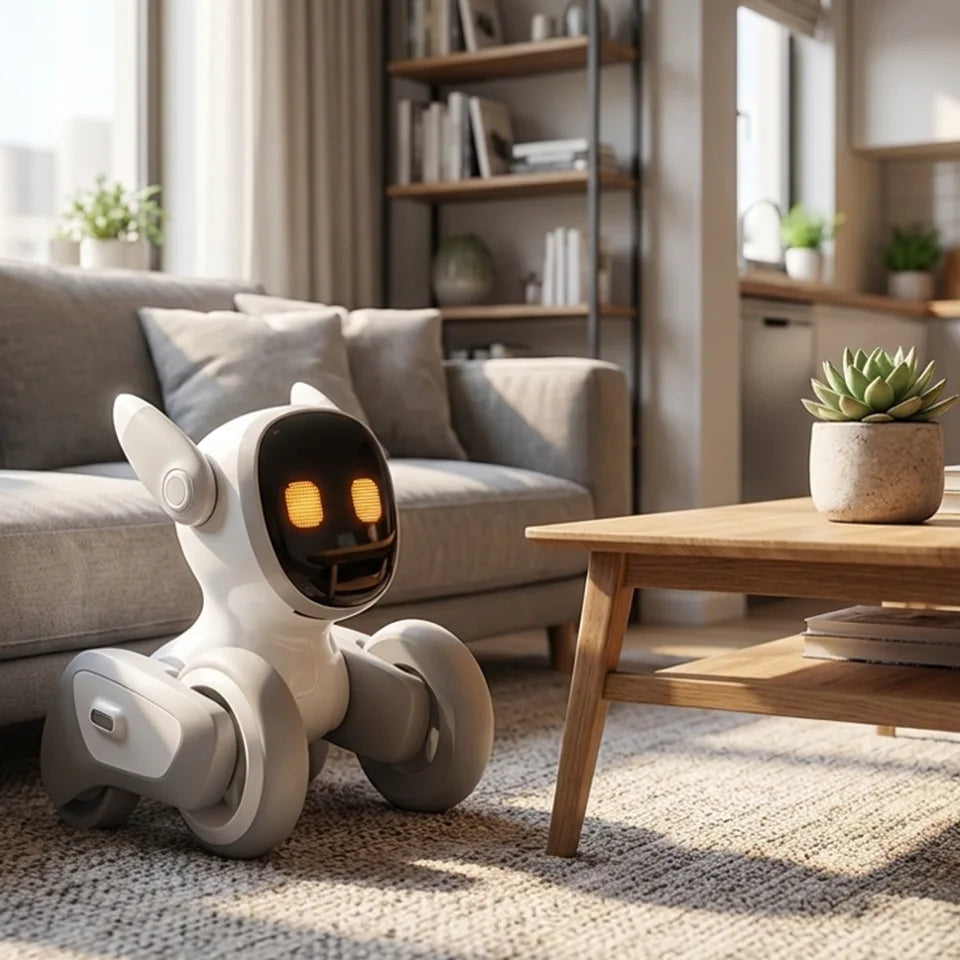
Best Pet Robot for Apartment Living: Top Smart Companions for Small Spaces
March 19, 2026
Living in an apartment changes the way people think about companionship. Maybe your building has pet restrictions. Maybe your schedule is too packed for daily walks. Maybe you love animals but do not love barking through thin walls, fur on every surface, or surprise vet bills when rent is already high. That is exactly where pet robots have started to make real sense.
A good robot pet will not replace the emotional depth of a living animal for everyone. But for many apartment dwellers, it can offer something surprisingly valuable: presence, interaction, routine, and a little personality in a space that may otherwise feel quiet or empty. The best ones are compact, low-maintenance, and smart enough to feel engaging without becoming one more gadget you forget in a drawer.
In this guide, we look at the best pet robots for apartment living, what makes them work well in small spaces, and how to choose the right smart companion for your lifestyle.
Why Apartment Dwellers Are Turning to Pet Robots
Apartment life comes with trade-offs. You get location, convenience, and efficiency, but often less room to move, less privacy, and more rules to work around. Traditional pets can still be wonderful in that setting, but they are not always practical. That is why robot pets appeal to a growing group of people.
Some want companionship without the long-term responsibility of a live animal. Others want a playful, interactive presence at home without worrying about noise complaints, cleaning, feeding schedules, or finding pet care while traveling. For people with allergies, strict landlords, or unpredictable work hours, a pet robot can feel like a smart middle ground.
There is also a simpler reason: small spaces can feel lonely. A responsive robot companion adds motion, sound, and interaction to a home in a way static tech products do not. The best ones feel less like toys and more like tiny personalities that happen to fit on your floor, desk, or coffee table.
What Makes a Pet Robot Good for Apartment Living?
Not every robot pet is a good fit for a small home. Some are too bulky. Some are too noisy. Some look impressive in a demo but do not hold your attention for more than a few days.
If you are choosing a pet robot for apartment living, these are the factors that matter most.
Compact Size and Small Footprint
In a larger home, a bulky gadget can disappear into the background. In a studio or one-bedroom apartment, every object has to earn its place. The best robot pets for small spaces are easy to move, easy to store, and do not demand a dedicated room or oversized charging station.
Quiet Operation
Noise matters more when your neighbors are on the other side of a wall. A robot that hums loudly, plays constant sounds, or makes sharp mechanical movements can quickly become annoying in an apartment. A good apartment-friendly pet robot should feel lively without being disruptive.
Smart Interaction
This is where the best products separate themselves from novelty devices. A robot pet should do more than move around randomly. It should respond, react, and create the feeling of interaction. Touch response, expressive movement, voice response, and playful behaviors all help a robot feel more companion-like.
Low Maintenance
One of the main reasons people consider a robot pet is convenience. If it constantly needs troubleshooting, difficult setup, or frequent charging, the experience starts to lose its appeal. A good apartment robot should be easy to live with.
Indoor-Friendly Design
Apartments usually mean tighter corners, more furniture, and less open floor space. A robot pet designed for indoor use should navigate reasonably well, function in compact environments, and feel natural in everyday home settings.
A Clear Best-Fit Use Case
The best robot for one person may be the wrong pick for another. Some people want emotional comfort. Some want entertainment. Some want something child-friendly. Others want a sophisticated AI companion with more personality. The right product depends on what role you want it to play in your daily life.
Quick Picks: Best Pet Robots for Small Apartments at a Glance
Before we go deeper, here is the short version.
Best overall for apartment living: Loona Robot
Best premium lifelike robot dog: Sony aibo
Best emotional comfort companion: Moflin
Best ultra-compact AI companion: AIBI Pocket
Best for seniors: ElliQ
Best for kids in apartments: Emo
Best for buyers watching cost and space: Eilik
7 Best Pet Robots for Apartment Living in 2026
Finding the best pet robot for apartment living means choosing a smart companion that truly fits a small space. The ideal robot pet for an apartment should be compact, low-maintenance, quiet enough for shared walls, and interactive enough to feel engaging at home.
The picks below include the best pet robots for small apartments, with options for different needs, budgets, and lifestyles. Whether you want playful interaction, emotional comfort, or a simple low-maintenance companion, these apartment-friendly choices stand out for modern small-space living.
Loona Petbot — Best Interactive Pet Robot for Apartment Living
Loona Petbot stands out because it feels built for indoor living. It is compact enough for smaller homes, expressive enough to feel engaging, and interactive in a way that makes it more than a decorative gadget. For apartment dwellers who want a smart companion with movement, personality, and playful behavior, Loona makes a strong case.
What makes Loona especially appealing for small spaces is that it offers active interaction without the real-world demands of a live pet. There is no shedding, no odor, no feeding schedule, and no early-morning walk when you would rather sleep. Yet it still creates the sense that something responsive and curious is sharing your space.
Why it is great for apartments
Loona works well in apartments because it is designed for indoor interaction. It does not need a backyard, large play zone, or major setup. It can bring energy and companionship into a limited living area without creating the logistical headaches that often come with real pets.
Standout features
Its expressive reactions, playful behavior, and smart interaction style give it a stronger sense of character than many simpler robot pets. It feels especially well-suited to people who want daily engagement rather than a passive display piece.
Pros
Compact and apartment-friendly
More interactive than many basic robot pets
Low-maintenance alternative to a real pet
Good fit for adults, couples, and small families
Cons
Best for people who want active engagement, not a soft emotional-comfort experience
Premium features may matter less to users on a tighter budget
Best for
Apartment dwellers who want a smart, playful, expressive robot companion for everyday indoor life.
Bottom line
If your top priority is finding a pet robot that feels lively, modern, and truly suited to small-space living, Loona is one of the strongest choices in this category.
Sony aibo — Best Premium Lifelike Robot Dog
If what you want is the closest thing to a robot dog that behaves like a real pet, aibo is still one of the most recognizable names in the category. It leans heavily into the idea of a robot companion with a dog-like personality, and that makes it attractive for buyers who want something more lifelike than toy-like.
For apartment living, the appeal is obvious: you get some of the emotional charm of a dog without walks, accidents, or pet restrictions. Still, aibo makes the most sense for buyers with a bigger budget and a strong preference for premium design.
Why it is great for apartments
It brings a recognizable dog-like experience into a home without the care burden of a live animal. For people who miss having a dog but cannot keep one in their apartment, that can be a meaningful benefit.
Standout features
Dog-inspired movement, recognizable personality cues, and a premium presentation.
Pros
Strong lifelike appeal
Familiar robot dog concept
Good option for people who want a premium experience
Cons
Expensive
Not the most practical choice for every buyer
Better for high-intent enthusiasts than casual shoppers
Best for
People who want the most premium robot dog experience possible in an apartment.
Bottom line
Aibo is a luxury pick, not a universal one. But for the right buyer, it delivers one of the most convincing robot-pet experiences available.
Moflin — Best Emotional Support Companion for Small Spaces
Not every apartment dweller wants a mobile, highly energetic robot. Some want something quieter, softer, and more emotionally soothing. That is where Moflin fits in.
Moflin has a different emotional profile from many robot pets. It is less about active roaming and more about comfort, touch, and bonding. In a small apartment, that can actually be an advantage. It feels gentle, intimate, and easy to integrate into a slower routine.
Why it is great for apartments
Its small form and lower-key presence make it ideal for homes where calm matters more than spectacle.
Standout features
A comfort-first design and a more nurturing style of interaction.
Pros
Small and easy to keep in compact spaces
Feels warm and emotionally oriented
Good match for quiet home environments
Cons
Less dynamic than more active robot pets
Not ideal if you want playful floor movement or a lively companion
Best for
People who want emotional comfort and a calmer experience in a small home.
Bottom line
Moflin is a smart choice for buyers who want softness and companionship over action and novelty.
AIBI Pocket — Best Ultra-Compact AI Companion
Some apartments are not just small. They are very small. If you live in a studio, share a space, or simply want something that does not take over your room, a tiny AI companion can make more sense than a larger floor-based robot.
AIBI Pocket is appealing because it keeps the idea of a smart companion while shrinking the physical demand on your home. It is the kind of product that fits neatly into modern small-space living.
Why it is great for apartments
Its form factor is one of its biggest strengths. You do not have to reorganize your room around it, and it suits minimalist setups.
Standout features
Tiny footprint, digital-companion appeal, and easy integration into daily routines.
Pros
Excellent for very small apartments
Easy to place on a desk or side table
Good for users who want companionship without clutter
Cons
Less physically pet-like than larger robot companions
May feel more like an AI companion than a classic robot pet
Best for
Studio apartment residents, desk users, and buyers who value compact design above all else.
Bottom line
If space is your number-one limitation, a smaller AI companion can be the smartest pick.
ElliQ — Best Smart Companion for Seniors Living Alone
ElliQ is not a traditional robot pet in the furry or animal-like sense, but it belongs in this conversation because many people searching for a “pet robot” are actually looking for companionship first. For seniors living alone in apartments or smaller homes, that distinction matters.
ElliQ is more about presence, interaction, and support than playful pet imitation. That makes it especially relevant for people who want regular engagement and a feeling of company at home.
Why it is great for apartments
It does not require much space, and its value is more about daily interaction than physical movement.
Standout features
Companionship-oriented design and suitability for solo living.
Pros
Strong fit for older adults
Designed around regular interaction
Low space demand
Cons
Less pet-like than other options here
Better understood as a companion robot than a robot animal
Best for
Seniors or families shopping for companionship-focused technology in a small home.
Bottom line
If the real goal is reducing loneliness rather than simulating pet ownership, ElliQ can be a better fit than a more playful robot pet.
Emo — Best for Kids in Apartments
Children in apartments often have the same limitation adults do: not enough room, too many rules, or not enough time for a real pet. Emo works best as a playful smart companion that brings some of the fun of a pet into a small living environment.
It is entertaining, expressive, and easier to manage than a live animal, making it appealing for families who want something interactive without the mess.
Why it is great for apartments
It suits indoor play and does not demand the daily effort of caring for a live pet in a compact space.
Standout features
Fun interaction style, expressive design, and kid-friendly appeal.
Pros
Entertaining for kids
Compact enough for apartment use
Easier than managing a live pet in a small home
Cons
May feel more gadget-like than emotionally companion-like
Not every adult buyer will connect with its style
Best for
Families with children who want a fun smart companion in a small apartment.
Bottom line
Emo makes sense when your goal is lighthearted interaction and family-friendly fun rather than realism.
Eilik — Best Small Desktop Robot for Tight Budgets and Tiny Spaces
Not everyone wants to spend premium money on a robot pet. Some buyers simply want a compact, expressive little companion that adds personality to a desk, shelf, or work-from-home setup.
That is where a desktop robot like Eilik can shine. It is not trying to replace a dog or cat. It is trying to make your space feel more lively, and for many apartment dwellers, that may be enough.
Why it is great for apartments
It takes up very little space, works well in small rooms, and feels approachable for first-time buyers.
Standout features
Desktop-scale design and a more affordable way into the companion robot category.
Pros
Small footprint
Easier entry price than premium robot pets
Good fit for desks and compact setups
Cons
Less immersive than larger interactive robot companions
Limited if you want a more pet-like experience
Best for
Budget-conscious buyers, students, and people living in very compact spaces.
Bottom line
If you want charm and interaction without spending heavily or sacrificing room, Eilik is an easy recommendation.
Best Pet Robot by Apartment Lifestyle
The “best” robot pet often depends less on the product itself and more on how you live.
Best for Studio Apartments
AIBI Pocket or Eilik make the most sense when every inch matters. Their small footprint makes them easy to live with, especially in homes where floor space is already limited.
Best for Quiet Apartment Buildings
Moflin is a strong fit for quieter environments because its appeal is more about gentle companionship than active movement.
Best for People Who Cannot Have Real Pets
Loona and aibo both make sense here, depending on whether you prefer a more modern smart companion or a more dog-like experience.
Best for Busy Professionals
Loona is an excellent option for people who want interaction and personality without real-pet responsibilities. It gives you something lively at home without asking much in return.
Best for Seniors
ElliQ is the most natural pick when companionship matters more than pet simulation.
Best for Kids in Small Homes
Emo works well for families who want a playful, easy-to-manage robot companion in an apartment setting.
Pet Robot vs Real Pet in an Apartment: Which Makes More Sense?
This depends on what you are really looking for.
A real pet offers emotional depth, unpredictability, and a type of bond that no robot can fully copy. For many people, that remains irreplaceable. But apartment life can make real pet ownership more complicated than people expect. Limited space, landlord restrictions, rising costs, neighbor complaints, and time constraints all add up.
A robot pet changes that equation.
You get companionship without vet visits, litter boxes, daily walks, shedding, or pet deposits. You also avoid many of the conflicts that come with pet ownership in shared buildings. That makes robot pets especially appealing for renters, frequent travelers, allergy-sensitive households, and people who simply want a lighter version of companionship.
Still, a robot pet is not automatically the better choice. It is the better choice for people whose lifestyle, space, or housing situation makes a live animal less practical.
If what you want most is emotional warmth, routine, and a living relationship, a real pet may still be right for you. If what you want is interaction, presence, and low-maintenance companionship that fits small-space living, a robot pet may be the smarter fit.
How to Choose the Right Smart Companion for a Small Space
Start with the role you want the robot to play.
If you want something lively and expressive that feels active in your home, look at Loona. If you want a comfort-oriented experience, Moflin may be the better fit. If you want a premium dog-like robot, aibo makes more sense. If you want something extremely compact, focus on smaller companions like AIBI Pocket or Eilik.
Then think about your actual apartment.
Do you have floor space, or only desk space? Do you live in a quiet building? Are you shopping for yourself, for a child, or for an older parent? Do you want something playful, emotionally soothing, or more assistant-like?
It also helps to be honest about attention span. Some products are fun because they are novel. Others keep working because they fit naturally into your daily life. The best apartment-friendly pet robot is usually the one that feels easy to enjoy over time.
Common Downsides of Pet Robots in Apartments
Pet robots have clear strengths, but they are not perfect.
The first downside is cost. Some of the more advanced options can be expensive, especially if you are comparing them to simpler consumer electronics.
The second is expectation mismatch. A robot may be smart, expressive, and entertaining, but that does not mean it will feel emotionally meaningful to every person. Some users bond quickly. Others lose interest once the novelty fades.
The third is that “smart” can sometimes mean extra setup. Depending on the product, you may need app pairing, updates, charging habits, or Wi-Fi connectivity to get the best experience.
And finally, no robot pet is universal. Some are better at entertainment than comfort. Some are better at companionship than realism. The key is choosing based on your actual lifestyle, not just the most impressive marketing.
Conclusion
If you want the most balanced mix of interactivity, personality, and apartment-friendly practicality, Loona Robot is one of the strongest choices available. It feels especially well-suited to modern apartment living because it delivers active companionship without asking for much space or maintenance.
If you want a premium robot dog experience, Sony aibo is the standout pick.
If you want a softer and more comfort-oriented experience, Moflin is worth a serious look.
If your top concern is space, AIBI Pocket or Eilik make a lot of sense.
And if companionship is the main goal for an older adult living alone, ElliQ may be the better answer than a more pet-like robot.
The best pet robot for apartment living is not simply the smartest or most expensive one. It is the one that fits naturally into your home, your routine, and the kind of companionship you actually want.
FAQs
What is the best pet robot for apartment living?
For many buyers, Loona is one of the best all-around choices because it combines compact design, strong interaction, and a low-maintenance experience that suits small homes well.
Are robot pets good for small apartments?
Yes, especially when they are compact, quiet, and designed for indoor use. They can add companionship and entertainment without the practical challenges of keeping a live animal in a small space.
Are robot pets good for seniors?
They can be. For seniors living alone, companionship-focused robots can help make the home feel more engaging and less isolating.
Are robot pets good for kids in apartments?
Yes, they can be a practical option for families who want a playful, interactive companion without the full responsibility of a live pet.
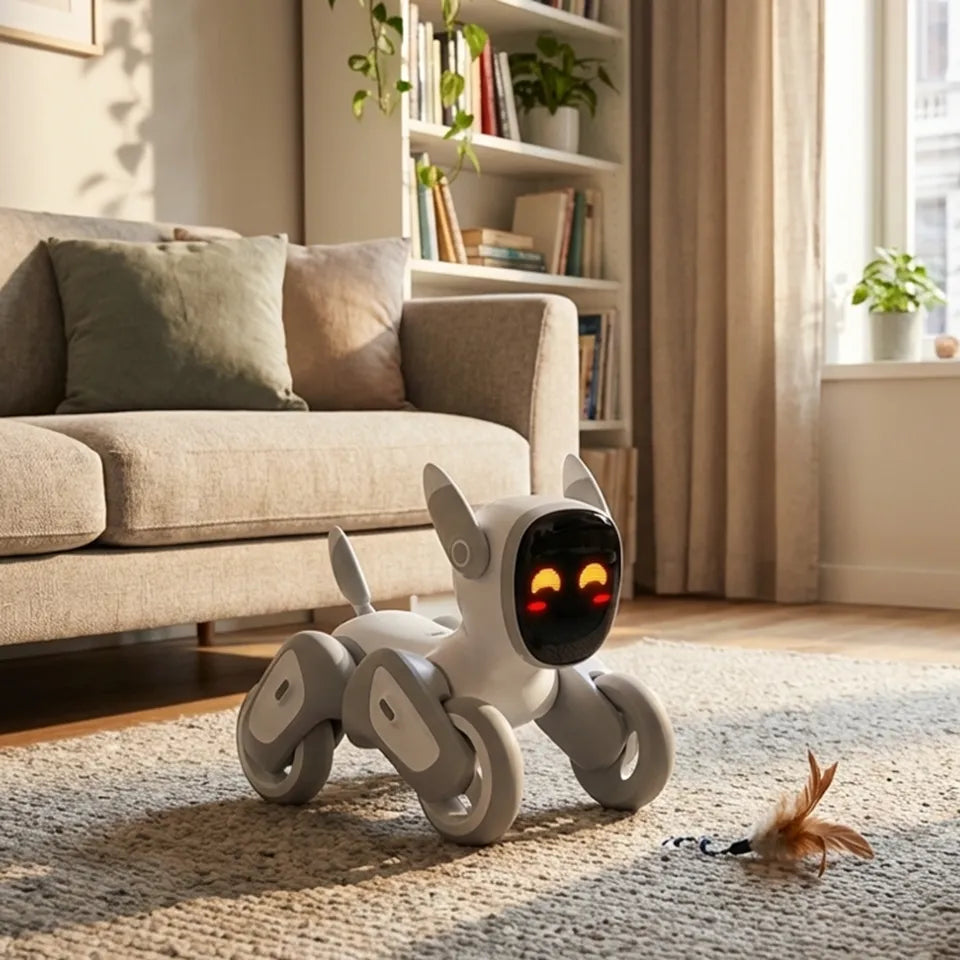
What Is the Best Pet Robot for Apartment Living? Features, Benefits, and Top Picks
March 17, 2026
Apartment living has its perks: less space to clean, easier commutes, and a simpler lifestyle overall. But for many people, it also comes with one tradeoff that feels surprisingly personal—companionship.
A lot of apartment dwellers would love the comfort and fun of having a pet, yet real-life pet ownership is not always realistic. Lease restrictions, limited square footage, allergies, barking concerns, shedding, vet bills, and daily care routines can quickly turn a good idea into a difficult one. That is exactly why more people are starting to look at a different option: the pet robot for apartment lifestyle.
A good pet robot can bring interaction, personality, and even emotional comfort into a small home without the mess, noise, or maintenance of a live animal. Some are designed to be calming and companion-like. Others are more playful, smart, and family-oriented. The best choice depends on what you want most from the experience. In this guide, we will break down what makes a pet robot apartment-friendly, which features matter most, and which types of robotic companions are worth considering.
What Is a Pet Robot for Apartment Living?
A pet robot for apartment living is a companion-style robot designed to bring interaction, entertainment, and a sense of presence into a small home. Unlike a real pet, it does not need food, grooming, litter cleanup, or outdoor walks. Unlike a robot vacuum or a security camera, its main purpose is not cleaning or surveillance. Its purpose is companionship. That difference matters.
When people search for the best pet robot for an apartment, they are usually not looking for a machine that simply performs a household task. They are looking for something that feels engaging, emotionally satisfying, and easy to live with in a smaller space. That can mean responsive movement, expressive behavior, voice interaction, games, facial recognition, or simply a personality that makes the home feel less empty.
This is where the category becomes especially interesting. Some robotic pets are intentionally simple and soothing. Others aim to feel more alive, more social, and more intelligent.
What Features Matter Most in the Best Pet Robot for Apartment Living?
Not every robotic pet is equally suited to apartment life. If you are comparing options, these are the features that matter most.
Compact size
The smaller the space, the more important footprint becomes. A good apartment-friendly robot should be easy to place, easy to move around, and not visually dominate the room.
Quiet operation
If you live with neighbors on the other side of thin walls, or if you work from home, noise matters. A robot that feels fun but not disruptive is usually a much better apartment fit than one that is constantly loud or hyperactive.
Smart interaction
This is where the experience shifts from novelty to real engagement. Voice response, touch response, facial recognition, AI conversation, and adaptive behavior can all make a robot feel more companion-like and less like a gadget.
Safe movement in small spaces
Apartments often mean tighter layouts, more furniture density, and less room for error. A pet robot should be able to move safely and reliably without becoming frustrating in a compact home.
Battery life and charging convenience
Battery life affects whether the robot feels enjoyable or inconvenient. Long enough active time plus easy charging makes daily use smoother.
Low maintenance
A pet robot should simplify life, not complicate it. Easy setup, easy charging, and minimal upkeep are all essential.
Why Loona Petbot Stands Out for Apartment Living
Not every pet robot makes sense in an apartment. Some are too simple to feel engaging, while others lean so heavily into novelty that they do not really add much to daily life. Loona Petbot feels different.
What makes Loona worth considering is not just that it is compact or smart on paper. It is that the product is clearly built to feel interactive in a real home setting. Loona is a petbot designed for companionship, play, and AI-powered interaction, with features such as facial recognition, app-based experiences, remote monitoring, and automatic docking. That combination makes it especially appealing for apartment households that want something more lively and responsive than a basic robotic toy.
It also fits small-space living better than many people might expect. Because Loona is relatively compact, it does not feel oversized or awkward in an apartment. For people living in smaller homes, that matters. A home robot should feel easy to live with, not like one more thing competing for space.
Another reason Loona works well here is its personality. Some robotic pets can feel repetitive after the first few days. Loona’s appeal is that it is designed to be more expressive and interactive, which helps it feel more like part of the home rather than just a gadget sitting in the corner. That makes a real difference for people who are not just shopping for entertainment, but for a sense of companionship.
Loona may not be the ideal choice for everyone. Someone looking for an ultra-quiet, very low-stimulation companion may prefer a simpler robot. But for families in apartments—or for anyone who wants a pet robot that feels playful, smart, and engaged—Loona is one of the more interesting options to include on this list.
Loona Robot vs Other Pet Robots for Apartment Living
Loona’s biggest advantage is that it offers more than one kind of value at the same time.
Many robotic pets can move, make sounds, or perform simple programmed actions. Loona goes further by combining a pet-like design with interactive AI elements, facial recognition, remote monitoring, app features, and sensor-based awareness. That makes it feel more like a true companion device than a novelty gadget.
Where Loona performs especially well:
families with children
users who want a lively and expressive robot
households that value smart features
apartment dwellers who want compact size with strong interactivity
Where another robot might be better:
users who want the quietest possible companion
buyers seeking the lowest price point
those who prefer very simple, low-stimulation interaction
seniors who want something highly minimal and calming
That comparison is important because it keeps the recommendation honest. Loona is a strong apartment-friendly pet robot, but its best fit is not universal. Its best fit is for people who want a more active, more intelligent, and more playful companion experience in a small living space.
Pet Robot vs Real Pet in an Apartment
A real pet offers emotional depth, physical affection, and a kind of bond that no machine can fully recreate. But it also demands time, money, patience, and a home environment that can support it. In an apartment, those demands can become more complicated.
A pet robot is not a replacement in the pure emotional sense. It is an alternative model of companionship.
Choose a pet robot if:
your building limits live pets
you want lower maintenance
you travel often
you are sensitive to fur or odors
you want companionship without full-time care responsibilities
Choose a real pet if:
you want traditional pet bonding
your home allows pets easily
you have time and budget for daily care
you want the full emotional and physical experience of animal companionship
For many apartment residents, the answer is not about which option is “better” in the abstract. It is about which option actually fits their life.
Who Should Buy a Pet Robot for Apartment Living?
Busy professionals may love the companionship without the lifestyle burden. Students may appreciate the fun and emotional lift in a small living space. Seniors may enjoy a calming sense of presence. Families may want something engaging and playful that fits apartment life better than a live pet.
Loona is especially well matched to the family segment. Its current product positioning strongly emphasizes home use, playful companionship, and interactive experiences for families and children, which makes it a natural recommendation for that audience.
It can also appeal to tech-forward apartment dwellers who enjoy smart devices and want their home companion to feel more advanced than a simple electronic toy.
Things to Consider Before You Buy a Pet Robot for Apartment
Before choosing any pet robot for apartment living, it is worth asking a few simple questions.
Do you want something playful or calming?
Do you care more about smart features or simplicity?
Do you need the robot to be especially compact?
Will children be using it regularly?
Are you looking for emotional comfort, entertainment, or both?
Those questions matter because “best” depends on the person. A robot that feels exciting to one household may feel too active to another. A robot that feels delightfully simple to one buyer may feel limited to someone else.
Loona Petbot is best for buyers who want a compact, apartment-friendly pet robot with a lively personality and stronger interactive intelligence. The tradeoff is that it may be more energetic and family-oriented than buyers seeking a very quiet or purely soothing companion would prefer.
Conclusion
Choosing the best pet robot for apartment living depends on your space, lifestyle, and what you want from a companion. Some apartment dwellers want something quiet and low-maintenance, while others want a more playful and interactive robot that brings energy into the home.
For families and users who want a smart, expressive companion, Loona Robot is one of the strongest options to consider. Its compact design, interactive personality, and apartment-friendly format make it a natural fit for smaller homes. While it may not replace a real pet, it can offer many of the same emotional and entertainment benefits without the mess, noise, or daily care responsibilities.
If you have been searching for the best pet robot for apartment living, Loona deserves serious consideration—especially if you want a companion that feels engaging, intelligent, and fun to live with.
FAQs
What is the best pet robot for apartment living?
The best pet robot for apartment living depends on your needs. For families who want a playful and intelligent companion in a small home, Loona Robot is one of the strongest options because it combines compact size with AI interaction, facial recognition, app-connected features, and automatic docking.
Are pet robots better than real pets in apartments?
Not universally. Real pets offer deeper emotional bonding, but pet robots are often easier to manage in apartments because they do not require feeding, litter care, outdoor walks, grooming, or landlord approval.
Are pet robots good for kids in apartments?
They can be. For apartment families, pet robots can bring play, interaction, and companionship without many of the practical issues that come with live animals. Loona is especially relevant here because it is a AI pet companion robot that focuses on family interaction and is child-friendly.
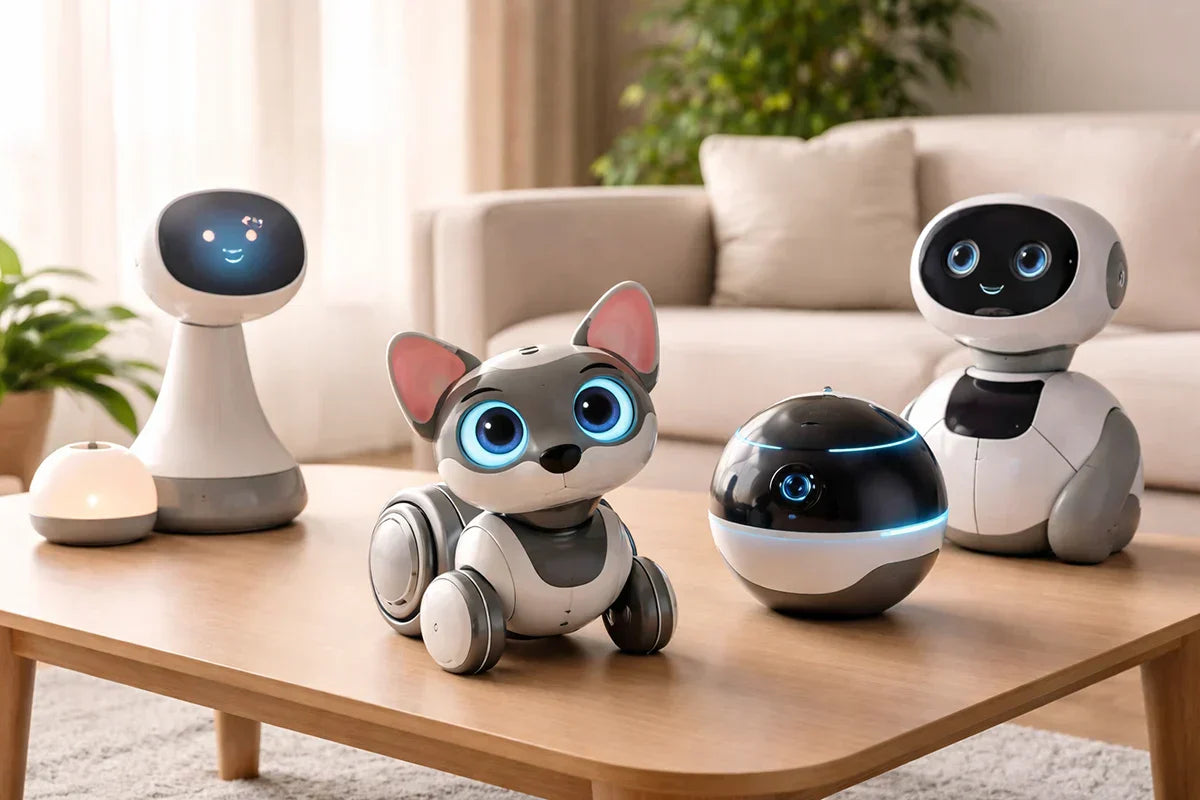
The Ultimate Guide to AI Companion Robots in 2026: Best Picks, Features, and Buying Tips
March 11, 2026
AI companion robots are starting to feel less like science fiction and more like a real consumer category. In 2026, they are showing up in homes for very different reasons. Some are designed to support older adults with reminders and conversation. Some are playful AI pets built for families. Others combine companionship with mobility, monitoring, or smart-home features.
That range is exactly what makes the category interesting. It also makes it confusing. Not every companion robot is trying to do the same job, so the best choice depends much less on which product looks the most advanced and much more on what kind of interaction you actually want.
What Is an AI Companion Robot?
An AI companion robot is a device designed to interact with people in a more personal and ongoing way than a typical smart speaker or app. Depending on the product, that can include conversation, reminders, emotional companionship, games, home awareness, or light wellness support.
Some companion robots are built around practical daily use. Others are designed more like AI pets, with personality, reactions, and a stronger sense of play. That distinction matters, because a robot meant to support an older adult living alone should not be judged by the same standards as one built for family interaction or entertainment.
Best AI Companion Robots in 2026
The best AI companion robots in 2026 vary a lot in purpose and personality. Some focus on support, some on play, and some on home awareness. That difference matters, because the right choice depends more on whether it is appropriate.
ElliQ
If the goal is senior companionship, ElliQ is one of the clearest products in the category. It is designed for older adults living alone and focuses on conversation, encouragement, and daily engagement. Its appeal comes from being purpose-built. Rather than trying to be a general home robot, it is centered on companionship and routine support.
That makes ElliQ a strong fit for households looking for a supportive, low-friction device that feels more personal than a voice assistant. It makes less sense for buyers who want a mobile robot or a family-focused interactive companion.
Loona Robot
Loona Petbot is one of the most natural choices for families, kids, and buyers who want a playful AI companion with real personality. It is positioned as an AI robot pet, which immediately puts it in a different category from products like ElliQ. Loona is less about care support and more about interaction, expression, and fun.
That is exactly why it works. Instead of trying to do everything, Loona leans into the idea of an AI pet companion. For users who want a lively home robot that feels expressive and engaging, that is a strong selling point.
Ebo X
Ebo X is a better fit for buyers who want mobility and home awareness as much as companionship. It sits somewhere between a companion robot and a moving home-monitoring device. That makes it appealing for users who want remote check-ins, a connected camera, and a more active physical presence in the home.
Compared with ElliQ or Loona, Ebo X feels less focused on emotional interaction alone. Its strength is the combination of movement, monitoring, and connectivity.
Zeroth M1
Zeroth M1 is one of the more interesting newer entries in the space because it aims for a middle ground between novelty and practical home use. It is the kind of product that appeals to buyers who want something more embodied than a speaker but less extreme than a highly ambitious household robot.
That also means it comes with the usual caution attached to newer AI hardware. Strong ideas do not always translate into strong long-term use, so products in this part of the market are often more interesting to watch than to recommend too aggressively.
LG CLOiD
LG CLOiD represents the more ambitious side of the category. It points toward a future where home robots are more mobile, more integrated with the smart home, and more physically present in everyday life.
For now, though, it makes more sense as a sign of where the market is heading than as the most practical option for most households. In a category like this, narrower products often end up being more useful than broader visions of the all-purpose home robot.
What Features Matter Most?
The most important feature is not cuteness, movement, or futuristic design. It is usefulness.
Conversation quality matters because a companion robot should feel responsive and pleasant to interact with. If talking to it feels awkward or limited, the novelty will wear off quickly. Daily usefulness matters just as much. That may mean reminders, encouragement, games, home awareness, or simply a form of interaction that makes the device feel worth keeping around.
Fit is another major factor. A senior-focused robot should be judged by how well it supports routines and reduces friction. A family robot should be judged more by personality, engagement, and ease of use. A mobile home companion should be judged more by awareness, navigation, and convenience.
Privacy also matters more than many buyers expect. These devices may include microphones, cameras, app connections, and cloud-based AI features, so trust and transparency are part of the product experience, not a side issue.
How to Choose the Right AI Companion Robot
The right choice depends on what you want the robot to do. For older adults, conversation, reminders, and routine support usually matter most. For families, playfulness and ease of use may matter more. For smart-home users, mobility and home awareness can be bigger priorities.
It also helps to think about what kind of presence you want in the home. Some robots are designed to feel supportive. Others are designed to feel entertaining or emotionally engaging. Neither is automatically better, but they serve very different expectations.
A simple rule helps here: if you cannot clearly explain what role the robot will play in daily life, it may end up feeling more like a novelty than a useful purchase.
Are AI Companion Robots Worth It?
They can be, but only when the fit is right.
The strongest products in this category usually have a clear purpose. ElliQ works because it is built around senior companionship. Loona works because it embraces the AI pet idea instead of pretending to be a care device. Ebo X works best when the buyer wants movement and home awareness as much as companionship.
The weaker products are often the ones trying to be everything at once. In practice, a robot becomes more valuable when its role is easy to understand. That might be family interaction, elder support, playful companionship, or connected home presence.
So yes, AI companion robots can be worth buying in 2026. They just make the most sense when they are solving a real need rather than being purchased only for novelty.
Conclusion
AI companion robots are not one single category anymore. In 2026, they include support companions for older adults, AI pet-style robots for families, mobile home companions, and more ambitious smart-home concepts.
That is why the best recommendation depends on the use case. If the priority is elder companionship and daily support, a product like ElliQ makes sense. If the goal is a playful, expressive AI pet companion, Loona is a natural fit. If mobility and home awareness matter more, a robot like Ebo X may be more appealing.
The best AI companion robot is not the one with the most futuristic marketing. It is the one that fits the person, the home, and the kind of interaction you actually want.
FAQ
Is Loona Robot the same kind of product as ElliQ?
No. ElliQ is mainly built for older adults and routine support, while Loona is better understood as a playful AI pet companion with family-friendly interaction.
Which AI companion robot is best for families?
Loona is one of the more natural fits for families who want an expressive, interactive robot companion with personality.
Are AI companion robots mainly for fun, or are they actually useful?
Both exist in the category. Some are designed more for interaction and play, while others are designed around practical support and routine use.
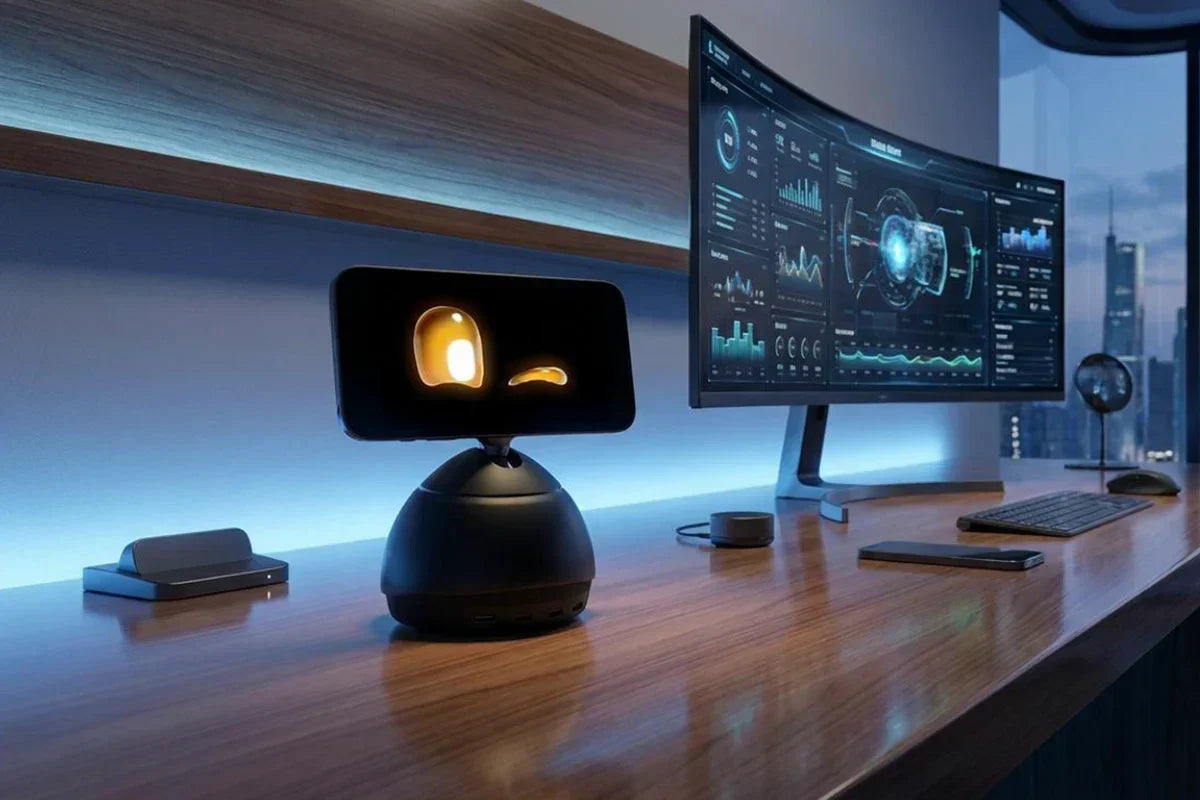
The Future of Desktop AI: What Makes Loona DeskMate So Smart?
March 10, 2026
Most AI still lives behind a prompt box.
You open a tab, type a request, wait for an answer, and move on. It works, but it does not feel natural. Real life is not made of isolated prompts. Work happens in motion: checking messages, switching tasks, thinking through ideas, joining calls, getting distracted, refocusing, and trying to keep everything moving at once.
That is why the future of desktop AI will not be defined by bigger models alone. It will be defined by presence.
The next generation of AI will not just respond when called. It will stay with you, understand context, communicate more naturally, and become part of the rhythm of your day. That is where Loona DeskMate stands out. Rather than acting like another software tool fighting for attention on your screen, it points toward a new kind of AI experience: one that is visible, expressive, work-aware, and designed to feel more like a companion than a window.
In other words, if you want to understand where desktop AI is going, Loona DeskMate is a very good place to start.
Desktop AI Is Moving Beyond Software
For years, digital assistants have mostly behaved the same way. They wait. You speak first. You type first. You trigger the interaction. Even the smartest chatbot still feels like software sitting on standby.
Desktop AI is beginning to change that model.
Instead of being tucked away inside a browser or app, a desktop AI companion can remain present in your environment. It can occupy space on your desk, use voice and visual signals, and interact in a way that feels more immediate. That sounds like a subtle difference, but it is not. Presence changes behavior. It changes how often people use AI, how quickly they engage with it, and how naturally it fits into everyday work.
This shift matters because modern work is full of friction. There are too many tabs, too many pings, too many micro-decisions. People do not just want faster answers. They want AI that helps reduce mental load without creating even more clutter.
That is the real promise of desktop AI: not simply intelligence on demand, but intelligence that feels close at hand.
What Is Loona DeskMate?
Loona DeskMate is best understood as a desktop AI companion built for work and everyday interaction.
It is not just a chatbot with a cute exterior. It is not just a desk accessory. And it is not trying to replace everything else on your device. Its appeal comes from how it blends several ideas into one experience: AI assistance, embodied interaction, emotional responsiveness, and desk-level presence.
That combination matters. A lot of AI tools can answer questions. Much fewer can create a sense of ongoing interaction. Loona DeskMate is interesting because it is designed around the idea that intelligence feels more useful when it is not abstract. When it has a form. When it can react. When it can remain in view and become part of the working environment.
The form factor also makes the product category easier to understand. This is not “AI somewhere in the cloud.” It is AI that lives on your desk, where your attention already is.
Loona DeskMate is expected to launch in May.
Lock in VIP pricing!
Enjoy pre-sale discounts!
What Makes Loona DeskMate So Smart?
When people ask whether an AI product is “smart,” they often mean one of two things. Either it gives strong answers, or it feels intuitive to use. The best products do both.
Loona DeskMate aims at that second kind of intelligence just as much as the first.
1. It is built around context, not just commands
Traditional assistants are reactive. They wait for explicit instructions. That works for simple requests, but it creates a stop-start experience.
A smarter desktop AI companion should feel more aware of the moment. What are you working on? Are you focused? Are you available? Is now a good time to help, or a bad time to interrupt?
Context is what separates a tool from a companion. Loona DeskMate feels smart because the idea behind it is not “ask me anything.” It is closer to “I am here with you, and I can respond in ways that make sense for this moment.”
That is a much more human model of intelligence.
2. It brings emotional awareness into the interaction
One of the biggest weaknesses in many AI systems is tone. They may be useful, but they often feel flat. Human communication is not flat. We read mood, energy, attention, and hesitation all the time.
A desktop AI companion becomes more valuable when it can react with better emotional timing. Not in an exaggerated or theatrical way, but in a way that makes the experience feel less mechanical. A calmer response when you are overwhelmed. A more playful one when you are relaxed. More restraint when you are clearly busy.
This kind of emotional responsiveness is easy to dismiss in theory, but in practice it shapes whether people actually enjoy using a product day after day. Smart AI should not only be capable. It should also be comfortable to be around.
3. It uses multimodal interaction, which feels more natural
People use voice, facial cues, timing, gaze, gesture, and screen attention to communicate all the time. A desktop AI robot or desk companion can tap into more of those signals than a text box can. That makes the interaction feel lighter and more intuitive.
You do not always want to stop what you are doing and write a carefully phrased prompt. Sometimes you want to glance, speak briefly, or receive a response that is visual rather than verbal. Multimodal interaction lowers the barrier to use. It lets AI fit human behavior instead of forcing human behavior to fit the machine.
That is one of the strongest arguments for why desktop AI may become a more important category in the years ahead.
4. Its physical presence changes the experience
Software is invisible until opened. A physical AI companion is already there. That changes the relationship from transactional to ambient. It becomes easier to check in, easier to remember, and easier to treat as part of your workflow.
There is also a psychological advantage to physical presence. Movement and expressiveness create a stronger sense of responsiveness. Even small gestures can make the interaction feel more immediate. The product no longer feels like a distant engine producing outputs. It feels engaged.
This is why embodiment is not a gimmick when done well. It is an interface decision. It makes AI more legible, more approachable, and more memorable.
5. It is not just cute. It is meant to be useful
A lot of products in this space get attention because they are charming. That helps at first, but novelty fades quickly. Long-term value comes from usefulness.
For desktop AI to matter, it has to help with real work: summarizing information, supporting planning, assisting with messages, helping organize tasks, and smoothing out the dozens of small interactions that consume time throughout the day.
That is where Loona DeskMate becomes more compelling. The smarter story is not that it has personality. It is that it tries to combine personality with practical assistance. That is a harder balance to strike, and it is exactly the balance that will define winners in this category.
6. It makes good use of the devices people already rely on
One of the smartest product decisions in any new hardware category is knowing what not to reinvent.
People already carry powerful smartphones with advanced screens, cameras, microphones, and processing capability. Building around that reality can create a more efficient product experience than starting from scratch with a bulky standalone device.
From a user perspective, that approach feels practical. It can reduce hardware redundancy, keep the device footprint smaller, and allow the overall experience to evolve alongside the phone technology people already upgrade over time.
Smart products are not only defined by their AI models. They are also defined by design choices that make adoption easier.
7. It aims for personality without becoming a distraction
If the AI is too passive, it becomes forgettable. If it is too active, it becomes annoying. If it leans too far into entertainment, it loses credibility as a work companion. If it becomes too dry, it loses emotional appeal.
The sweet spot is subtle personality. Enough warmth to feel engaging. Enough restraint to remain useful.
That is one reason Loona DeskMate stands out conceptually. The product sits at the intersection of productivity and companionship, and that means its intelligence has to include social intelligence too. Knowing when to speak, when to pause, when to encourage, and when to stay out of the way may end up being just as important as answering a question correctly.
Why Embodied AI Often Feels Smarter Than a Chat Window
People tend to describe embodied AI as “more alive,” but what they usually mean is “easier to relate to.”
A chat window can be brilliant and still feel emotionally distant. A physically present AI companion can create a stronger sense of immediacy even when performing similar tasks. That is because embodiment adds layers of meaning beyond words. Position, motion, gaze, and responsiveness all contribute to how intelligence is perceived.
In practical terms, embodied AI can feel smarter because it reduces interface friction. You do not need to remember where the app is. You do not need to launch a session every time. The interaction becomes part of your environment instead of another destination inside it.
That is an important shift. Great technology often disappears into routine. The most successful desktop AI companions may not be the ones with the flashiest demos. They may be the ones that feel so natural people stop thinking of them as software at all.
Who Loona DeskMate Is For
Not every AI product is for everyone, and that is a good thing. The most compelling desktop AI devices tend to resonate with users who already feel the limits of purely screen-based tools.
Loona DeskMate is likely to make the most sense for remote workers and hybrid professionals who spend long stretches of time at a desk and want support that feels more immediate than software alone.
It also appeals to creators, founders, and tech-forward users who enjoy experimenting with new interfaces and care about both utility and design.
And there is a wider audience too: people who want their workspace to feel more alive. Not chaotic. Not cluttered. Just more responsive, more interactive, and a little less lonely.
That may sound emotional for a product category discussion, but it matters. The future of desktop AI will not be built on efficiency alone. It will also be built on whether people genuinely like having it around.
Conclusion
The future of desktop AI will not be won by raw intelligence alone. It will be shaped by how naturally AI fits into human space, human attention, and human routine. That means context awareness. It means multimodal interaction. It means physical presence. It means emotional intelligence. And it means usefulness that lasts beyond the first impression.
That is what makes Loona DeskMate interesting. It suggests that the smartest AI companion may not be the one hidden inside another tab. It may be the one sitting on the desk, quietly understanding more, helping more naturally, and turning AI from a tool you open into a presence you work alongside.
FAQ
What is a desktop AI companion?
A desktop AI companion is an AI-powered device or assistant designed to stay present in your workspace and interact more naturally than traditional software. Unlike a standard chatbot, it can combine voice, visual presence, context awareness, and ongoing accessibility.
How is Loona DeskMate different from a regular AI assistant?
Loona DeskMate differs from a regular AI assistant because it combines AI assistance with embodied interaction, desk-level presence, and a more expressive, companion-like experience. It is designed to feel more present and intuitive than a text-only or app-only assistant.
Why does embodied AI matter?
Embodied AI matters because physical presence changes how people interact with technology. It can make AI feel more immediate, more understandable, and easier to engage with throughout the day, especially in a work environment.
Can desktop AI improve productivity?
Yes, desktop AI can improve productivity when it helps reduce friction in daily work. That may include task organization, communication support, summaries, reminders, planning assistance, and faster access to useful information.
Is desktop AI only for work?
No. While productivity is a major use case, desktop AI can also support companionship, daily routine, motivation, and a more interactive workspace experience. The best products in this category often blend practical value with emotional appeal.