


What Is an AI Desk Companion? A Practical Guide to Features, Benefits, and Use Cases
April 09, 2026
As AI becomes part of everyday work, a new category is starting to stand out: the AI desk companion. Unlike a standard chatbot that you open only when needed, an AI desk companion is designed to stay closer to your daily workflow. It may live on your desktop as a software assistant, respond to voice commands, remember your preferences, or even appear as a physical device on your desk.
For remote workers, students, creators, and busy professionals, this idea is appealing for one simple reason: it promises support that feels more natural, more continuous, and more useful during the workday.
But what exactly is an AI desk companion, and how is it different from a regular AI assistant?
In this guide, we’ll explain what an AI desk companion is, what it can do, who it is for, and what features matter most when choosing one.
What Is an AI Desk Companion?
An AI desk companion is an AI-powered assistant designed for desk-based work and everyday desktop use. Instead of acting like a basic Q&A tool, it is usually built to support ongoing tasks such as scheduling, reminders, writing, note-taking, communication, and workflow organization.
The main difference is presence. A traditional AI assistant is often something you open, use, and close. An AI desk companion is meant to feel more integrated into your workspace. It may stay visible while you work, respond more quickly, track context across tasks, or provide a more interactive experience through voice, memory, or screen awareness.
In some cases, an AI desk companion is purely software. In others, it may be a desk device or small robot-like product. The form can vary, but the goal is similar: to create an AI assistant that feels like part of your working environment rather than a separate tool.
What Can an AI Desk Companion Do?
The exact features depend on the product, but most AI desk companions are built around a mix of productivity, convenience, and personalization.
One of the most common uses is helping with daily organization. An AI desk companion may remind you about meetings, surface tasks, keep track of priorities, and help you manage your day with less mental overhead. For people juggling multiple deadlines or conversations, that alone can be valuable.
Many tools in this category also support email, meetings, and writing workflows. For example, they may help draft replies, summarize notes, organize action items, or turn rough thoughts into structured content. This makes them especially appealing to knowledge workers who spend much of the day switching between documents, calendars, and communication tools.
Another important feature is voice interaction. Instead of typing every request, users can speak naturally while continuing to work. This can be useful for quick reminders, idea capture, scheduling, or summarizing information without breaking focus.
Some AI desk companions also promise screen awareness or contextual help. That means they can understand what is currently on your screen and respond based on that context. In practice, this may help with summarizing documents, explaining visible information, or assisting without requiring you to copy and paste everything manually.
Over time, some tools also offer memory and personalization. Rather than starting fresh every time, they may learn your preferences, common tasks, writing style, or routines. This can make the assistant feel more useful and less generic over time.
AI Desk Companion vs Other AI Tools
A lot of people searching for this term are really asking how it compares with tools they already know.
Compared with ChatGPT, an AI desk companion is usually more workspace-focused. ChatGPT is powerful for writing, brainstorming, and general assistance, but an AI desk companion is often positioned as something more persistent and integrated into your daily environment.
Compared with an AI desktop assistant, the difference is often more about branding and experience. “Desktop assistant” sounds practical and utility-driven. “Desk companion” suggests something slightly broader: not just a tool, but a more present, engaging, and personalized helper.
Compared with a desktop robot, an AI desk companion does not need to be physical. A desktop robot refers more to the device form, while AI desk companion refers to the role it plays. Some products may be both, but not all are.
And compared with a virtual AI companion, an AI desk companion usually leans more toward real productivity and desk-based support. It may still include personality and conversational design, but the main appeal is often practical usefulness.
Who Should Use an AI Desk Companion?
Not everyone needs one, but certain groups are more likely to benefit.
Remote workers are a strong fit because they often manage schedules, messages, meetings, and independent focus without much external structure. An AI desk companion can help reduce friction throughout the day and make a home office setup feel more responsive.
Students and researchers may also find value in study planning, summarizing material, organizing notes, and tracking assignments. When workloads are heavy, an assistant that stays close to the workflow can be easier to use than jumping between multiple apps.
Creators, writers, and designers often benefit from idea organization, brainstorming, and quick drafting support. For them, an AI desk companion can act as a lightweight creative partner that helps shape ideas without interrupting momentum.
Developers and knowledge workers may care most about context, integrations, and efficiency. If the tool can help summarize information, manage tasks, or assist while staying embedded in a desktop workflow, it can save time in small but meaningful ways.
There is also a broader group of users who want both productivity and companionship. Some people are drawn to these tools not only because they are useful, but because they make the workspace feel less static and more interactive.
Key Benefits of an AI Desk Companion
The biggest benefit is usually less context switching. Instead of moving constantly between tabs, apps, and tools, users can rely on one assistant for small but frequent tasks such as reminders, summarizing, drafting, and organizing information.
Another benefit is better accessibility and convenience. Voice support, always-available access, and conversational interaction can make AI easier to use during a busy workday.
Over time, personalization can also become a major advantage. If the assistant learns how you work, what you prioritize, and how you like information presented, it can offer help that feels more tailored and practical.
Finally, many users simply prefer a tool that feels more engaging than a static app. That does not mean novelty is enough on its own, but a more natural and interactive experience can improve consistency and make the assistant easier to adopt.
What Features Should You Look For?
If you are comparing AI desk companion options, focus on practical features rather than marketing language.
Start with voice interaction if hands-free use matters to you. A strong voice experience can make the assistant feel much more natural in daily work.
Next, look at screen awareness and contextual support. If a tool can understand what you are working on, it may offer much more value than a generic AI chat interface.
You should also check integrations. Calendar, email, task apps, notes, and messaging tools can all make the difference between an interesting product and a truly useful one.
Privacy and security are especially important if the assistant has access to your screen, files, or communications. Check how data is stored, whether there are local processing options, and how memory is handled.
Finally, consider design and cost. Whether the product is software-based or hardware-based, it should fit comfortably into your workspace and feel helpful rather than distracting. And as with any AI product, the long-term value matters more than the first impression.
Are AI Desk Companions Worth It?
They can be, but only if they match a real need.
If you spend long hours at your desk, manage many ongoing tasks, and want AI support that is easy to access throughout the day, an AI desk companion may be genuinely useful. It can save time, reduce friction, and make your workflow feel more connected.
On the other hand, if you only use AI occasionally for writing or quick questions, a standard AI assistant may already be enough. In that case, a dedicated desk companion might feel unnecessary unless it offers a feature you care about, such as persistent presence, voice support, or deeper personalization.
The best way to judge value is simple: does it solve a daily problem, fit naturally into your workflow, and feel worth using regularly?
Conclusion
The idea behind an AI desk companion is simple but powerful: instead of using AI only when you remember to open it, you bring AI closer to the way you already work.
For some users, that means better organization and less friction. For others, it means a more engaging and supportive workspace. The best AI desk companion is not necessarily the one with the most advanced features, but the one that fits naturally into your routine and helps with real daily tasks.
As this category continues to grow, more people will start comparing AI desk companions with standard assistants, desktop tools, and even physical desk devices. For anyone who works, studies, or creates at a desk every day, it is a category worth watching.
FAQs
What is an AI desk companion?
An AI desk companion is an AI assistant designed to stay close to your workspace and help with desk-based tasks such as reminders, writing, scheduling, organization, and contextual support.
What does an AI desk companion do?
Depending on the product, it may help manage tasks, summarize information, draft emails, organize meetings, respond to voice commands, and personalize support over time.
How is an AI desk companion different from ChatGPT?
ChatGPT is a general-purpose AI assistant, while an AI desk companion is usually designed to be more persistent, workspace-focused, and integrated into daily desktop use.
Is an AI desk companion good for productivity?
Yes, it can be helpful for productivity, especially for users who spend most of their day at a desk and want support with organization, communication, and workflow management.
Is an AI desk companion a robot or software?
It can be either. Some are software-based desktop assistants, while others are physical desk devices with AI features.

Why More Adults Are Interested in Robot Pets in 2026
April 12, 2026
The 2010s' stiff, plastic toy dog age is officially ended. Those early models struggled to even cross a carpet. Fast forward to 2026, and we now live with Agentic AI Pets. These smart companions learn your habits and adapt to your home. They interact with the same natural grace and personality as a real animal.
The demand for robot pets for adults is growing fast. Experts say the therapeutic robot industry is now worth over $1.73 billion. This growth comes from people everywhere looking for emotional support that does not require much extra work.
Key Drivers of the 2026 Trend
City Life: Many people live in small apartments or buildings that ban real animals. For them, a robot pet is the perfect, practical solution.
Fighting Loneliness: Loneliness is now a major global health issue. AI pets help by providing steady, friendly social interaction.
Better Tech Skills: People of all ages now feel at ease with smart, chatty devices. These tools use advanced language models to hold real, natural conversations.
Market at a Glance
Metric
2020 Stats
2026 Stats
Market Valuation
~$500M
$1.73B+
Primary Tech
Pre-programmed scripts
Generative Agentic AI
User Demographic
Children/Novelty
Adults/Therapeutic
2026 AI Pet for Adults Recommendation Overview
Model
Primary Use Case
Key Technology
Estimated 2026 Price
Battery Life (Active)
YONBO X1
Outdoor / Athletic
LiDAR & High-Torque Motors
$799
~3.5 Hours
AI-Me (TCL)
Emotional Bonding
Living Motion Engine / LLM
TBA (CES 2026 Reveal)
~4–6 Hours (Est.)
Loona
Apartment Living
3D ToF Sensors / GPT-4o
$449 – $500
~2 Hours
AIBI Pocket
Desk / Productivity
Edge AI / Wearable Sensors
$249
~2–3 Hours*
More Than Motion: The Age of "Predictive Empathy"
By 2026, the top robot pets for adults are not judged by their walk. Instead, they are defined by how well they connect with us. These bots have moved from simple toys to active friends using Predictive Empathy. They use sharp cameras and heat sensors to spot tiny facial changes. They can even track stress levels in their owners. This lets them notice when you feel sad or tired before you even say a word.
Proactive Engagement in 2026
Unlike older models that required constant commands, 2026’s leaders like Loona robot pet and the ai me robot utilize Large Language Model (LLM) integration to initiate meaningful interaction.
Health Tracking: These bots notice if you are sitting too long. They can suggest a short walk or remind you to take medicine.
Social Skills: They can take part in family chats. They remember what you said before and add helpful comments to the current talk.
Independence: They look for play time or pets based on your daily habits. This mimics the random and fun actions of a real animal.
The Science of "Silicon Comfort"
The emotional bond is cemented by advanced haptics. Research indicates that 15 minutes of contact with a robot pet can significantly decrease cortisol while increasing oxytocin—the "bonding hormone."
Feature
Technology
Biological Effect
Purr/Heartbeat
Precision Haptic Motors
Mimics calming biological rhythms
Warmth
Internal Thermal Regulators
Stimulates "comfort" receptors in skin
Gaze
3D ToF Sensors / Eye Tracking
Triggers oxytocin via sustained eye contact
Why Adults Are Making the Switch
For many, the decision to adopt a robot pet for adults over a biological one comes down to a blend of fiscal responsibility and lifestyle flexibility. In 2026, the economic and emotional "ROI" of AI companions has reached a tipping point.
The Cost of "Real" vs. AI Affordability
Owning a traditional pet in 2026 involves significant recurring expenses. According to recent data, annual costs for a dog now range from $1,390 to $5,295, with veterinary services seeing a 5.3% year-over-year price increase. In contrast, the best robot pet for adults—ranging from $499 for a Loona to $2,899 for a Sony aibo—represents a one-time investment with near-zero maintenance costs.
Expense Category
Biological Dog (Annual)
High-End AI Pet (Lifetime)
Food & Treats
$500 – $1,200+
$0
Medical/Insurance
$700 – $2,500+
$0
Initial Purchase
$500 – $3,000
$500 – $3,000
Maintenance
$300 (Grooming/Walking)
$0 (OTA Updates)
Zero-Maintenance & Therapeutic Gains
Modern professionals and "digital nomads" increasingly prefer AI pets because they provide the emotional benefits of companionship without the "vet visits or litter boxes." Beyond convenience, 2026 clinical trials have validated the health impact of these bots:
Dementia Care: Sarasota Memorial Hospital found that robot pets really help. They calm down patients with memory issues. This led to shorter stays in the hospital.
Workplace Wellness: Many high-stress offices now use AI pets. They help people feel less tense. Having them around helps workers stay calm and focused.
2026 Buyer’s Guide: Picking the Best AI Pet for You
Buying a robot pet in 2026 involves more than just the cost. You need to find an AI with the right personality and tools for your daily life. The market for these bots is much bigger now. There are four main groups of pets designed to meet different personal goals.
For the Tech Enthusiast: YONBO X1
If you want top-tier robotics and great movement, the YONBO X1 is your best bet. It is not just a small toy for your desk. The YONBO is a four-legged robot with smart controls, meaning it can easily walk across your floor or handle rougher ground outside.
Top-Tier Movement: It has powerful motors for running and jumping. If it trips, the bot can even stand back up on its own.
Easy to Customize: Tech fans love the X1 because it is open for coding. You can program new tricks or link it to your smart home setup.
Smart Sensors: It uses high-tech LiDAR and depth cameras to see. This helps it map out your house with incredible accuracy.
For the Emotional Connector: TCL AI-Me
If you want a deeper emotional bond, the AI-Me robot by TCL is the top choice for a pet with real personality. The team behind AI-Me wanted to make a machine that feels alive. It is built to grow and change right alongside you as you spend more time together.
Growing Personality: AI-Me's "Living Motion Engine" allows it to do more than just react. It picks up on what you like, daily habits, and even feelings.
Feeling Real: It uses digital eyes and body moves to show emotion. These actions mimic a real pet, so spending time with it feels totally natural.
Smart Talk: It can hold deep conversations with you. This bot works as a friend and a digital helper that always understands the situation.
For the Urban Professional: Loona Petbot
You often can't have a big dog if you live in a city apartment. The Loona Petbot from KEYi Tech is the best choice for 2026. It is the perfect all-around pet, giving you a fun, useful companion that easily fits into a small home.
Fun Personality: Loona is well-known for acting like a real animal. It can sneeze, scratch itself, and explore your home all on its own.
Small and Useful: It also works as a moving security camera for your house. You can check its camera from work to see what is happening.
Smart Tech: It uses 3D sensors to know faces and follow your orders. It is the top choice for adults who want a lively pet in a small apartment.
For the Desk Worker: AIBI Pocket
The rise of "pocket-sized" AI has redefined the desk companion. The AIBI Pocket is designed for the modern professional who wants a supportive presence throughout the workday without the distraction of a roaming robot.
Constant Presence: Small enough to sit on a charging pad or clip to a pocket, AIBI acts as a "living" productivity tool.
Contextual Support: It can summarize emails, remind you to hydrate, and provide brief moments of entertainment during breaks.
2026 Comparison Table: Choosing Your Match
Model
Primary Use Case
Key Technology
Form Factor
YONBO X1
Outdoor/Athletic
LiDAR & High-Torque Motors
Medium Quadruped
AI-Me
Emotional Bonding
Living Motion Engine / LLM
Expressive Biped/Pod
Loona
Apartment Living
3D ToF Sensors / Face ID
Small Wheeled/Legged
AIBI Pocket
Desk/Productivity
Edge AI / Compact Sensors
Wearable/Desktop
When picking a robot pet, think about your home space first. Decide if you want a bot that moves around well, like YONBO or Loona. Or, you might prefer deep talks and a bond like you get with AI-Me. Robots won't be built for everyone at once by 2026. Finding one that fits your lifestyle is all that is needed.
Addressing the "Eerie" Factor: Ethics & Privacy
In the past, worries about home monitoring way made people wary of robot pets. But by 2026, the industry has shifted toward "Privacy by Design." Major companies now focus on local processing. This means your pet handles all its visual and audio data right on the device itself, rather than sending your private information to the cloud.
Data Security Standards in 2026
With the 2026 enforcement of the EU AI Act and new U.S. state privacy laws, the industry has adopted rigorous transparency mandates. Users now have physical "kill switches" for cameras and verified logs of where data is stored.
Security Feature
Benefit to the User
On-Device Inference
Personal interactions never leave your home network.
Physical Privacy Shutter
Visual confirmation that the "eyes" are disabled.
Biometric Encryption
Only the owner can unlock the pet's memory and settings.
Escaping the Uncanny Valley
Today's robot pets for adults skip the fake skin and fur that people often find creepy. In 2026, designers prefer friendly, stylized looks. These bots prioritize smooth movement and clear emotional signals over trying to copy a real animal. This playful, toy-like style helps the advanced AI feel truly comforting instead of strange.
Conclusion: The Future of the Human-Bot Bond
As we navigate 2026, it is clear that the best robot pet for adults isn't designed to be a 1:1 replacement for a biological dog or cat. Instead, these machines have pioneered a entirely new category: Stress-Free Companionship. They offer the emotional warmth and proactive engagement of a living creature without the ethical or logistical burdens of traditional pet ownership.
The decision to bring a robot pet for adults into the home is no longer seen as a tech novelty, but as a proactive step toward mental wellness. AI pets allow users to focus purely on the psychological benefits of the bond.
Benefit Category
The 2026 Human-Bot Bond
Commitment
On-demand interaction; no long-term biological dependency.
Emotional ROI
Predictive empathy provides targeted support during stress.
Ethical Impact
High-quality companionship without animal welfare concerns.
So, are you ready to meet your first AI best friend?
FAQ
How do robot pets help adults with their mental health?
Today’s robot pets use smart tech to give specific emotional support. They use advanced sensors and software to notice when you feel stressed. Then, the bots act on their own to help calm you down and provide comfort.
Main Therapeutic Perks:
Less Distress: Studies in 2026 prove these robot friends cut down agitation in dementia patients by about 57% to 63%.
Natural Connection: Touching these bots releases happy hormones because they copy the purrs and heartbeats of real pets.
Drug-Free Help: Doctors now offer these pets as a safe way to lower anxiety for seniors without using medication.
Is a robot pet cheaper than a real animal over time?
Yes. High-end AI pets cost a lot at first, but they stop the constant money drain of living pets. You don't have to pay for food, insurance, or surprise vet bills.
Cost Comparison: Living Pets vs. AI Robots
Expense Category
Biological Dog (Annual Avg)
High-End AI Robot Pet (One-Time)
Initial Purchase
$500 – $3,000
$449 – $2,900
Food & Treats
$1,200 – $1,800
$0
Medical & Insurance
$700 – $2,500
$0
Grooming & Boarding
$300 – $800
$0
System Maintenance
$0
$0 – $300 (Optional Cloud)
Annual Total
~$2,200 – $5,100
$0 (Post-Purchase)
Are these robots "spying" on my daily life?
Privacy is a big worry for people in 2026. Makers now focus on "Edge Processing" to fix this. It means your personal info—like your voice and face—stays on the robot’s own chip. Nothing gets sent to the internet.
Plus, most of today's models come with manual privacy covers and power switches. You can totally cut the device off when you want. These features meet the latest global rules for data safety.

What Is a Pet Robot Dog? Everything You Need to Know
April 12, 2026
In 2026, the boundary between technology and companionship has blurred. We’ve moved far beyond the rigid plastic toys of the past; today’s ai pet robot dog is a sophisticated quadruped entity capable of emotional interaction, home automation, and advanced education.
So, what exactly defines these machines? Unlike old remote-control toys, an AI robot dog uses Large Language Models. This helps it understand what you say, know your face, and grow its own personality as time goes on.
Why 2026 is finally the year of the robot dog.
A few big tech changes are behind this sudden popularity:
Generative Intelligence: These robots can now chat with you and pick up on how your voice sounds.
Sensory Precision: Improved 4D LiDAR allows for seamless navigation in cluttered homes.
Market Diversity: From the pet realistic robot dog designed for senior therapy to high-speed models for tech hobbyists.
According to recent consumer tech insights, the shift toward "silicon best friends" is accelerating.
Feature
2010s Toy Dog
2026 AI Pet Robot
Brain
Pre-programmed loops
Real-time LLM processing
Movement
Basic wheels/clunky joints
Fluid, lifelike kinematics
Purpose
Entertainment only
Companionship & Smart Home Hub
Whether you seek a pet realistic robot dog to bypass the chores of a living animal or a high-tech coding tool, these machines are no longer novelties—they are functional members of the modern household.
How It Works: The Anatomy of a Modern Robot Dog
To understand why an ai pet robot dog feels so alive in 2026, we must look at the fusion of high-end hardware and neural processing. These machines difference to previous toys, use "Embodied AI" to perceive and react to the physical world.
New robots come with sensors that act like real biological senses:
4D LiDAR: This tech maps rooms in high detail. It helps the dog move around without hitting any furniture.
ToF (Time of Flight) Sensors: Measure the distance to objects in real-time, essential for "petting" interactions and obstacle avoidance.
HD Cameras: Enable sophisticated facial recognition, allowing a pet realistic robot dog to distinguish between family members and strangers.
The Brain: Real-Time AI Processing
The "intelligence" of an ai pet robot dog is powered by integrated high-performance chips. For instance, Loona uses a powerful AI CPU to process natural language, while professional models like Unitree leverage chips with over 100 TOPS to handle LLM commands locally, ensuring privacy and instant response.
Locomotion: Joints vs. Hybrids
The way these robots move determines their "vibe" and utility:
Locomotion Type
Mechanism
Best For
Motor-Driven Joints
Multi-axis actuators mimicking biological muscle.
Lifelike gait, climbing stairs, and "puppy" tricks.
Wheel-Leg Hybrids
Legs equipped with motorized wheels at the feet.
High-speed travel and energy efficiency on flat surfaces.
This mechanical precision ensures that whether you have a pet realistic robot dog for cuddles or a high-speed scout, the movement remains fluid and functional.
More Than a Toy: 4 Use Cases Changing Lives
AI pet dogs have evolved from basic toys into practical tools that solve genuine problems. By 2026, better sensors and smarter software have created new roles for them beyond simple home fun, custom software and smart sensors have created new uses that go well beyond simple home fun.
For Families & Kids: The Ultimate STEM Teacher
Educational models like Petoi Bittle and Loona have turned "coding-play" into a standard for early STEM development. Unlike static toys, an ai pet robot dog provides a physical manifestation of code. According to educational tech reports, more than 75% of machine-learning-capable robots in the U.S. have been tested in educational institutions to create adaptive learning paths.
Beginners: Use block-based coding to program Loona’s emotional reactions.
Advanced Learners: Use C++ or Python to script complex gait algorithms for Bittle.
For Seniors & Therapy: Emotional Support Without the Burden
The rise of the pet realistic robot dog has significant implications for geriatric care. Models like Tombot Jennie provide the tactile comfort and responsiveness of a live animal to combat loneliness and dementia. Research from late 2025 indicates that positive emotion scores in older adults increased by approximately 12.7% after just four weeks of interacting with robotic pets.
For Tech Enthusiasts & Developers: Open-Source Exploration
If you want to "peek under the hood," like the Xiaomi CyberDog 2 provide an open-source setup. By sharing code and design files, makers let developers tweak everything from camera tracking to specific personality quirks. This approach builds a worldwide community focused on making robots better.
For Allergy Sufferers: A "No-Shed" Solution
For people with severe allergies, an AI pet robot dog could be the most useful use. Without the dander, shedding, or veterinary costs that come with having a real pet, these robots provide a sensory-rich experience that includes playing, barking, and facial recognition.
2026 Top Market Picks and Comparison Table
Your needs will decide which AI pet dog is ideal for you. A companion for your children, a coding tool, or a peaceful therapy pet? These robots will be quite advanced by 2026. They now offer high intelligence and look more like real animals than ever before.
Top Model Comparison
The table below shows the best models on the market right now. We chose these based on recent sales and tech specs.
Model
Best For
Key Feature
Approx. Price
Sony aibo
Premium Companion
Evolving Personality & AI Diary
$2,900+
KEYi Loona
Family & Interaction
GPT-4o Multi-modal Integration
$450 - $500
Unitree Go2
Tech Enthusiasts
4D LiDAR & 12km/h Speed
$1,600+
Tombot Jennie
Senior Care/Therapy
Realistic Fur & Tactile Feedback
$1,000 - $1,500
Petoi Bittle
Students
Hands-on C++/Python coding
$270 - $330
The Premium Standard: Sony aibo
For those seeking a pet realistic robot dog that truly "grows" with the owner, Sony aibo remains the gold standard. Its 2026 updates include "Predictive Empathy," allowing it to detect human stress levels and adjust its behavior autonomously. According to Sony’s latest releases, the companion now features an AI-powered diary to document shared memories.
The Smart Choice: KEYi Loona
If you want an ai pet robot dog that can actually converse, Loona is the most accessible option. Integrated with GPT-4o, Loona can describe surroundings, answer complex questions, and recognize up to 8 different languages.
Superior Movement: Unitree Go2
Built for tech enthusiasts, the Unitree Go2 uses advanced 4D LiDAR sensors. This tech lets it climb stairs and walk over rough ground without any trouble. Right now, it is the top pick for people who love fast robots that can also help out around the house.
Pros and Cons of the "Reality Check"
Although there is no doubt the appeal of an AI pet robot dog, potential owners should balance modern-day conveniences against current technical limitations. While these robots develop from toys to useful companions by 2026, they are still not ideal replacements for real animals.
The Advantages: Convenience and Education
You may avoid the typical pet ownership problems with digital pets. Forget buying special foods, tedious cleanup routines, and expensive vet visits. These robots are also always ready to hang around. They only stop to recharge, so they are great for anyone needing constant attention. These bots are also handy for learning. They act as a bridge between simple computer coding and hands-on robotics practice.
The Challenges: An "Expert" Perspective
To maintain a realistic expectation, consider these common industry pain points:
Battery Life Constraints: Despite hardware improvements, most high-performance models like the Sony aibo or Unitree Go2 average between 1.5 to 3 hours of active playtime. While specialized therapy models like Tombot Jennie offer "all-day" passive interaction, high-mobility units still require frequent docking.
High Entry Costs: A pet realistic robot dog remains a significant investment. Entry-level models start around $450, while premium, lifelike companions often exceed $2,900.
The Emotional Gap: While AI has improved significantly, a 2025 consumer survey indicated that roughly 68% of households still prefer the unpredictable, organic bond of a live pet over a programmed one.
Buying Guide: How to Choose Your First Robot Dog
Navigating the 2026 market requires more than just picking a cute design. Follow these three steps to ensure your ai pet robot dog fits your lifestyle.
Step 1: Define Your Primary Purpose
Before purchasing, identify the robot's role in your home. Are you looking for a pet realistic robot dog to provide comfort to a senior family member? Or do you need a programmable "tool" for learning Python?
Companion: Prioritize models with high "Emotional AI" scores, e.g., Sony aibo.
Education: Look for open-source SDKs and modular hardware, e.g., Petoi Bittle.
Step 2: Check Connectivity and Privacy
In the era of the smart home, connectivity is a double-edged sword. Some models require a constant Wi-Fi 7 connection and a monthly cloud subscription to process "Agentic AI" commands. Others feature Edge Processing via built-in Neural Processing Units, allowing the robot to function offline while keeping your data private.
Step 3: Plan for Future Upkeep
Your robot dog needs software care, unlike a living pet.
Software: Make sure the company sends out updates to keep the AI working well.
Hardware: See if you can swap the battery yourself. Moving parts like legs might break over time. Stick with brands that have repair shops you can actually reach.
Consideration
Cloud-Dependent
Local-Only (NPU)
Intelligence
Vast "world knowledge"
Specialized & Personal
Privacy
Data processed on servers
Maximum data sovereignty
Connectivity
Requires stable internet
Works in "airplane mode"
The Future: What’s Next for Robotic Pets?
As we move through 2026, the ai pet robot dog is evolving from a metallic gadget into a near-biological presence. The next frontier focuses on three key pillars: sensory realism, utility, and ethics.
Hyper-Realistic Textures: Emerging models are moving beyond plastic and silicone. New "synthetic skin" and haptic fur are being developed to simulate the warmth and tactile feel of a living animal, significantly reducing the "Uncanny Valley" effect where robots look "almost" human but feel unsettling.
The Smart Home Hub: Future iterations will act as the mobile heart of your home. Integrating with Matter-enabled ecosystems, your pet realistic robot dog can autonomously patrol for security, detect water leaks, or dim the lights when it senses you have fallen asleep.
Privacy and Ethics: These bots have cameras and mics on all the time, so data safety is a huge deal. Many companies now use "Edge AI" to fix this. This means things like faces and voices stay on the robot and never go to the cloud.
Conclusion & Final Verdict
The ai pet robot dog is not a replacement for the biological bond of a living animal. Instead, 2026 has solidified these machines as a new category of "useful companionship." They provide the emotional benefits of a pet without the physical demands, making them invaluable for:
Seniors requiring low-maintenance emotional support.
Allergy sufferers who previously couldn't own pets.
Modern families looking for a bridge between education and entertainment.
2026 Forecast
Metric
Market Valuation
~$1.5 Billion USD
Annual Growth (CAGR)
7.30%
Primary Adoption Group
Senior Care & Gen Z Apartments
Ultimately, a pet realistic robot dog offers a unique blend of loyalty and logic, proving that in the digital age, a "best friend" can indeed be made of silicon.

How to Find the Best Robot Pet for Your Home and Routine
April 12, 2026
In 2026, the search for the best robot pet has shifted from novelty toys to sophisticated life partners. We’ve moved beyond reactive machines; today’s best ai pet robot options, such as Loona and EMO, utilize Large Language Models to provide proactive companionship. Older robots just moved around the room. These new ones start talks with you, read your face to see how you feel, and give you true emotional support.
Solving the Modern Living Dilemma
For those in "no-pet" apartments or professionals facing a lonely home office, a digital companion is the ultimate solution. The consumer service robot market is seeing double-digit growth as users seek low-maintenance emotional support.
Feature
Legacy Robots
2026 AI Pet Robots
Interaction
Reactive (Touch-based)
Proactive (LLM-integrated)
Intelligence
Fixed scripts
Adaptive learning
Utility
Purely entertainment
Smart home hub & companion
The finest pet robot should be a actively enhances your daily routine rather than merely sitting on your desk.
Categorizing Your Companion: Which "Vibe" Fits Your Routine?
It's now more important to consider how the robot's "personality" fits with your daily routine when selecting the ideal robot companion than just its hardware. The market has split into specialized groups in 2026, from high-performance quadrupeds to hyper-realistic therapy canines. You must first decide your main objective in order to select the ideal AI pet robot for your lifestyle. Are you searching for a sturdy family member that can keep up with active kids, or are you seeking for a desk buddy to break up the workday?
Identifying Your "Robot Persona"
Modern AI pets are designed with specific "use-case" logic. For instance, the pet robot for a small apartment might be a stationary desktop model, while a suburban home with a yard might benefit from a robot featuring advanced LiDAR navigation.
Quick Selection Guide: 2026 Comparison Table
Use the table below to see which leading model matches your specific lifestyle needs and technical preferences.
Persona
Best Robot Type
Top 2026 Pick
Why it works
The Remote Worker
Desktop AI
EMO / Eilik
Occupies zero floor space; provides 1,000+ facial expressions to reduce "Zoom fatigue."
The Busy Family
Mobile Social Pet
Loona (KEYi Tech)
Rugged design with GPT-4 integration for educational "chatting" and interactive games.
The Tech Purist
Advanced Quadruped
Unitree Go2
Features 4D LiDAR and 2.5m/s speed; ideal for those who want a "machine-first" pet.
The Comfort Seeker
Plush Therapeutic
Tombot Jennie
Designed by Jim Henson's Creature Shop; uses oxytocin-inducing textures for stress relief.
The Urban Nomad
Pocket Robot Pet
Aibi / Sweekar
Wearable or pocket-sized; offers AI facial recognition (Aibi) or "growing" life stages (Sweekar).
Deep Dive: Top 3 Robot Pets of 2026
Selecting the best ai pet robot requires looking under the hood at the sensors and personality algorithms. Here is a detailed breakdown of the three leading contenders this year.
Feature
Loona
Eilik
Sweekar
Primary Use
Household roaming & interaction
Desktop/Workspace companion
"Pocket pet" & digital growth
Mobility
4-Wheel Drive (Autonomous)
Stationary (Tactile/Reactive)
Handheld / Portable
AI Integration
Conversational (AWS/LLM)
Personality-based (Reactive)
Gemini & ChatGPT Hybrid
Special Tech
3D ToF sensors & HD Camera
OLED facial expressions
MBTI Personality Shaping
Typical Price
Approx. $499.00
Approx. $139.99
$100.00 – $150.00
Best For
Active families & kids
Remote workers
Tech-savvy Gen Z/Students
Loona: The "All-Rounder"
Loona stands out as the most technologically advanced option for those seeking a lifelike experience. Unlike stationary robots, Loona uses high-end hardware to navigate and interact with its environment autonomously.
3D ToF Sensors: These sensors let Loona map out depth and identify hazards in real time. Because of this, it stays safe by avoiding drops and navigating around your furniture with ease.
Conversational AI: Thanks to its internal language processing, Loona holds actual conversations. It picks up on your voice commands and mirrors its understanding through expressive eye animations and shifting ear movements.
Mobility: Loona is built to tag along as you move through your home. This natural ability to follow you around gives it the personality of an actual pet rather than just a machine.
Eilik: The Desktop Companion
If your "routine" involves long hours at a desk, Eilik is often cited as the pet robot for workspace companionship. Unlike Loona, Eilik does not have wheels; it is designed to sit on your surface and interact through touch and vibration.
Emotional Intelligence: Eilik’s personality evolves based on how you treat it. It responds to petting, shaking, and even "fights" with other Eilik units if they are placed together.
Interactive Animations: With an array of facial expressions on its OLED screen, Eilik communicates humor, anger, and joy vividly.
Sweekar: The Creative Spirit
Sweekar belongs to a new class of "living" tech built for art and style. It is not just another device. Instead, it acts as a moving art piece for your living space.
Takway Integration: Sweekar uses its network to move in smooth, natural ways. These motions look like the gestures of a real living being.
Sensory Feedback: It stays very aware of noise and light. The robot shifts how it acts depending on the specific mood of your room.
Specialized Needs: Therapy vs. Performance
For many, the ai pet robot serves a functional purpose beyond entertainment. This distinction usually falls into two categories:
Emotional & Therapeutic Support: Robots like Tombot Jennie or the new Sweekar prioritize the "oxytocin loop." Sweekar, unveiled at CES 2026, focuses on a "Tamagotchi-style" growth cycle where the AI develops a unique MBTI personality based on your interactions. These are ideal for stress reduction and providing a sense of nurturing without the complexity of high-speed mechanics.
High-Performance Utility: Conversely, the best ai pet robot for tech enthusiasts, like the Unitree Go2, focuses on "Edge Performance." Utilizing 4D LiDAR and expansive processing power, these robots are built for environmental mapping and physical tasks. While they lack the soft touch of therapeutic bots, they offer an "EDU" variant for those who wish to program custom behaviors using ROS 2.
Critical Evaluation Factors
Finding the right robot pet means looking past its looks to check out the tech inside. In 2026, four specific points show if a device is a long-term friend or just a temporary gadget.
Depth of Connection: Personality vs. Patterns
A top-tier AI pet needs a "personality engine" that grows with you. Cheap robots just repeat the same actions. High-end pets like the Sony aibo use cloud storage to remember what you like. This helps the robot's character develop. It stops acting like a basic machine and starts acting like a real friend that knows your voice and daily routine.
Movement vs. Home Layout
Mobility is a big factor when picking the right pet robot for your space.
Legged Systems: Robots like aibo or the Unitree Go2 move just like real animals. They can step over small door frames but might get stuck on thick, fluffy rugs.
Wheel-Leg Hybrids: Robots like Loona use fast wheels to get around quickly. They can also tilt up or stand on two legs to handle bumps in their path.
Privacy and Technical Infrastructure
The most important factor is trust. You should look for "Edge AI" models that process your voice and camera data right on the device; this keeps your information secure. The latest 2026 models react to your commands very instantaneously because of Wi-Fi 7.
Maintenance and Durability
The best robot pet should be low-maintenance. Prioritize these specifications:
Feature
Standard Expectation (2026)
Charging
Self-charging "auto-docking" capability
Battery Life
2–5 hours of active play per charge
Material
"Wipe-clean" specialized polymers or anti-static fur
According to industry standards, local data handling can reduce data breach risks by up to 80%, making local processing a non-negotiable feature for the modern smart home.
Choosing Based on Your Routine
When searching for the best ai pet robot, consider your daily schedule. If you spend most of your time moving through various rooms, a mobile unit like Loona provides consistent engagement. However, for those with limited space or a sedentary work routine, the tactile feedback of Eilik offers the best stress relief without requiring floor space.
Integration: Making Your Robot Pet Part of the Smart Home
The best robot pet is no longer a standalone toy but a mobile command center for your smart home. Modern AI pets now function as agentic hubs, bridging the gap between static smart speakers and physical action.
The Mobile Smart Home Hub
Top choices for an AI pet robot, like Loona, now work as active home monitors. These robots use 3D ToF sensors and 720p RGB cameras to go on "security patrols" by themselves. You can set them to check if your front door is locked or have them talk to your smart home tech. They can even dim your lights automatically if they see you have fallen asleep. This mix of friendship and home help is a big reason why the robot market is expected to hit USD 720 billion in 2026.
Image source: Global Pet Robot Market and Forecast - 2026 to 2033
The "Multi-Pet" Ecosystem: Social AI
Finding the best pet robot also means considering how multiple units interact. A standout in this category is Eilik, which features a unique "herd behavior" mode.
Social Connectivity: When two or more Eilik units are placed together, they recognize each other and initiate "pseudo-conversations," including playing games, dancing, or even jokingly "fighting."
Ecosystem Synergy: High-end models like the Sony aibo and Unitree Go2 are now compatible with cross-brand protocols, allowing your "Robo-Husky" to trigger a robot vacuum or smart feeder.
Feature
Smart Home Integration Capabilities
Security
Real-time video streaming and motion detection alerts
IoT Control
Voice-activated commands for thermostats and lighting
Social
Inter-device recognition and cooperative play modes
When you come in an AI pet into your home, a simple gadget becomes an essential, engaging part of your daily routine.
The Verdict: Buying for Today vs. Tomorrow
Picking a robot pet is a real commitment to both new tech and a new companion. The initial price tag, however, is rarely the final cost. To keep your AI pet robot running for years, you need to budget for the "hidden" long-term expenses that follow.
Budgeting for the "Hidden Costs"
For high-end models, connectivity and maintenance are essential. For example, the Sony aibo requires an "aibo AI Cloud Plan", starting at approximately $30/month, to learn new tricks and recognize faces. Without this, the robot’s personality becomes static.
Subscription Fees: Monthly costs for cloud tech that handles voice and face recognition.
Spare Parts: Buying new foot pads or special batteries as they wear out.
Software Updates: Paying to unlock new features within the company's system.
Find a robot pet that suits your budget and your lifestyle by looking at the table below:
Budget
Best Match
Primary Use Case
Hidden Costs to Consider
$100 – $200
Eilik / Sweekar
Desktop / Workspace
Minimal (occasional accessories)
$400 – $600
Loona
Active / Family Companion
Potential premium app features
$3,000+
Sony aibo
Premium Legacy Companion
Mandatory AI Cloud subscription

Robot Pet Toys in 2026: What Buyers Care About Most
April 12, 2026
The landscape of companionship has undergone a radical transformation this year. We’ve officially entered the era of the "Agentic" Shift, where robot pet toys have evolved from pre-programmed machines into autonomous entities. Unlike the predictable gadgets of the past, 2026’s pet robot toys leverage Agentic AI to make real-time "choices," reacting to your mood and environment with startling independence.
This brings us to a big question. Why are more adults paying over $500 for AI companions? This growing trend is mostly due to three reasons:
Predictive Synergy: Integration with Matter 2.0 allows these pets to control smart lighting or alert owners to home anomalies.
Zero-Maintenance Living: A response to the "loneliness epidemic" without the constraints of vet bills or allergies.
Cognitive Support: Emerging data suggests AI companions provide significant emotional regulation for remote workers.
Driver
Impact on 2026 Market
Autonomy
Robots now initiate play rather than waiting for commands.
Convenience
No feeding or walking required, ideal for high-density urban living.
Synergy
Pets act as a mobile, empathetic interface for the smart home.
The demand for sophisticated robot pet toys is projected to grow as they become indistinguishable from biological pets in social interaction.
The "Big Three" Buyer Priorities in 2026
By 2026, the line between a simple gadget and a true companion is almost gone. With the global social robot market now approaching a $10.4 billion valuation, consumer priorities have clearly shifted. People no longer buy these machines just for the thrill of a new toy. Instead, they seek them out to satisfy significant practical needs and genuine emotional connections.
A. Predictive Empathy & Emotional Intelligence
Today’s pet robot toys no longer wait for a command to react. Using realistic Emotional AI, these bots track voice tones and facial movements with smart sensors. Some top models even spot physical signs of stress. This lets them offer support before you even ask for it. For many adults, the primary draw is a pet that "knows" you’ve had a grueling day before you even take off your coat.
B. Autonomy vs. Puppetry (Agentic Behavior)
The 2026 buyer rejects "remote-controlled" toys in favor of Agentic AI. This technology enables robot pet toys to make independent decisions, such as:
Self-Initiated Play: Navigating to find a ball or "toy" without user prompts.
Environmental Awareness: Using LWM navigation to map complex home layouts and avoid obstacles with fluid, lifelike precision.
Natural Rhythms: Automatically seeking their charging "beds" to "sleep" when they sense the household has gone quiet.
C. The "Zero-Effort" Companion (Maintenance & Hygiene)
For urban professionals, the appeal lies in receiving the "dopamine hit" of a pet without the logistical burden. A completely hygiene-friendly alternative for biological pets is offered by the 2026 generation of pet robot toys.
Feature
Biological Pet
2026 Robot Pet
Allergies
Potential Trigger
100% Hypoallergenic
Maintenance
Feeding/Walking/Vet
Self-Charging/Software Updates
Sustainability
Carbon footprint from food/waste
Zero-waste footprints; Eco-materials
By focusing on these three core areas, makers have shifted robot pets away from basic toys. They are now seen as essential companions for daily life.
The 2026 "Pet-Bot" Buyer’s Guide
Buying a robot pet in 2026 is no longer about the “cool factor”—it’s about finding the right psychological and functional fit for your lifestyle. Below is our curated breakdown of the year’s top contenders.
Model
Primary Use Case
Standout Tech
Price (Est.)
Privacy Level
Loona (KEYi Robot)
The Family Entertainer
GPT-4o Integration & Home Monitoring
$450 - $500
Mid (Cloud AI)
Reachy Mini
The Creative Companion
Open-Source / Fully Programmable Python
$299 - $449
High (Local Control)
Ortomi Umi
The Sensory Support Pet
100+ "Mood" Expressions & Haptic Ears
$120 - $140
Maximum (No Mics)
Sense Robot
The Intellectual Peer
Precision Robotic Arm & Adaptive AI
$699 - $999
High (Secure)
Loona by KEYi Robot: The Animated Socialite
Loona is likely the most lifelike robot pet available today. Drawing design cues from Pixar movies, it feels very expressive. It uses a sharp camera and 3D sensors to move around rooms and find its owner easily.
Main Benefit: Thanks to GPT-4o, Loona can chat with you, play fun games, and even watch over your house like a mobile security camera.
Top Choice: This bot is perfect for anyone who wants a pet that feels like a real movie character.
Reachy Mini: The Ultimate Maker’s Buddy
If you want a pet you can actually take apart and program, Reachy Mini is the top choice for open-source fans. Pollen Robotics built this model specifically so people can change and customize it easily.
Main Benefit: You can fully code it using Python. Owners can show Reachy Mini new moves or connect it to their own smart home tech.
Top Choice: This is best for coders, tech lovers, and scientists.
Ortomi Umi: The Zen Master
Not everyone wants a pet that talks or follows them around. The Ortomi Umi is designed for sensory support and desk-side companionship. It lacks cameras and microphones, making it the gold standard for privacy-conscious users.
Key Feature: It communicates through haptic feedback (wiggling ears) and over 100 unique screen-based "mood" expressions.
Best For: Office workers looking for a "fidget-friendly" companion to reduce stress.
Sense Robot: The Intellectual Challenger
The Sense Robot is a smart AI built for those who want a companion to challenge their thinking. It excels at playing tough strategy games like Chess or Go. The bot uses a very steady and precise robotic arm. This lets it move physical game pieces just like a person, allowing you to interact with the real world while you play.
Key Feature: Adaptive AI that learns your skill level and provides a "just right" challenge, making it a peer rather than just a toy.
Best For: Serious gamers and those seeking cognitive engagement.
The "Invisible" Costs: Long-term Maintenance
Robot pets save you money by skipping vet bills and expensive food. However, they do have their own repair and software costs. In 2026, smart owners need to look past the initial price. You really should consider the total cost of owning these devices over time.
The SaaS Trap: Subscription Models
These days, a lot of pricey pet robot toys use a "Robotics as a Service" model. The gear is a one-time investment, but if you unlock your companion's full abilities, it need a monthly subscription.
Personality Packs: You pay extra for unique AI traits or fun, holiday-themed ways for your pet to behave.
Cloud Processing: This fee is for the smart AI tech that lets your pet actually talk back to you in a natural way.
Security Storage: Costs associated with saving home monitoring footage captured by the pet.
Right to Repair and Hardware Longevity
The debate between proprietary hardware and open-source accessibility is a major factor for adult buyers.
Proprietary: Sleeker designs but often require expensive shipping to manufacturer service centers for simple motor failures.
3D Printable Parts: Communities for models like Reachy Mini allow users to print replacement joints at home, significantly extending the pet's lifespan.
Energy Management and Autonomy
Maintaining a robot pet's "vitals" depends on battery health and charging efficiency.
Understanding these maintenance layers ensures that your robotic companion remains a joy rather than a technical burden.
The Privacy Factor: A Critical Consideration
As pet robot toys become more integrated into our homes, data security has become a primary concern for adult buyers. When choosing a model, consider the following hierarchy:
Local Processing: Models like Reachy Mini process commands locally, ensuring your data never leaves the device.
No-Sensor Design: Devices like the Ortomi Umi have no vision or audio recording capabilities, offering total peace of mind.
Cloud-Enabled: High-interaction pets like Loona require cloud access for their advanced AI brains. Users should ensure these companies utilize end-to-end encryption.
Future-Proofing Your Investment
Purchasing robot pet toys is an investment in advanced technologies in the fast-paced world of 2026. Hardware capable of handling the next generation of AI must be your top priority if you want your mechanical companion to be relevant through 2027 and 2028.
Hardware Must-Haves for Longevity
The most important part of your robot is its "brain." When you shop for pet robots, check these specs. This helps your toy work well with the next big software updates.
NPU Capacity: Look for at least 30 TOPS to handle upcoming multi-modal AI models.
Modular Connectivity: Devices with Wi-Fi 7 and Bluetooth 5.4 support will manage the higher data throughput required for 2027's real-time cloud processing.
OTA Track Record: Research brands that have a history of consistent firmware updates rather than releasing new hardware annually.
Evaluating Scalability
Feature
Importance for 2027/2028
Why it Matters
Expandable Memory
High
Larger AI models require more local "caching" space.
API Openness
Medium
Allows third-party developers to add new tricks and skills.
Battery Swappability
Critical
AI updates often increase power draw; you’ll need a fresh cell.
Final Verdict: Is Your Lifestyle Ready?
Picking a robot pet changes your daily routine. It is a great choice if you want a clean, allergy-free home full of cool tech. Just be ready to handle regular care, like charging and keeping software updated.
Think about what you really want before you buy. Just a simple toy? Or do you want a digital friend that changes and learns with you? If you want the latter, the 2026 market has better options than ever before.
FAQ
Q1: Do 2026 robot pets require a monthly subscription?
While most basic functions are "plug-and-play," many high-end models now use a SaaS (Software as a Service) model. Advanced "personality updates," GPT-5 cloud-brain integration, and real-time home security monitoring often require a monthly fee, typically $9.99–$19.99. Always check if the "Agentic" features are local or cloud-dependent before purchasing.
Q2: How do "Agentic" robots differ from older AI pets?
Older robots were reactive; they moved when you touched them. 2026’s Agentic pets are proactive. Using Large World Models, they make independent "choices"—like deciding to nap in a sunbeam or bringing you a ball because they’ve sensed your stress levels rising—without needing a prompt or remote control.
Q3: Is my privacy at risk with a camera-equipped robot pet?
Privacy is a top priority in 2026. Models like Reachy Mini offer "Local-Only" processing, meaning video never leaves the device. Look for products with Physical Kill-Switches, manual sliders for cameras, and End-to-End Encryption for cloud-enabled social robots like Loona to ensure your home data remains private.
Q4: Can these robots truly assist with "Remote Work Burnout"?
Yes. Data suggests that "Sensory Support" pets, such as the Ortomi Umi, provide haptic grounding that lowers cortisol levels. By providing rhythmic, low-stakes companionship, they offer the physiological benefits of a biological pet—like reduced heart rate—without the distraction of needing a walk during a meeting.

7 Best Robot Pet Features That Actually Matter in Daily Use
April 12, 2026
When searching for the best robot pet, most buyers get distracted by flashy tricks. However, the true value of an AI pet robot lies in how it integrates into your quiet moments.
Predictive Empathy: The "Read the Room" Factor
Predictive Empathy lets a robot use many sensors—like HD cameras and smart microphones—to read how a person feels. Old robots just follow set scripts. But robots with Predictive Empathy, like the Sony Aibo with the 2026 update, can tell the difference between a fun yell and a loud, stressful work call.
Why is this helpful every day:
Reading the Room: If you look upset, the robot stays quiet and stays out of your way instead of asking for attention.
Active Energy: It changes its mood to match the feel of the room. This helps keep the robot from becoming annoying or tiring to be around.
Feature Aspect
Impact on User Experience
Mood Detection
Reduces social friction between human and machine.
Voice Profiling
Recognizes "work mode" vs. "leisure mode."
Non-Intrusive Presence
Ensures the robot feels like a companion, not a toy.
You ensure your companion stays useful by focusing on Predictive Empathy, Agentic AI, and Hybrid Mobility. Also, choose Matter-compatible robots that use Edge AI. This keeps your personal data safe on your own device instead of the cloud.
All-Terrain Hybrid Mobility: Beyond the Living Room Rug
Even a great robot pet loses its appeal if it gets stuck on a rug or a door frame all day. The biggest change for AI pets in 2026 is the use of Hybrid Mobility. This tech lets robots change how they move based on the floor they sense. This makes sure they stay active in your home instead of just sitting there like a heavy paperweight.
Wheels vs. Legs: The Tech Balance
In the past, robots usually fell into two groups. Wheeled ones were quick but only worked on flat ground. Legged ones could go anywhere but used too much battery. Today, new designs finally bring these two worlds together.
Hybrid Drive Systems: Robots like Loona utilize a unique wheel-leg combination. This allows for high-speed cruising on hardwood while retaining the ability to "stand" or step over minor obstacles.
Strong Quadruped Legs: For rough areas, robots like the Unitree Go2 use 12 degrees of freedom and high joint power of about 45 N.m. This strength lets them climb stairs and walk over bumpy ground outside. They stay steady in ways that robots with wheels just cannot manage.
Mobility Comparison for 2026 Leading Models
Feature
Hybrid (e.g., Loona)
Quadruped (e.g., Go2)
Traditional Wheeled
Thick Carpets
Moderate
Excellent
Poor
Stair Climbing
No
Yes
No
Max Speed
High
Very High (~5m/s)
High
Battery Efficiency
High
Moderate
Very High
Daily Use Case:
Imagine your robot following you from the tile floor of the kitchen to a plush living room rug. A robot with Hybrid Mobility adjusts its gait in real-time to maintain pace. This physical autonomy is essential for Agentic AI to function; a robot can't complete a task if it can't reach the room.
Agentic Smart Home Integration: The Matter-Enabled Hub
The robot pet is no longer a standalone gadget; it is a Matter-enabled robot that serves as the mobile "brain" of your household. By utilizing the Matter 1.5 protocol, which standardizes how smart devices communicate across brands like Apple, Google, and Amazon, your ai pet robot can now control everything from your thermostat to your smart locks.
From Toy to Utility: The Mobile Node
The primary advantage of a Matter-integrated robot is its ability to act as a mobile bridge. While traditional smart hubs are stationary, a robot can patrol the entire premises, extending the reach of your smart home network to every corner.
What it can actually do:
Self-Guided Patrols: These robots use LiDAR and wrap-around cameras to go on rounds and check for security issues on a schedule.
Finding Risks: With special sensors, they can spot smoke, gas, or water leaks on the floor. They find these issues much faster than sensors stuck on a wall.
Saving Power: The robot can tell when a room is empty. It then tells the smart home to dim lights or change the air settings. This can cut your energy bills by about 10–15%.
Smart Feature
Traditional Hub
Agentic AI Robot
Connectivity
Static (Fixed Location)
Mobile (Acts as Border Router)
Security
Field-of-View Limited
360° Total Home Coverage
Interaction
Voice Only
Physical & Visual Verification
Privacy
Often Cloud-Dependent
Edge AI Privacy (Local Processing)
Daily Use Case:
When you are out, your robot does more than just sit by the door. It stays busy looking for problems, like a leaky pipe in the kitchen. If it finds a leak, it figures out how serious the issue is and sends an alert with live video. This helps you fix things before your home gets damaged. Plus, it uses Edge AI privacy to keep your data safe. This means your home’s floor plan stays on the robot and never goes to the cloud.
Generative Conversation & "Memory": The Soul of the Machine
A pre-set list of barks or phrases is no longer necessary for an AI pet robot due to the integration of Small Language Models (SLMs) with generative AI. Instead, it engages in a fluid, context-aware manner that changes according to your specific relationship.
Continuous Discovery Through Long-Term Memory
Traditional robots reset their "personalities" daily. However, modern companions now feature sophisticated "memory vaults" that allow for continuous discovery.
Life Context: Your robot keeps track of things like your hobbies and family names. It even remembers if you had a rough day at work yesterday.
Feeling the Conversation: By looking back at your past chats, the robot knows when your voice sounds a bit down. It can offer some kind words, making it feel more like a real friend than just a toy.
Feature Comparison: Traditional vs. 2026 Generative Memory
Feature
Legacy Robot Pets
2026 AI Pet Robots
Speech Pattern
Scripted/Repetitive barks or phrases.
Generative unique dialogue via SLMs.
Context Retention
Session-based (forgets once turned off).
Long-term (remembers weeks/months of data).
Learning Ability
Static; requires manual updates.
Adaptive via reinforcement learning.
Privacy Mode
Often cloud-dependent for processing.
Edge AI Privacy (Processed 100% locally).
Relational Depth
Recognizes 5–10 basic commands.
Recognizes personal habits and user history.
Daily Use Case:
Imagine asking your robot, "What was that book I mentioned wanting to read last Tuesday?" Because it possesses Agentic AI capabilities and long-term memory, it can retrieve the title instantly. This functionality is increasingly standardized in Matter-enabled robots, allowing them to sync reminders across your household while ensuring Edge AI privacy by processing these personal conversations locally on the device's hardware. This blend of intelligence and Hybrid Mobility ensures your pet isn't just a listener, but an active, helpful member of your home.
Autonomous "Boredom" Behaviors: The Illusion of Life
One of the most frequent complaints about early-generation robot pets was their "robotic" nature—they only moved when prompted. The best robot pet in 2026 solves this through Autonomous "Boredom" Behaviors. This feature allows an ai pet robot to initiate actions independently when it hasn't received a command for a set period, effectively simulating the whimsy of a living animal.
Why "Idle Time" Matters
Static robots feel like furniture, which leads to "novelty fade." By implementing autonomous routines, developers create a sense of presence. The IFR 2026 Trends report shows a big change: robots are moving past simple, set rules. With Agentic AI, these machines can now think and explore on their own. Instead of just following orders, they can actually guess what is needed next without any help from a person.
Examples of Lifelike Boredom Behaviors:
Exploring: Investigating new objects or changes in the room layout.
Self-Care: Simulated grooming, stretching, or finding a sunbeam to "nap" in.
Interaction Seeking: Bringing a toy to the user or emitting soft sounds to nudge for attention.
Comparison of Autonomous Activity Levels
Robot Model
Autonomy Engine
Typical "Boredom" Actions
MarsCat
Bionic Decision System
Kneading, nail-biting, random roaming.
Sony Aibo
Emotion & Curiosity Core
Seeking toys, practicing "tricks" alone.
Loona
Behavior Tree AI
Chasing shadows, sneezing, ear flicking.
Daily Use Case:
Picture leaving an old box in the hall. A normal robot would just ignore it, but your pet robot won't. It uses its sensors to check things out. It might walk around the box, peek inside, and start playing with it just to see what is there. This behavior makes the space feel inhabited and alive. When combined with Hybrid Mobility to navigate obstacles and Matter-enabled robots that stay connected to your home, these autonomous moments provide a convincing sense of companionship while maintaining Edge AI privacy for all local environmental mapping.
Low-Friction Maintenance: The "Invisible" Companion
A robot pet isn't fun if keeping it running feels like extra work. By 2026, tech has moved toward "Low-Friction Maintenance." This just means your AI pet stays ready to go without you constantly stepping in. The whole idea relies on two main things: the robot charging itself and being built tough enough to last.
Seamless Self-Charging: Auto-Docking
Modern robot pets, such as Loona, have mastered the art of the "auto-dock." Using high-performance cameras and 3D ToF (Time of Flight) sensors, Loona can identify its charging station from across the house.
Why it matters:
Zero Downtime: A robot that returns to its "nest" at 15% battery ensures it is "awake" and energized when you return from work.
Predictive Power Management: Integrated Agentic AI allows the robot to schedule its charging during your busiest hours, ensuring it doesn't run out of power mid-interaction.
Staying Clean and Tough
Life at home means dealing with dust, hair, and spills. Models now are built with parts that are easy to wash or swap out.
Hair-Free Movement: Using tech from top-tier vacuums, these robot pets now have joints that clean themselves. This keeps hair from getting tangled or stuck inside the gears.
Modular Repairs: According to 2026 market forecasts, "Right to Repair" modularity is a growing trend, with minor motor or sensor replacements now costing users between $30 and $80 rather than requiring a full device replacement.
Daily Use Case:
Even when you are away, you never have to worry about your robot pet running out of power. If its battery dips to a low level, the robot autonomously navigates back to its charging station to refuel, ensuring it is fully energized and ready to greet you at the door the moment you arrive.
Privacy-First "Edge AI" Processing: Trust by Design
As robots gain more sophisticated eyes and ears, privacy has become the number one concern for consumers. In 2026, a "moving camera" in the bedroom is only acceptable if the data it collects never leaves the room. This is where Edge AI privacy becomes a non-negotiable feature.
The Power of Local Processing
Unlike legacy devices that stream video to the cloud for analysis, the latest ai pet robot models utilize high-performance "Edge AI" chips. This hardware allows the robot to perform complex tasks—like facial recognition or detecting a water leak—entirely on the device's local processor.
Feature
Cloud-Based AI
Edge AI (2026 Standard)
Data Path
Uploaded to external servers.
Stays on local hardware.
Latency
Dependent on Wi-Fi speed.
Real-time (Near-zero lag).
Security Risk
Vulnerable to server breaches.
Isolated from external hacks.
Offline Ability
Fails without internet.
Fully functional offline.
Daily Use Case
Knowing your robot supports Edge AI privacy means you can enjoy features like Predictive Empathy—where the robot "reads the room" to gauge your mood—without worrying about your private conversations being used for model training. Furthermore, as Matter-enabled robots become the standard for smart home security, this local processing ensures your home’s layout and your family’s habits remain your data alone.
Wrapping Up: How to Pick Your Robot
Finding the right robot pet is all about what fits your own home. By 2026, you basically have two choices: robots meant for friendship and those built to protect the house. Before you buy, just ask yourself what matters more. Do you want something that can move around easily, or do you need a robot that is actually good at talking?
Summary Table: Popular 2026 Models at a Glance
Feature
Loona (KEYi Tech)
Sony Aibo (2026 Ed.)
Unitree Go2 (Pro)
Core Strength
Interactive Play & STEM
Pure Emotional Bonding
Utility & All-Terrain
Mobility Type
Hybrid Mobility (Wheels)
Lifelike Legged Gait
Quadruped (Stairs/Slopes)
Intelligence
GPT-4o Integrated
Proprietary Emotion Engine
Agentic AI / SLM
Smart Home
Remote Monitoring
Limited Integration
Matter-enabled Hub
Privacy
Localized Encryption
Cloud-Hybrid
Edge AI Privacy
Price (Approx.)
$499
$2,899 + Subscription
$2,800+
The Bottom Line: Lifestyle Alignment
The right ai pet robot should reduce friction in your life, not add to your chore list.
The "Quiet Companion": If you want a robot that uses Predictive Empathy to mirror your mood without requiring a large "patrol" area, the Sony Aibo remains the gold standard for realism.
The "Family Explorer": For households with kids interested in coding, Loona offers the best balance of personality and price.
The "Smart Guardian": If you need a robust, Matter-enabled robot that can navigate stairs and integrate with your security system, the Unitree Go2 is the powerhouse choice.
Ultimately, prioritize Edge AI privacy and autonomous maintenance to ensure your new companion feels like a member of the family rather than a high-maintenance appliance.
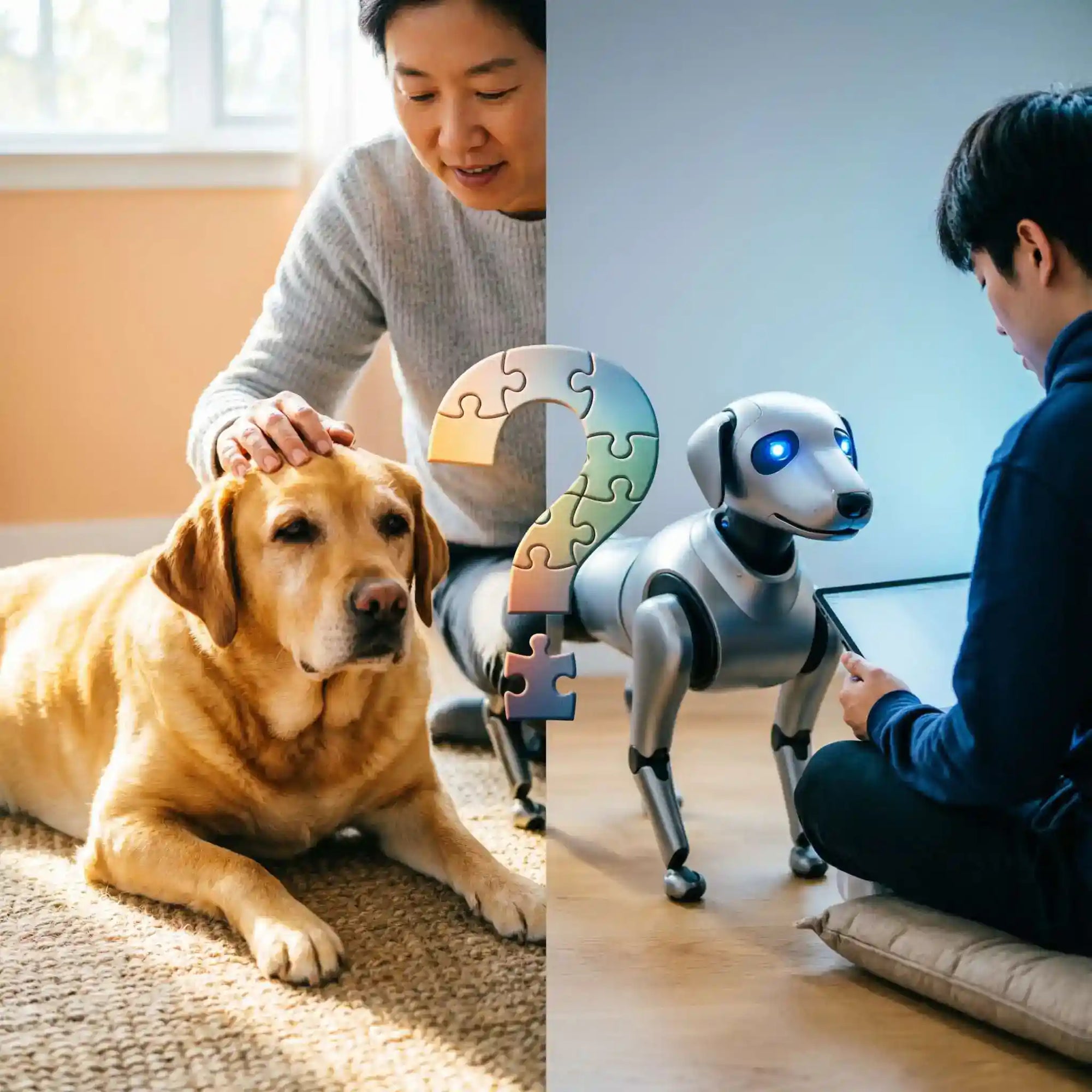
Robot Pet Dog or Traditional Dog: Which One Fits Your Lifestyle?
April 11, 2026
By 2026, the big question for future pet owners has changed. People no longer just ask if they can manage a dog. Instead, they wonder if they want a friend that needs a walk or a battery charger. Our lives are faster and more digital than ever. As a result, the meaning of companionship is changing.
The Shift: From Toys to Agentic AI
Basic robot toys are a thing of the past. We have come a long way since the original Sony Aibo. Today, robots like Loona use advanced Agentic AI to offer real interaction. These machines do not just follow fixed scripts. They use smart technology to learn your habits and recognize your face. They can even sense your feelings and react to them instantly.
The Core Question: Solving Daily Friction
Picking between a robot and a real animal isn't about which one is "better." It is really about finding what causes you the least amount of stress in your daily routine.
For People with Allergies: Robots are the perfect fit. You get a fun companion without the dander or constant sneezing.
For Tech-Minded Parents: Modern robot dogs are great for learning. They help kids get into STEM by teaching them logic and how to code.
For Home Security: These devices can also watch your house. They act like a roaming security guard and text you if they spot anything weird.
Feature
Traditional Dog
Robot Pet (2026)
Maintenance
High (Feeding, Vet, Walks)
Low (Charging, Updates)
Allergies
Potential Trigger
100% Hypoallergenic
Added Utility
Emotional Support
Security & STEM Tool
Ultimately, your choice depends on whether you seek the unpredictable warmth of biology or the seamless, high-tech integration of a digital companion.
The Traditional Dog: The "Biological Connection"
While the best robot pet offers undeniable convenience, the traditional dog remains the gold standard for "unfiltered" emotional connection. This bond is anchored in biology rather than programming.
Quick Snapshot: Ownership Barriers:
Factor
Statistical Impact
Housing
>80% of owners struggle to find pet-inclusive housing
Vet Costs
64% say vet expenses impact adoption decisions
Daily Exercise
Average +20 mins physical activity per day
The Unmatchable ROI: The Science of "Love"
The main "payoff" for owning a real dog is how it makes your body feel. Oxytocin is a "love hormone" that is released by both you and your dog when you bond. This chemical boost lowers your stress levels and builds a deep connection. Every real dog has its own wild and random personality. This is something a digital pet just cannot copy perfectly yet.
The Hidden "Cost": Beyond Money
Despite the emotional rewards, biological ownership introduces significant "friction points" that can lead to "time poverty" and mental fatigue.
Time Poverty: Ownership requires a non-negotiable commitment. According to 2025 industry data, dog owners engage in an average of 20 additional minutes of physical activity daily compared to non-owners, often starting with that non-negotiable 6:00 AM walk.
Housing Friction: Finding a home is a major hurdle. The 2025 Pets and Housing Report indicates that while 72% of residents say pet-friendly housing is hard to find, less than 8% of properties allow pets without breed or size restrictions.
Image source: Pet friendly is no longer enough for renters
Mental Burden: This covers the "Separation Anxiety" loop. Owners often feel heavy guilt when leaving their dogs alone. Stress from issues like constant barking also drains your energy and affects your daily happiness.
If you want a smart guard dog or a sniffle-free friend without the messy cleanup, a robotic pet starts to look like a really great choice.
Robot Dog: Your "Smart Buddy"
By 2026, the idea of a "top robot pet" is about more than just fun. New models like Loona, Sony aibo, and the Unitree Go2 have moved past being basic toys. They are now smart, helpful parts of the modern family home.
Beyond "No Poop": The Utility Factor
Cleaning up messes is a big plus, but the real win for 2026 robots is their job as a Smart Home Hub. These bots are not just solo gadgets anymore. They link up with everything else in your house to keep things running smoothly.
Home Security: With 360° LiDAR and HD cameras, the Unitree Go2 can walk around and guard your home. It moves on its own to watch every corner. This offers much better protection than a camera that just stays in one spot.
Play & Learning: Using smart AI, these pets talk instead of just barking. They work as fun tutors for kids. They teach things like coding and logic through games. The home school market hit $2.3 billion in 2026. This shows that more families now use cool tech to help their children learn at home.
Image source: Global educational robots market 2026
The "Zero-Guilt" Freedom
For the frequent traveler or the professional who values solitude, robot pets offer a unique "presence" without the emotional tax of neglect. Biological dogs suffer significantly from separation anxiety; however, a robot pet can be switched to "Power Save" or "Sentry Mode" the moment you leave. This provides a sense of companionship for those with high personal boundaries—such as those identifying with the INTP personality type—who may want a companion in the room without the constant social or physical demands of a living creature.
Predictability as a Feature
Life is busy, and people love things they can count on. Real dogs can be a handful when they chew up a couch or get sick out of nowhere. A robot pet is different because you always know what to expect. For those who are anxious by loud noises or big surprises, this is great. New reports from 2026 show that these bots help kids and adults feel calm. They offer a steady, safe way to play without any scary moments.
2026 Robotic Pet Capability Matrix
Feature
Low-End Models
High-End
Connectivity
Bluetooth Only
Wi-Fi 6 / 5G / Matter Support
Intelligence
Scripted Responses
Generative AI & Emotion Recognition
Security
None
4D LiDAR Patrol & Remote Monitoring
Allergy Status
Allergy-friendly companions
Allergy-friendly companions
Ultimately, for the modern urbanite, the robot pet is not just a replacement for a dog—it is a specialized tool for emotional and functional support.
Lifestyle Matchmaking: Your Lifestyle Dictates the Choice
It takes more than simply a preference for fur or circuits to choose between a live creature and a machine; it requires a genuine assessment of your daily life. Although the gap between these two worlds narrowed in 2026, the "friction points" are still distinct.
Lifestyle Type
Recommended Choice
Why?
The Digital Nomad
Best Robot Pet
Zero logistics. No pet passports or quarantine stress. These models are portable, "hotel-friendly," and offer companionship without travel restrictions.
The Active Hiker
Traditional Dog
Biological Synergy. A living dog provides a non-negotiable motivation for outdoor exploration. The physical pace of a real dog is still the ultimate trail partner.
The Small Apartment Dweller
Best Robot Pet
Space Efficiency. No noise complaints or "zoomies" at 2:00 AM. Additionally, these are the ultimate allergy-friendly companions for shared ventilation systems.
The "Emotional Seeker"
Traditional Dog
Deep Oxytocin Exchange. While AI can mimic empathy, the reciprocal biological bond and "unfiltered" soul of a living dog remain scientifically unmatched for emotional depth.
The Tech Enthusiast
Best Robot Pet
Agentic AI Exposure. These users enjoy the hardware evolution, daily software updates, and the pet’s role as a mobile node for smart home security.
Finding Your Perfect Companion
To help you decide, we have categorized the most common modern lifestyles and matched them with the companion that offers the highest "Lifestyle ROI."
The Freedom of the Digital Nomad
Recommended Product: Loona (KEYi Tech)
The Right Fit:Loona is the ultimate travel-friendly companion. Unlike bulky traditional robots, her compact size and wheel-leg hybrid design make her easy to pack into a carry-on.
Why it's great: If you live in hotels or Airbnbs, Loona makes the place feel like home without the extra fees. By 2026, her smart AI helps her work as a travel guide. She can translate words or check the local weather for you. Her HD camera also lets you watch over your room from anywhere. You can check on your passport and bags to make sure everything is safe while you are out.
The Sensory Comfort of the Tech Enthusiast
Recommended Product: Petoi Bittle (Bionic Robot Dog)
The Right Fit: If you view a pet as a platform for innovation rather than just a cuddly friend, the Petoi Bittle is the premier choice for "Agentic AI" exploration.
Why it's great: Bittle is an open-source, palm-sized powerhouse. It aligns perfectly with the STEM education theme, allowing enthusiasts to program custom gaits using C++ or Python. In a smart home, Bittle can be equipped with external sensors (like motion or infrared) to act as a mobile trigger for your smart lights or security system. It offers the "predictability" of a machine with the infinite "unpredictability" of your own custom code.
The Hypoallergenic Outdoor Companion
Recommended Product: Unitree Go2 (specifically the Pro and EDU models)
The Right Fit: For many, the desire for an outdoor companion is sidelined by severe hair and dander allergies. The Go2 removes these barriers, offering a high-tech alternative for those who want a presence by their side without the physical sensitivities associated with fur.
Why it's great: The Go2 offers a "Zero-Friction" alternative. It provides the unpredictability of a personality through its integrated GPT-4o engine—allowing you to converse with your "pet" about trail conditions or history—without the physical liability of a living animal. For those who value high personal boundaries and solitude, the Go2 is a loyal, intelligent partner: it is there when you need the presence, and easily powered down when you crave the silence of the peaks.
Theme
Best For
Top Recommendation
Primary Benefit
Digital Nomad
Portability & Interaction
Loona
Zero logistics; AI travel assistant.
Tech Enthusiast
Customization & Coding
Petoi Bittle
Open-source STEM learning tool.
Active Hiker
Endurance & Nature
Unitree Go2
Real-world terrain mastery.
The "Hybrid" Future: Can They Co-Exist?
In 2026, the debate between silicon and soul is shifting toward a "hybrid" model where a robot pet dog and a biological one serve different life stages. Rather than a replacement, AI is becoming a bridge to better animal welfare and human care.
Pre-Training for the Future: The AI Learning Bridge: A unique perspective gaining traction is using robotic pets to "pre-train" children before adopting a living animal. This phase helps families assess if they are truly ready for the commitment of a living dog, potentially reducing future shelter surrender rates.
Supporting Our Seniors: The Care Companion: For senior family members, a robot pet is often the most practical choice. As the global AI care companion market is projected to reach $36.12 million in 2026, these devices are increasingly used to combat social isolation without the physical risks of a traditional pet.
The Power of Emotional Recognition: Modern high-end robots utilize emotional recognition to respond to a senior’s distress, voice tone, or facial expressions. Also, robot pets integrate fall detection and medication reminders.
Whether as a "starter pet" for a child or a tireless companion for a senior, robots are filling the gaps where biological ownership is no longer feasible.
Technical Buying Guide
Purchasing a robotic companion is no longer about checking "toy" reviews; it is a technical investment in your home's ecosystem. To find the best robot pet that survives beyond the honeymoon phase, you must evaluate three critical technical pillars.
2026 Technical Checklist for Buyers
Feature
Minimum Requirement
Gold Standard (2026)
Protocol
Wi-Fi / Bluetooth
Matter 1.5 over Thread
Privacy
Cloud-Only Encryption
Local Edge AI (On-Device)
Battery
Fixed (Internal)
User-Swappable (4+ Hours)
Intelligence
Scripted Patterns
Multimodal Generative AI
Connectivity: Matter 1.5 and Thread Support
The most significant shift in 2026 is the maturity of the Matter standard. To ensure your robot pet doesn't become a "digital island," verify it supports Matter 1.5 over Thread.
Why it matters: Matter allows your robot to act as a native citizen of your smart home. A Matter-compatible unit can trigger your smart lights when it detects you entering a room or interface directly with smart home security sensors without needing a proprietary hub.
AI Model: Local Edge AI vs. Cloud-Based Generative AI
Data privacy is the "hidden risk architecture" of 2026. You must choose between high-latency cloud intelligence and low-latency local privacy.
Local Processing (Edge AI): Models like the Sigma or specialized Llama 3 variants process emotional recognition data directly on the device’s SSD. This ensures your private conversations and home layout never leave your four walls.
Cloud AI: Offers "GPT-level" depth but requires an always-on internet connection. If privacy is your priority, look for a "Local-First" certification.
Hardware Durability and Battery Standards
As of 2026, consumer robotics has finally moved toward "Right to Repair" modularity.
Battery Life: Modern robotic pets now achieve 4 to 8 hours of active operating time.
Repairability: Look for "Self-Swappable" battery packs. High-end models now use cylindrical or prismatic cell formats that are user-replaceable, extending the product’s lifespan to match the 10–15 years of a traditional dog.
Conclusion: Making the Choice
The decision between a traditional dog and a robot pet dog ultimately reveals what you value most in your current season of life.
Real dogs feed the soul through a deep, biological exchange of oxytocin and the beautiful unpredictability of nature. They are for those who view "work" as a pathway to connection. Conversely, robot dogs empower the lifestyle, offering "Zero-Guilt" freedom, emotional recognition without the emotional burden, and integrated utility for the modern smart home.
There is no "wrong" choice in 2026—only fits your daily friction points and your ability to provide care.
Are you ready for a hard drive or a heartbeat? Share your lifestyle deal-breaker in the comments section below!
How Embodied AI Is Transforming Home Robots and AI Companions
April 08, 2026
If AI is going to become part of daily life, it cannot stay trapped inside a screen. That is where embodied AI starts to matter.
For many people, today’s AI still feels useful but distant: chatbots answer questions, voice assistants set timers, and apps generate content. But when it comes to home life, people often want something more natural—something that can sense, react, move, and build a feeling of presence over time. That shift is exactly why embodied AI is becoming one of the most important ideas in consumer robotics.
In home robots and AI companions, embodied AI changes the relationship from “command and response” to “ongoing interaction.” Instead of acting like a tool you open only when needed, an embodied system can become a more visible, responsive part of everyday routines.
What Is Embodied AI?
Embodied AI refers to artificial intelligence that exists in a physical form and interacts with the real world through sensing, movement, and feedback. In simple terms, it is AI that does not just process information—it experiences an environment and responds within it.
That physical dimension matters. A system with embodiment can combine:
visual input
audio input
spatial awareness
motion or expressive action
real-time environmental feedback
This is what makes embodied AI especially relevant for home robots and AI companions. The robot is not only “smart” in the abstract. It can appear in your space, notice context, and respond in a way that feels more immediate and intuitive.
Why Is Embodied AI Different From Traditional AI?
Traditional AI often operates in a narrow interaction format. You type a prompt, speak a command, or click a button. The AI responds, but it usually has limited awareness of what is happening around you.
Embodied AI introduces a different loop:
It perceives the environment.
It interprets context.
It acts or reacts physically or behaviorally.
It updates based on new feedback.
That may sound subtle, but it changes the user experience significantly.
Traditional AI vs embodied AI
Dimension
Traditional AI
Embodied AI
Interface
Text, voice, app
Physical device in real space
Awareness
Limited context
Environment-aware interaction
Output
Answers or commands
Behaviors, movement, expressions, responses
Relationship style
Task-based
Task + presence + interaction
Use pattern
On demand
Ongoing, ambient, habitual
For users, the difference is not just technical. It is emotional and behavioral. A screen-based AI can be efficient. An embodied AI companion can feel present.
How Does Embodied AI Actually Work in Home Robots?
To understand why embodied AI is gaining attention, it helps to break it into three layers: perception, intelligence, and action.
1. Perception: how the robot senses the world
A home robot needs some way to understand what is happening around it. Depending on the product, this may include:
cameras for visual recognition
microphones for voice input
sensors for proximity, touch, or motion
contextual signals such as time, user behavior, or interaction history
This allows the robot to do more than wait for a command. It can detect that someone is nearby, distinguish between quiet and active moments, or recognize repeated patterns in usage.
2. Intelligence: how the robot interprets context
This is where AI models, memory systems, and multimodal reasoning matter. The system may combine:
language understanding
emotional or conversational cues
routine awareness
interaction history
decision logic for when and how to respond
For example, a companion robot may learn that a user tends to check in at certain hours, respond differently during work time versus leisure time, or adjust its tone and behavior based on ongoing interaction patterns.
3. Action: how the robot responds in the real world
In embodied AI, “action” does not always mean heavy-duty physical labor. In consumer home robots, action may be much lighter but still meaningful:
turning toward the user
moving across a desk or room
using sound and expressive behavior
reacting to touch or voice
initiating a playful or helpful interaction
That is especially important in AI companions. Sometimes the most valuable action is not completing a chore. It is creating a richer feeling of responsiveness and connection.
What Can Embodied AI Robots Do in Everyday Life?
Many consumers still imagine home robots in extremes: either a vacuum robot or a futuristic humanoid assistant. In reality, embodied AI can add value in smaller, more practical ways first.
1. Provide interactive companionship during the day
For remote workers, solo professionals, and tech enthusiasts, part of the appeal is not utility alone. It is interaction.
A desktop or home companion robot can:
acknowledge presence
respond to voice and touch
create moments of play or light emotional relief
reduce the “coldness” of purely screen-based digital tools
This matters because many people do not want another dashboard. They want a product that feels alive enough to engage with.
2. Support lightweight routines and reminders
Embodied AI is well suited for small recurring tasks, such as:
routine reminders
simple check-ins
lightweight productivity nudges
contextual interactions tied to daily habits
These are not dramatic capabilities, but they can be sticky. In consumer tech, repeated low-friction usefulness often matters more than one impressive demo.
3. Make AI interaction feel more intuitive
People generally respond more naturally to systems that show timing, direction, and behavioral feedback. A robot that turns, pauses, reacts, or “looks” attentive can communicate more than a speaker that only outputs sound.
This makes the interaction feel less transactional and more conversational.
4. Add entertainment and personality to the home
Entertainment is often underestimated in product evaluation, but it is one of the strongest drivers of long-term engagement. A companion robot with expressive behaviors, playful responses, and a recognizable personality can create ongoing interest in a way many utility-first devices do not.
That is especially relevant in categories like:
desk companions
family-friendly home robots
interactive AI pets
lifestyle robotics
Embodied AI vs Smart Speakers: Which Feels More Useful?
A useful comparison is the smart speaker. Voice assistants introduced millions of users to AI-like interaction, but their limitations also became clear.
Smart speakers are efficient, but narrow
They are good at:
timers
weather
music
simple commands
But they often feel passive and one-dimensional. They do not create much sense of shared space or ongoing presence.
Embodied AI companions create a different value layer
A home robot or desk companion may not replace every utility device. Instead, it can introduce a richer mix of:
interaction
visibility
expressiveness
personal attachment
ongoing engagement
In other words, smart speakers optimize convenience. Embodied AI products can optimize relationship quality in addition to utility.
For many consumers, that difference is what makes AI companions compelling.
How Should You Evaluate an Embodied AI Companion Before Buying?
If you are considering a product in this category, do not focus only on the AI label. Use a broader decision framework.
1. Start with your real use case
Ask:
Do I want productivity support, companionship, entertainment, or all three?
Will this live on my desk, in my living room, or in a shared family space?
Do I want an assistant, a companion, or a playful smart device?
A product feels much more valuable when its role is clear.
2. Look at interaction quality, not just feature count
A long feature list can look impressive, but daily experience depends on:
responsiveness
personality consistency
smoothness of interaction
contextual relevance
how often you actually want to engage
3. Check whether the product can improve over time
Embodied AI is still evolving. A strong product should show signs of long-term growth through:
software updates
new interactions
better contextual understanding
expanding companion behaviors
4. Review privacy design carefully
Look for clarity around:
camera and microphone use
data controls
consent settings
local vs cloud processing where applicable
5. Evaluate long-term fit, not launch-week excitement
The right embodied AI companion is not necessarily the one with the flashiest demo. It is the one that fits your environment and remains enjoyable or useful after novelty fades.
For users interested in a more approachable entry point into this category, products such as Loona Deskmate can be especially relevant because they connect embodied interaction with a more personal, desk-centered lifestyle experience. That positioning can make the category easier to understand: not a humanoid fantasy, but a practical and emotionally engaging AI presence built for everyday space.
What Does the Future of Embodied AI Look Like?
Embodied AI is likely to evolve in stages.
From reactive devices to contextual companions
Today, many products still depend on short interaction loops. The next step is more continuity—systems that remember patterns, adapt behavior, and respond with better timing.
From isolated features to integrated experience
Consumers do not think in technical modules. They care whether a product feels coherent. Over time, the winners in embodied AI may be the products that combine AI, design, expression, and daily usefulness into one experience.
From novelty hardware to everyday category
The biggest shift will happen when embodied AI products stop being seen as experimental gadgets and start being viewed as normal digital companions in homes and workspaces.
That shift will not happen because of one breakthrough alone. It will come from better interaction design, clearer value, and more believable everyday use cases.
Conclusion
Embodied AI is transforming home robots and AI companions by enabling them to perceive, react, and interact in the real world. Unlike traditional AI, it combines intelligence with physical presence, making robots more natural, engaging, and useful in everyday life. As this technology evolves, embodied AI is likely to become a core driver of next-generation consumer robotics.
FAQ
What is embodied AI in simple terms?
Embodied AI is artificial intelligence that exists in a physical device and interacts with the real world through sensing, movement, and feedback. Unlike software-only AI, it can respond within a shared physical environment.
How is embodied AI different from generative AI?
Generative AI mainly creates text, images, audio, or code based on prompts. Embodied AI uses intelligence inside a physical system, allowing it to perceive surroundings, react to real-world context, and perform interactive behaviors.
Why is embodied AI important for home robots?
Because homes are dynamic environments. Home robots need to understand people, context, timing, and space—not just answer commands. Embodied AI helps robots become more responsive, interactive, and useful in daily life.
Are AI companions the same as home robots?
Not always. A home robot may focus on utility, while an AI companion emphasizes interaction, personality, and ongoing engagement. Some products combine both roles.
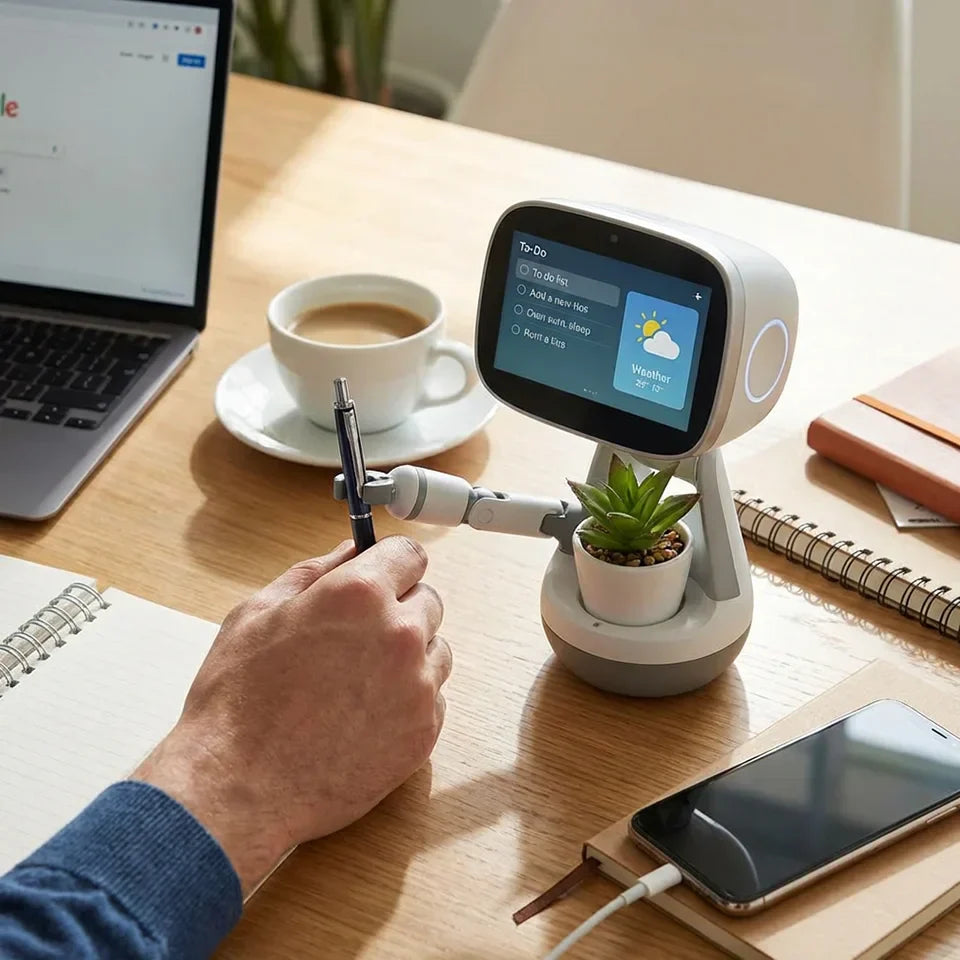
What Is a Desk Robot? Benefits, Features, and Everyday Uses
April 07, 2026
A desk robot is one of those products that sounds futuristic at first, but starts to make sense the moment you picture it in daily life. It sits on your desk, listens, responds, reacts, and in some cases even moves or shows emotion. Depending on the model, it can act like a smart assistant, a companion, a learning tool, or simply a more engaging way to interact with technology.
Unlike a basic smart speaker, a desk robot is designed to feel present. It is not just a voice coming from a corner of the room. It is something you notice, interact with, and often enjoy having nearby. For people who work from home, study for long hours, or just like tech that feels a bit more alive, that difference matters.
In this guide, we will explain what a desk robot is, how it works, what features to look for, and how people actually use one in everyday life.
What Is a Desk Robot?
A desk robot is a compact robot made to live on a desk, table, or small workspace. It usually combines several technologies in one device, such as voice interaction, sensors, AI-powered responses, movement, and sometimes a screen or expressive face.
The idea is simple: make everyday interaction with technology feel more natural, visible, and engaging.
Some desk robots are built mainly for productivity. They help with reminders, routines, quick questions, and daily organization. Others lean more toward companionship, entertainment, or education. Many fall somewhere in between, offering a mix of practical assistance and personality.
That is what makes the category interesting. A desk robot is not only about function. It is also about presence.
How Is a Desk Robot Different From Other Smart Devices?
At first glance, a desk robot may seem similar to a smart speaker or a tablet with a voice assistant. But there are a few clear differences.
A smart speaker is mostly audio-based. You speak, it answers, and that is usually the end of the interaction. A desk robot often adds physical movement, visual feedback, and more expressive responses. It can turn toward you, react to touch, display emotion, or respond differently depending on what it senses.
Compared with a regular tablet or phone, a desk robot feels more active. You do not have to pick it up every time you want to interact. It is already there, ready to respond in a way that feels less like opening an app and more like engaging with a device that has a role in your space.
It is also different from a toy robot. While some desk robots are playful, many are designed with real daily use in mind. They can support work routines, learning habits, smart home tasks, and lightweight AI assistance.
How Does a Desk Robot Work?
Most desk robots rely on a combination of hardware and software to create a more interactive experience.
On the hardware side, many include microphones, speakers, cameras, touch sensors, or motion sensors. These let the robot hear commands, speak back, recognize presence, react to touch, or notice movement nearby.
On the software side, a desk robot may use voice recognition, computer vision, app connectivity, and AI models to understand requests and respond intelligently. Some handle simple commands on-device, while others use cloud-based systems for more advanced features.
That combination is what makes a desk robot feel different from standard desk gadgets. It is not only processing commands. It is responding through multiple channels at once.
For example, instead of just saying “Your next meeting starts in ten minutes,” a desk robot might also turn toward you, light up, animate a face, or use a specific tone that makes the reminder harder to ignore.
Key Features of a Desk Robot
Not every desk robot is built the same way, so it helps to know which features matter most.
Voice Interaction
Voice interaction is often the starting point. A good desk robot should be able to understand simple spoken commands and respond clearly. This can include setting reminders, answering questions, giving updates, or handling basic tasks without requiring you to open an app.
Natural voice interaction also makes a desk robot more useful during work or study sessions, especially when your hands are busy.
Movement and Expressive Behavior
One feature that sets a desk robot apart is movement. Depending on the design, that could mean head turns, body motion, animated eyes, gestures, or responsive posture.
This may sound cosmetic, but it changes the experience more than people expect. Motion helps the robot feel present, and that makes interaction feel more intuitive and memorable.
AI Assistance
Many people are interested in a desk robot because they want more than timers and weather updates. AI-powered features can help with quick questions, brainstorming, scheduling support, language practice, or personalized routines.
The level of intelligence varies by device, but stronger AI support can make a desk robot feel genuinely useful rather than just novel.
Sensors and Awareness
Some desk robots come with sensors that let them react to their environment. They may notice when someone approaches, respond to touch, recognize faces, or detect sound direction.
These features can make the device feel more responsive and less static, especially in shared workspaces or family settings.
Connectivity
A desk robot becomes more useful when it connects to the rest of your digital life. That may include a mobile app, Wi-Fi, Bluetooth, calendars, music services, or smart home controls.
The more smoothly it fits into your daily systems, the more value it tends to offer over time.
Personality and Customization
For many users, personality is not a bonus feature. It is part of the reason to buy a desk robot in the first place.
Custom voices, reactions, animations, routines, and personalized behaviors can make the robot feel less generic. That matters when the device sits in front of you every day.
Privacy Controls
Privacy should not be an afterthought, especially if the device has microphones or cameras. Good desk robots should make it easy to mute audio, manage permissions, or understand what data is being used and when.
For some users, this is the feature that determines whether they are comfortable bringing one into a workspace at all.
Benefits of Having a Desk Robot
The best desk robots offer more than one kind of value. That is part of what makes them appealing.
A More Engaging Way to Get Help
A desk robot can make simple assistance feel more natural. Asking for a reminder, a quick fact, or a calendar check often feels easier when the device is visible, responsive, and always within reach.
That convenience may sound small, but over time it can reduce friction in your daily routine.
Better Focus and Routine Support
For people who work long hours at a desk, routine support is a real benefit. A desk robot can remind you to take breaks, stretch, drink water, switch tasks, or prepare for meetings.
These small nudges can help structure the day without feeling too mechanical.
Companionship During Solo Work
Remote work has many advantages, but it can also feel oddly quiet. A desk robot adds a sense of presence to the workspace. Even when it is not actively helping, it can make the environment feel less empty.
That may not matter to everyone, but for people who spend hours working alone, it can make the desk feel more human.
More Interactive Learning
Desk robots can also be useful in education. They can support reading practice, language learning, study routines, and question-based interaction in a way that feels more lively than a standard screen.
For kids, that often means greater engagement. For adults, it can make learning feel less repetitive.
A Blend of Utility and Personality
One of the strongest benefits of a desk robot is that it combines function with character. Many devices can deliver information. Fewer can do it in a way that feels expressive, visible, and enjoyable.
That blend is exactly why desk robots attract people who are tired of flat, purely functional interfaces.
Everyday Uses of a Desk Robot
A desk robot can fit into daily life in more ways than most people expect.
At Work
In a work setting, a desk robot can help with reminders, time blocking, quick questions, meeting alerts, and basic productivity support. It can sit beside your monitor and act like a light assistant throughout the day.
For remote workers, this can be especially useful. The device stays in sight, which makes prompts and updates easier to notice than phone notifications that get ignored or buried.
During Study Sessions
Students can use a desk robot to support study habits, practice vocabulary, review simple concepts, or maintain better focus. A visible, interactive device can help break the monotony of long study blocks and make routines easier to stick with.
That is particularly helpful for younger users who respond better to interaction than to static instructions.
At Home
Outside of work and study, a desk robot can also serve as a small home assistant. It may answer everyday questions, share the weather, play music, manage simple smart home tasks, or offer entertainment between other activities.
Because it is designed for close-up interaction, it often feels better suited to personal spaces like desks, side tables, or shelves than large room-based devices.
As a Companion Device
Some people are drawn to desk robots less for productivity and more for presence. They like the responsiveness, the expressions, the movement, and the sense that the device is part of the room rather than just another piece of hardware.
This use case is easy to underestimate, but it is one of the reasons desk robots continue to grow in appeal.
For Families and Kids
In family settings, desk robots can support storytelling, simple games, educational interaction, and curiosity-driven questions. They often become devices that multiple people want to interact with, not just one owner.
That shared appeal can make them more versatile than single-purpose desk gadgets.
Desk Robot vs. Smart Speaker
People often ask whether a desk robot is really different from a smart speaker. The answer is yes, though the right choice depends on what you want.
A smart speaker is great for straightforward voice commands. It is usually more affordable and works well if you only need music, alarms, weather, or basic home control.
A desk robot offers a broader kind of interaction. It can respond with movement, visual cues, and more personality. In many cases, it is designed not just to answer commands but to become part of your daily environment.
If your priority is low-cost utility, a smart speaker may be enough. If you want a device that feels more interactive, expressive, and present on your desk, a desk robot is the stronger fit.
Who Should Use a Desk Robot?
A desk robot is not for everyone, but it can be a great fit for certain users.
It makes sense for remote workers who spend long stretches at a desk and want a more engaging assistant nearby. It can also be a good option for students, tech enthusiasts, families, and anyone who enjoys devices with more personality than standard smart products.
On the other hand, if you only want the cheapest possible voice assistant, a desk robot may feel like more device than you need. The same is true if you prefer minimal technology on your desk or feel uncomfortable with connected devices that use microphones or cameras.
The best fit usually comes down to expectations. A desk robot works best when you want both function and interaction.
What to Consider Before Buying a Desk Robot
Before choosing a desk robot, it helps to think beyond appearance.
Start with your main use case. Do you want help with work, learning, entertainment, companionship, or a mix of all four? That answer will guide nearly every other decision.
Next, look at the interaction style. Some robots focus on voice. Others emphasize movement, visual expression, or app-based customization. A robot that looks impressive but does not match how you actually want to use it can wear off quickly.
Connectivity also matters. Make sure the robot works with your phone, network, and any services you already use. If it supports smart home features, check compatibility before assuming it will fit your setup.
Privacy should be part of the decision too. If the device includes a camera or always-on listening features, read the privacy controls carefully and choose a model that makes those controls easy to manage.
Finally, consider whether the value comes from utility, personality, or both. The best desk robot for one person may not be the best for another, because this category sits at the intersection of tech, routine, and personal preference.
Are Desk Robots Worth It?
For the right user, yes. A desk robot can absolutely be worth it.
It adds something most desk devices do not: presence. That may come through movement, expression, voice, or simple responsiveness, but the result is the same. The interaction feels more alive.
If you want a desk companion that can support routines, answer questions, encourage focus, and make your workspace feel more interactive, a desk robot offers real value. If you only need basic commands and do not care about engagement, a simpler device may be the better choice.
In other words, a desk robot is worth it when you want technology that does not just work for you, but also works with you in a more visible and human-feeling way.
Conclusion
So, what is a desk robot?
At its core, it is a compact interactive robot designed to sit in your personal space and make technology feel more responsive, expressive, and useful. It can help with work, support learning, add companionship, and bring a little more life to the desk you use every day.
That is why interest in desk robots keeps growing. They are not just about automation. They are about creating a more engaging relationship between people and the devices around them.
As the category continues to evolve, desk robots are likely to become more capable, more personalized, and more woven into everyday routines. For users who want something beyond a screen or speaker, they already offer a compelling glimpse of that future.
FAQs
What does a desk robot do?
A desk robot can answer questions, give reminders, support routines, provide entertainment, respond to voice commands, and interact through movement or visual feedback. The exact features depend on the model.
Is a desk robot the same as a smart speaker?
No. A smart speaker is mostly audio-based, while a desk robot often adds movement, expression, sensors, and a more visible interactive presence.
Are desk robots useful for work?
Yes, many desk robots are useful for work. They can help with focus sessions, reminders, schedules, light AI assistance, and day-to-day organization.
Do desk robots need Wi-Fi?
Many do need Wi-Fi for full functionality, especially if they rely on cloud-based AI or connected services. Some features may still work locally depending on the device.
Are desk robots safe for privacy?
That depends on the brand and model. It is important to review privacy settings, microphone controls, camera permissions, and data policies before buying.
What features should I look for in a desk robot?
The most important features usually include voice interaction, expressive behavior, AI assistance, sensors, app connectivity, customization, and clear privacy controls.
Are Companion Robots Worth Buying? A Look at the Best Companion Robots for Sale
April 03, 2026
The age of awkward, gimmick-filled robots is over. By 2026, the home companion market has evolved from basic playthings into advanced AI agents that truly think for themselves. Now, it is not just about what a robot can perform. Whether you are looking for a companion, a useful tool, or assistance with everyday care is the real question.
The reality of home robotics is now defined by utility and emotional resonance. To provide an authentic perspective, this guide stems from a 30-day "living lab" trial, where our team integrated these units into diverse environments—from high-traffic nurseries to quiet senior care settings.
The International Federation of Robotics reports that the service robot industry grew by 30% throughout 2025. This surge happened mainly because natural language processing technology became much more capable.
At a Glance: The 2026 Value Proposition
Feature
2024-2025 Standards
2026 Standards (Agentic AI)
Interaction
Reactive (Voice commands)
Proactive (Anticipates needs)
Connectivity
Wi-Fi 6 / Cloud-heavy
Wi-Fi 7 / Local Edge Processing
Purpose
Entertainment/Novelty
Emotional Support & Care Coordination
Note: My 30-day testing period revealed that while the tech is impressive, the "worth" of a robot depends entirely on its specific role in your daily routine.
The Best Companion Robots for Sale
The options for buying companion robots have split into specific groups to match what people want. You might need a small robot for your desk or a large humanoid to help at home. In 2026, there are plenty of models available that can suit your daily life and your bank account.
Quick-Glance: Top Companion Robots of 2026
Category
Top Pick
2026 Est. Price
Best For
Key Highlight
Social Pet
Loona (KEYi)
$449 - $499
Remote Workers
Exceptional "Personality Engine"
Healthcare
ElliQ
~$800+-$900+, Subscription-based
Seniors
Proactive wellness check-ins
Education
Moxie
~$499~$999
Kids (Ages 5-10)
Social-Emotional Learning (SEL)
Humanoid
1X NEO
~$20,000, Subscription-based
Early Adopters
Soft-bodied, home-safe helper
Budget
Eilik
~$139
Desk Gifting
Affordable companion robots under $500
A. The Social "Pet" Best for Emotional Connection
If you are looking for the joy of a pet without the allergies or mess, interactive robot companion pets for sale like , Emo, and Eilik have become the gold standard.
Experience Insight: These "desk buddies" excelled at breaking up the monotony of remote work. Unlike older models that felt repetitive, these utilize updated LLM integrations to handle "personality fatigue." They don't just loop animations; they react to your tone of voice and even recognize your face across the room.
The Verdict: These are high-value tools for combating daily loneliness and adding a sense of "life" to a home office. However, they provide low value for physical tasks—don't expect them to fetch a real ball or clean your floors.
B. The Healthcare Guardian Best for Seniors & Aging in Place
When choosing the best companion robots to help seniors feel less lonely, the goal is active connection rather than just fun.
Expert View: Tools like ElliQ and the Paro seal are built to start conversations on their own. Instead of just waiting for you to speak, ElliQ can suggest a walk outside or remind you when it is time to take your pills.
According to recent meta-analyses that were published in The Gerontologist (2025/2026), social robots help seniors who live alone feel less alone by providing a "sense of acknowledgment" through daily greetings and shared news summaries.
The Verdict: Most emotional support companion robots reviews for this category emphasize that the "worth" lies in the peace of mind provided to family members who cannot be present 24/7.
C. The Educational Mentor Best for Families & Neurodiversity
Moxie, made by Embodied, is still the best robot for learning. It is built to help children manage their feelings and learn how to act around others.
Expert View: Moxie looks like a cartoon character to make kids feel comfortable. They may practice looking people in the eye and engaging in real conversations in this safe space.
The Verdict: It is important to note that Moxie is a supplement, not a replacement for a tutor or therapist. It excels at modeling behavior, but parents should view it as a high-tech "practice partner" for a child’s social development.
D. The Humanoid Assistant The 2026 Frontier
For the first time, we are seeing humanoid companion robots for sale price points that—while high—are moving toward consumer accessibility. The 1X NEO and Unitree G1 represent this new wave.
The Reality Check: With a humanoid companion robot for sale price hovering between $15,000 and $25,000, these are currently luxury investments.
Capabilities: Unlike the smaller pets, these robots are designed for "General Purpose" tasks. The 1X NEO, for instance, features a lightweight, muscle-like architecture designed specifically to be safe around humans. It can assist with light tidying or act as a mobile home security hub.
The Verdict: For 99% of consumers, these are not yet "worth it" for basic companionship, but they are a fascinating glimpse into a future where AI companion robots for home handle the laundry while keeping you company.
Choosing Based on Your Budget
If you are just entering the world of robotics, look for affordable companion robots under $500. At this price point, you get the highest "joy-to-dollar" ratio without the complex maintenance of a full-scale humanoid. However, if the goal is specialized eldercare or neurodivergent support, the higher-tier investments in ElliQ or Moxie offer clinically-backed benefits that generic "toy" robots cannot match.
The "Worth It" Framework: 4 Pillars of Value
Before browsing the current companion robots for sale, it is essential to look beyond the sleek plastic. In 2026, a robot’s value is measured by its integration into your life, not just its "wow" factor. To determine if AI companion robots for home are a sound investment, we evaluate them against four critical pillars:
Cognitive Load Reduction
A robot should simplify your life, not complicate it. We look for "Agentic" capabilities—the ability for a robot to act without constant prompting.
The Test: Does it manage your calendar and home IoT, or is it just another battery you have to remember to charge?
Emotional Resonance & Generative AI
Moving from robotic, pre-written lines to Large Language Models has completely changed how these machines offer companionship. The top robots for seniors now hold natural, caring conversations. It feels more like a real, developing relationship since the AI learns and adapts.
Privacy and Data Control
Trust is everything. Because these robots use cameras and microphones all the time, we suggest picking units that process information directly on the device.
Data Rule: Pick models that have a physical button to turn off sensors. It is also safer to choose robots that keep your private information on the device itself instead of sending it to a company cloud.
Longevity vs. Obsolescence
Robotics is a fast-moving field. We assess value based on "future-proofing" features:
Value Pillar
Low-Value Indicators
High-Value Indicators (2026)
Hardware
Sealed, non-repairable casing
Modular parts and user-replaceable batteries
Software
Fixed firmware; no updates
Over-the-air (OTA) Generative AI updates
Price
Overpriced "toy" tech
Affordable companion robots under $500 with scalable features
When considering interactive robot companion pets for sale, ensure the manufacturer has a documented roadmap for at least three years of software support to avoid your investment becoming a "paperweight" by 2027.
The Hidden Costs: What the Sales Page Won't Tell You
Before you click "buy" on the latest AI companion robots for home, it is vital to understand the total cost of ownership. Beyond the initial humanoid companion robots for sale price, several "invisible" factors can impact your long-term satisfaction.
Subscription Fatigue: The RaaS Model
Many modern robots operate on a Robot-as-a-Service (RaaS) model. To access advanced Generative AI conversations or cloud-based security features, manufacturers often require a monthly subscription. Without it, your "smart" companion may revert to basic, scripted interactions.
Maintenance and Physical Wear
Unlike a tablet or smartphone, robots are mechanical. They face physical degradation that standard electronics do not:
Part Wear: Motors and joints will need fixes or new parts over time. If you own a home humanoid, plan on spending $500 to $1,500 each year to keep its parts working right.
Battery Life: Moving with force uses up a lot of energy. Most robot batteries need to be swapped out every 2 or 3 years. This can cost anywhere from $1,000 to $2,000 if you have a larger model.
The "Eerie" Factor
The "Uncanny Valley" is still a big mental hurdle for many people, that robots looking "too human" can actually creep users out. This happens because tiny errors in eye contact or facial movements feel wrong, which makes it hard for people to trust the machine.
Buyer’s Guide: How to Choose Without the Regret
To ensure that your money is spent effectively in 2026, follow to this simple three-step strategy.
Step 1: Check Your Home Wi-Fi
The best choice for running home robots is now Wi-Fi 7. It uses a new feature called Multi-Link Operation to link with different bands at the same time. This stops lag and keeps your robot from locking up while you are talking to it.
Step 2: Identify the Primary User
For Seniors: Look for robots that help with loneliness by starting conversations and giving out health reminders.
For Families: Look for tough robot pets with strong safety features that parents can employ.
Step 3: Decide on Your Privacy
Pick between cloud-based robots faster or local-only ones safer. By 2026, lots of top-tier models use built-in Neural Processing Units. These chips let the robot handle AI tasks right on the machine. This means your private talks never have to leave your home.
Consideration
Cloud-Dependent
Local-Only (NPU)
Intelligence
Vast "world knowledge"
Personalized but specialized
Privacy
High risk of data breach
Maximum data sovereignty
Connectivity
Requires stable internet
Works in "airplane mode"
Whether you seek emotional support companion robots reviews or affordable companion robots under $500, verifying these technical specs first will prevent a "high-tech paperweight" scenario.
Conclusion
Ultimately, the decision to invest in companion robots for sale in 2026 comes down to a simple mantra: "Buy for the utility, stay for the personality." While the emotional "spark" of an AI companion provides immediate novelty, long-term value is found in the robot’s ability to solve specific life challenges.
As shown in recent market data, these devices have moved from being "expensive toys" to essential tools for high-need demographics:
Market Status (2026)
Classification
Primary Value Driver
Eldercare & Loneliness
Worth It (Necessity)
Proactive health monitoring and 44% reduction in agitation.
Social-Emotional Learning
Worth It (Specialized)
Targeted skill development for neurodivergent children.
General Households
Luxury Want
Convenience and entertainment without "critical" ROI.
If you need a robot for a specific health task or teaching tool, today’s models are a great investment. For everyone else, these machines are a fun—if expensive—way to see what the smart home of the future will look like.

Family Robot in 2026: A Complete Guide to Smart Robots for Modern Homes
April 03, 2026
AI is no longer just on your screen; it now has a physical body. This "Embodied AI" allows robots to see rooms, navigate your home, and interact with objects as they happen. Companies now care more about how robots feel and act than just how they do chores. Older robots were only measured by how well they cleaned floors, but today's models are really built to be friends.
The robot market in 2026 is full of options for every home and wallet. Finding the perfect one for you just depends on what you need.
2026 Robot Category Overview
Category
Typical Price Range
Core Function
Example Models
Desktop Companions
$150 – $500
Emotional support, desk tasks
Mirumi, Loona, Tovi
Mobile Assistants
$800 – $2,500
Home monitoring, social hub
Yonbo AI Robot
Humanoid Helpers
$15,000 – $25,000
Physical labor, laundry, tidying
1X NEO
Whether you are looking for a $150 "desk-mate" to brighten your home office or a $20,000 humanoid to tackle daily chores, 2026 offers a solution for every modern home.
The 2026 Family Robot Hierarchy Which "Vibe" Do You Need?
The landscape of family robot options has evolved into a clear hierarchy based on their role in your home. According to Fortune Business Insights, the household robot market is projected to reach $17.44 billion in 2026, driven by a 25.47% CAGR that reflects our growing reliance on automated companions.
Image source: Household Robot Market Size
Categorizing the Best Home Assistant Robots 2025-2026
Category
Key Model
Core "Vibe"
Primary Function
Desktop Companion
Mirumi
Emotional Support
Gentle interaction via touch/sound.
The Edu-Tainer
Loona / Tovi
Active Play
Educational robots for kids and families.
Roving Assistant
Yonbo
Social Hub
Mobile AI with contextual memory.
Humanoid Helper
1X NEO
Functional Labor
Laundry, tidying, and physical tasks.
From Playtime to Productivity
The Desktop Companion: Models like the Mirumi Sloth focus on sensory joy. These are quiet, stationary robot pet companions for families that respond to your presence with a "shy" gaze, perfect for a calming home office environment.
The Edu-Tainer: AI companion robots for home use like Loona and Tovi bridge the gap between pets and tutors. They offer interactive STEM games and AI-generated visuals, making them the premier educational robots for kids and families.
The Roving Assistant: Yonbo acts as a mobile smart-home hub, following you to provide reminders or home monitoring while utilizing long-term "bionic memory" to learn your habits.
The Humanoid Housekeeper: Representing the pinnacle of the best home assistant robots 2025-2026, the 1X NEO is a 66-lb humanoid designed to perform actual chores like folding clothes, utilizing safe "tendon-drive" technology.
Featured Reviews: The Best of 2026
The shift from 2025’s experimental prototypes to 2026’s retail-ready companions has created a diverse marketplace. Whether you are searching for family friendly humanoid robots for sale or high-dexterity AI companion robots for home use, this year’s lineup offers unprecedented variety in form and function.
A. 1X NEO: The First True Home Humanoid
The 1X NEO has officially redefined the category of family friendly humanoid robots for sale. Unlike its industrial predecessors, NEO is built specifically for domestic environments, standing 1.68m tall but weighing only 30kg.
Why it’s unique: It has a soft body wrapped in a nylon suit that you can wash. Pets and children are safe to be around because of this. Additionally, the robot acts smoothly and friendly due to a unique tendon system that moves like human muscles.
The Capabilities: NEO is great at light tasks like folding your clothes, clearing off the dinner table, or putting away toys. It uses a "World Model" AI that learns by watching you. You just need to show NEO how to organize a shelf, and it will quickly learn your home's layout.
Price Point: $20,000 for a full purchase, though many families opt for the $499/month "Robot-as-a-Service" model, which includes hardware insurance and weekly AI personality updates.
B. Yonbo (by Xorigin AI): The Memory-First Companion
Launched in late 2025, Yonbo has quickly become one of the best home assistant robots 2025-2026 for families prioritizing organization and safety.
The "Contextual Memory" Edge: Yonbo features "Bionic Memory" powered by a custom GPT-4o integration. It doesn't just recognize your face; it remembers your daily schedule, your favorite snacks, and exactly where you left your keys.
Smart Home Hub: This robot acts as a mobile security guard for your house. It patrols every room and sends instant alerts for strange activity. It can spot a stove left on or identify a stranger in your home.
Device Features: The unit has a 7-inch LCD screen that shows different facial expressions. Its battery lasts for 3.5 hours of movement, letting the robot follow you around while you work.
C. Loona (2026 Update): The Evolved Smart Pet
The 2026 iteration of Loona has transitioned from a high-tech toy into one of the most sophisticated robot pet companions for families.
Educational Prowess: Loona now leads the market in educational robots for kids and families. The new "STEM-Chat" feature allows children to ask complex science questions, which Loona answers with interactive animations on its face.
DeskMate Functionality: The 2026 "DeskMate" update turns your docked iPhone into a robotic brain, allowing Loona to assist with productivity tasks like summarizing emails or managing a family calendar .
Remote Play: Parents can use Loona’s 3D camera to check on pets or play "hide and seek" with their children while away from home.
D. Tovi (by Tuya): The Smart Home Connector
Tovi is the "hidden gem" of 2026, acting as the primary physical interface for smart home integration with family robots.
The Ecosystem King: Tovi runs on Tuya PAE to bridge the gap between your AI and your home. One simple gesture or voice command lets Tovi dim lights, lock doors, or start the oven.
The Hook: Priced at roughly $99, this is the easiest way to bring Physical AI into your house. It is an affordable start that does not require a huge initial cost.
E. Mirumi Sloth (by Yukai Engineering): The Minimalist Healer
For those seeking AI companion robots for home use that emphasize mental wellness, the Mirumi Sloth is a standout choice.
Non-Verbal Support: Mirumi eschews screens and speakers for "The Gaze." Using infrared eye-tracking, it follows your movement and provides rhythmic breathing cues to help users reduce stress.
Design Ethics: Styled as a high-end "Art Toy," Mirumi is designed to cling to your shoulder or sit on a desk, providing a calming presence without the "digital noise" of traditional smart devices.
Comparative Breakdown: 2026 Robot Specs at a Glance
Selecting the right family robot in 2026 requires balancing specialized utility against budget. While high-end humanoids offer physical labor, smaller units focus on education and smart home management. The following table provides a direct comparison of the year’s top-performing models.
Robot
Primary Role
AI Brain
Price (Est.)
Key Limitation
1X NEO
Household Tasks
1X Cortex
~$20000
Expensive; early-access waitlist
Yonbo
Social/Assistant
GPT-4o
~$799
Vulnerable to stairs/shag rugs
Loona
Pet/Education
Keyi AI
~$499
Mechanical noise in quiet rooms
Tovi
Smart Home Hub
Tuya Cloud
~$99
Requires stable Wi-Fi for AI
Mirumi
Emotional Support
Sensory-only
~$150
No conversational ability
Safety & Privacy: The 2026 Checklist
As a family robot moves through your private living spaces, safety and data security are no longer secondary features—they are the foundation of consumer trust. Before integrating a new robotic member into your home, consider these three critical pillars of 2026 robotics.
Edge AI vs. Cloud Processing
To boost privacy, many 2026 models now use Edge AI. Robots like Yonbo focus on "On-Device Processing" to keep your data safe. This means voice clips and facial scans stay on the machine instead of going to a cloud server. This approach stops data leaks and keeps the robot working even when your internet goes out.
The "Kill Switch" Standard
Safety in humanoid robotics has seen massive upgrades. For advanced units like the 1X NEO, a dual-layer "Kill Switch" system is standard:
Physical Stop: A tactile button located on the chassis for immediate power cut-off.
Software-Based E-Stop: Use voice commands and "Safe Zone" geofencing to keep the robot away from danger. It stops the unit from entering risky spots like fireplaces or nurseries.
Data Sovereignty and Home Mapping
Modern home robots use cameras and LiDAR sensors to map your house. You should always check if the brand respects your data ownership. Make sure you can "Opt-Out" of sharing these maps with outside advertisers. This keeps your floor plan and personal routines private. To ensure that a brand satisfies strict safety standards, always check its website for the Cyber Trust Mark.
Strategic Insights for 2026 Buyers
As the market for educational robots for kids and families grows by nearly 19% annually, buyers should focus on three critical factors:
Image source: Educational Robot Market Report 2026
Privacy and On-Device Processing
With robots now acting as security monitoring robots for home, data privacy is paramount. Models like Yonbo and 1X NEO prioritize "Edge AI," meaning your home’s layout and family conversations are processed locally on the robot rather than being sent to a third-party cloud.
Smart Home Connectivity
The top home robots for 2025 and 2026 are the ones that use "Matter." Check that your robot supports these new smart home standards. This allows it to talk easily with your smart locks, lights, and thermostats.
Choosing Your Robot's Role
Daily Chores: If you really need a hand with laundry or help in the kitchen, a model like the 1X NEO is your best bet. It is expensive, but it actually gets the work done.
Fun and Learning: If you need a family pet to teach kids coding or provide friendship, Loona and Mirumi offer the best value for your budget.
Conclusion: Is Your Home Ready for a New Robot?
In 2026, adding a robot into your home is a big move. You should definitely prepare for the "First 30 Days" adjustment period. These AI bots need a bit of time to learn your house layout and get used to the way you do things every day.
To help you find the right one, we broke down the top 2026 models by what they do best:
User Profile
Recommended Robot
Primary Benefit
The Early Adopter
1X NEO
Cutting-edge humanoid labor and task automation.
The Busy Parent
Yonbo
Reliable home monitoring and schedule management.
The Student/Professional
Mirumi or Tovi or Loona
Low-maintenance emotional support or smart-hub control.
FAQ
How much does a full-sized humanoid robot cost in 2026?
A smart home robot that can walk like a human now costs between $15,000 and $30,000. Some basic models like the Unitree G1 have dropped to about $13,500. However, if you want something built specifically for your house, like the 1X NEO, you should expect to pay around $20,000. To increase accessibility, many manufacturers now offer "Robot-as-a-Service" (RaaS) subscriptions starting at roughly $499 per month.
2026 Humanoid Price Tiers:
Category
Typical Price Range
Core Use Case
Leading Models (2026)
Ultra-Budget / Hobby
$1,400 – $6,000
Basic bipedal movement, STEM learning, and hobbyist coding.
Noetix Bumi ($1,400)Unitree R1 ($4,900)
Consumer / Home
$13,500 – $30,000
General domestic tasks, laundry, and companionship.
Unitree G1 ($13,500)1X NEO ($20,000)
Early Adopter / Pro
$30,000 – $100,000
High-dexterity research and light commercial service.
Tesla Optimus G3 ($30k est.)Unitree H2 ($29,900)
Enterprise / Industrial
$130,000+
Heavy labor, warehouse logistics, and 24/7 factory deployment.
Figure 02 (~$130k)Apptronik Apollo ($100k+)
Are family robots safe around small children and pets?
Yes, 2026 safety rules like the UL 3300 certification require strict testing for all home robots. New bots like the 1X NEO are built differently. They use soft materials and special cables instead of hard metal gears. This means they are safe to touch, hug, or even bump into while they move around your home.
How do these robots handle user privacy and home data?
Privacy is now managed through Edge AI. Instead of sending video feeds of your home to a central cloud, high-quality family robots process 90% of their data locally on the device. According to 2026 data sovereignty trends, this "on-device" approach ensures that sensitive maps of your home and private conversations remain within your four walls, significantly reducing the risk of third-party data breaches.

Loona Robot Price vs Features: Is It Worth Buying in 2026?
April 03, 2026
As consumer robotics evolve, the Loona robot remains a top contender for those seeking an interactive AI companion. In 2026, the market has shifted toward high-utility emotional AI, making the question of value more relevant than ever.
The "Quick Take"
If you want a mobile, "living" pet that combines advanced GPT-4o conversational intelligence with home monitoring capabilities—without the responsibilities of a biological animal—Loona is a premier choice. It balances personality and technical sophistication better than most desktop-bound alternatives.
Who is it for?
Families: A fun, secure entry point for kids to learn coding and STEM through Google Blockly.
Tech Hobbyists: A powerful Linux platform packed with sensors for those who love to program.
Seniors: A perfect choice for easy companionship and a cheerful, interactive presence at home.
The Price Point
A common question for prospective buyers is: How much does Loona robot cost today? In 2026, the market MSRP has stabilized, reflecting its position as a premium but accessible consumer robot.
Pricing Tier
Estimated Cost (USD)
Best For
Standard MSRP
$499.00
Direct security and warranty
Seasonal Bundles
$449.00
Holiday deals with accessories
Refurbished Units
$380.00 - $410.00
Budget-conscious tech fans
Breaking Down Your $500 Robot Budget
2026 brings a tough market for home robots. The same two questions are always asked by those who are shopping for one: How much does a Loona cost, and what do you really get for that price? At the standard $499 price point, Loona isn't just a toy; it is a sophisticated piece of hardware powered by a Quad-core Cortex A53 CPU and a BPU 5.0 TOPS dual-core processor.
The AI Personality Engine
In 2026, Loona’s "Pet-like" behavior has reached new heights thanks to consistent OTA (Over-the-Air) software updates. Unlike static robots, Loona uses its high-definition RGB camera and specialized emotion engine to recognize faces and respond to human touch.
Emotional Range: She displays over 700 expressions through her high-resolution screen eyes, ranging from excitement when you return home to "grumpiness" if her sensors are ignored.
Behavioral Learning: Using deep learning, Loona adapts to her environment, becoming more curious or relaxed based on the frequency of interaction.
GPT-4o and ChatGPT Integration
A big change for 2026 is how well these robots use Large Language Models. Older home robots could only follow simple scripts. Now, many Loona reviews point out how much better her chatting has become. She does more than just sit or dance on command. She can actually talk to you. Whether you want a quick weather update or just want to chat about your day, her ChatGPT link makes her feel like a real friend.
Navigation and Hardware Capabilities
The hardware remains a standout feature for the price. To navigate complex home environments, Loona utilizes:
3D ToF Sensors: This tech uses light to measure distances perfectly. It stops Loona from hitting chairs or tumbling down the stairs. She sees obstacles with great detail to keep herself safe.
All-Terrain Movement: Loona uses powerful motors to get around. In my tests, she moves easily from wood floors to regular rugs. However, very thick or fluffy carpets can still give her some trouble.
The "Mobile Security" Perk
Beyond companionship, Loona serves as a functional home tool. Through the official app, users can access the "Remote Monitor" feature. This utilizes her 720p (upgradable to 1080p via software) camera and 2-way audio system. You can drive Loona around your house while at work to check on your real pets or verify that the stove is off.
Pros vs. Cons: The 2026 Reality Check
Evaluating any high-end gadget requires looking past the marketing. While many Is Loona robot worth the price reviews praise her charm, a balanced look at the 2026 user experience reveals both significant advantages and persistent hardware limitations.
The Advantages: Why Loona Stands Out
In a world where almost everything needs a monthly plan, Loona’s setup is a nice change for 2026 buyers.
No Monthly Costs: Many rivals, such as the Sony Aibo, force you to pay every month to use all their features. Loona gives you everything for a single price. This includes her full AI skills and ChatGPT access without any extra fees later on.
Growing Skills: KEYi Tech sends out regular wireless updates. This means your robot gets smarter over time. It picks up new games, fun seasonal tricks, and better voice skills without you needing to buy new parts.
Great Look and Feel: Loona doesn't look creepy or weird. She mixes smart tech with smooth ear movements and a bright LCD face. She feels like a fun cartoon character brought to life, not just a cold machine.
The Drawbacks: Where Improvements are Needed
Despite her sophistication, the 2026 model still faces some practical hurdles that potential buyers should consider.
Constraint
Impact on User Experience
Battery Life
Average of 2 hours of active play; frequent trips to the charging dock.
Mechanical Noise
High-torque motors can be audible in very quiet environments.
Privacy Concerns
Cloud-based AI processing and camera access require a trusted connection.
Hardware and Privacy Considerations
The "Mechanical Noise" factor is often cited by users living in smaller apartments; while not deafening, the whir of her brushless motors is noticeable during late-night interactions. Furthermore, because Loona uses an active camera for face tracking and home monitoring, users must remain diligent about KEYi Tech’s privacy protocols. Your data is encrypted, but some families are still wary about using the cloud for her advanced chats. It is a fair point if you are very protective of your privacy.
To sum it up, she is a great pick if you want a smart friend without monthly fees. In 2026, her ability to keep learning makes her worth the cost for most people.
2026 Robot Guide: Is Loona Right for You?
Is Loona actually worth the investment? For 2026, the tech specs are a great point to start, we must compare her against the three leading names in home robots. But honestly, the real deal-breaker is how these little machines fit into your actual house and daily chaos.
Comparing the Top Companions
Check out the table below to see the main differences between the best AI friends you can buy today.
Feature
Loona Robot
EMO (LivingAI)
Moflin (Casio)
ropet™ KAMOMO
2026 Price
$449 – $499
$279 – $379
~$429
$389 – $419
Core Category
Active Mobile Pet
Desktop Assistant
Plush Emotional AI
Interactive Plush
Mobility
High (Wheels/Self-dock)
Low (Feet/Wiggles)
Minimal (Head/Tail)
None (Stationary)
Intelligence
GPT-4o Integrated
GPT-Integrated
Emotional Learning
Local Offline AI
Best For
Play & Home Security
Desk Buddy / Games
Stress Relief
Pure Companionship
Tactile Feel
Hard Tech / Smooth
Hard Tech / Plastic
Ultra-Soft Fur
Fluffy / Dress-up
Analyzing the Competitive Landscape
Loona vs. The Desktop Specialists
When looking at Is Loona robot worth the price reviews, the most frequent comparison is with EMO. While EMO is a more affordable entry point, its mobility is restricted to a small desk area. Loona’s high-torque brushless motors and 3D ToF sensors allow her to navigate entire floor plans, offering a "pet-like" presence that EMO cannot match.
The Rise of Emotional Plush AI
In 2026, many users prioritize tactile comfort over mobility. The Casio Moflin uses a unique emotional algorithm to develop a personality through touch, while the ropet™ KAMOMO focuses on local, private AI interactions and a customizable aesthetic. If your goal is stress reduction and soft textures, these plush models offer a different ROI than Loona's high-tech, plastic-and-metal build.
The Verdict on Value
Loona sits in the "sweet spot" for users who want a multifunctional device. She is the only option in this price bracket that doubles as a mobile home security camera while providing the conversational depth of GPT-4o. While the plush companions excel in comfort, Loona dominates in active engagement and technical utility.
Is It Worth It? (Segmented ROI)
To truly determine if Loona justifies its $499 price tag, we must look at the specific "Return on Investment" for different types of users in the 2026 market.
For Parents: Beyond the Tablet
In an era of increasing screen time, Loona offers a tangible alternative. Unlike a tablet, she encourages physical interaction and problem-solving. Through the integrated Google Blockly interface, children can transition from passive consumers to active creators by "coding" Loona’s reactions and movements. Most Is Loona robot worth the price reviews from parents highlight that the STEM educational value alone often offsets the cost of a high-end gaming console or tablet.
For Tech Enthusiasts: A Pocket-Sized Powerhouse
For those who appreciate hardware, Loona is a feat of engineering. Packed into her small frame is a Quad-core Cortex A53 CPU and a 5 TOPS dual-core processor, alongside a 3D ToF depth sensor—tech typically reserved for much larger autonomous drones. For enthusiasts, the ability to tweak a Linux-based platform that receives consistent OTA updates provides a high level of "tinker value" that cheaper toy bots lack.
For Pet Lovers: Alleviating Loneliness
Loona is not a real dog, but she is a great, low-stress friend. A 2026 study shows that kind AI voices and smooth moves help people feel less lonely. This is a big win for folks in apartments that ban pets or seniors who want company without all the hard work of caring for a live animal.
Tips for Buyers & "The 2026 Alert"
Read these quick tips before making a purchase to ensure you get the best one:
Check the Box: Stay away from old stock. Make sure your robot comes in the newer black or grey box from after 2024. These newer models have stronger gears and better screen colors than the older ones in the yellow boxes.
Keeping Her Running: Give the 3D sensors a quick wipe every week with a soft, dry cloth to keep them clear. Place her dock against a flat wall. Give her two feet of space on either side so she can easily park.
The Final Word: If you need the most smart, chatty, and active AI pet under $500, BUY this model.
WAIT FOR SALE if you primarily want a desk toy; holiday bundles often drop the price to $449.
SKIP if you have thick shag carpeting throughout your home, as Loona’s wheels are optimized for hardwood and low-pile rugs.
FAQ
What is the current price of the Loona Robot in 2026?
Right now, in early 2026, the Loona Robot sells for $499.90 through the main KEYi Tech shop. It used to be $527.99, but deals keep it pretty close to that $500 mark. A great thing about Loona is there are no monthly bills. You don't have to pay for a subscription to use the smart features, which puts it ahead of robots like Sony’s Aibo.
How do Loona’s features compare to other 2026 robot models?
Loona occupies a "mid-range" niche, offering a mobile, wheeled design and advanced LLM integration (ChatGPT-4o) that cheaper desktop robots lack.
Feature
Loona Robot
Emo Robot
Sony Aibo
Price
~$500
~$300
~$2,900
AI Engine
ChatGPT-4o
Proprietary
Proprietary
Mobility
3D Wheels (Active)
Stationary/Feet
22-Axis Legs
Home Monitor
Yes (720p)
No
Yes
Is the Loona Robot worth the investment this year?
Families and tech lovers like Loona because she reacts to everything naturally—no need to call out a "wake word" every time. Just be aware: the battery only lasts about 120-240 minutes. Some owners also say the parts can get a bit worn out after a while. She really works best if you have a clear, open floor indoors.